ADV Text Box — Visual-Novel Dialogue Overlay for OBS (typewriter, name plate, choices)
A visual-novel / adventure-game dialogue box for the bottom of your stream. Name plate, typewriter text that appears one character at a time, a blinking "▼" advance marker, and choice buttons. Write your lines into a list ahead of time; on stream you just press "advance".
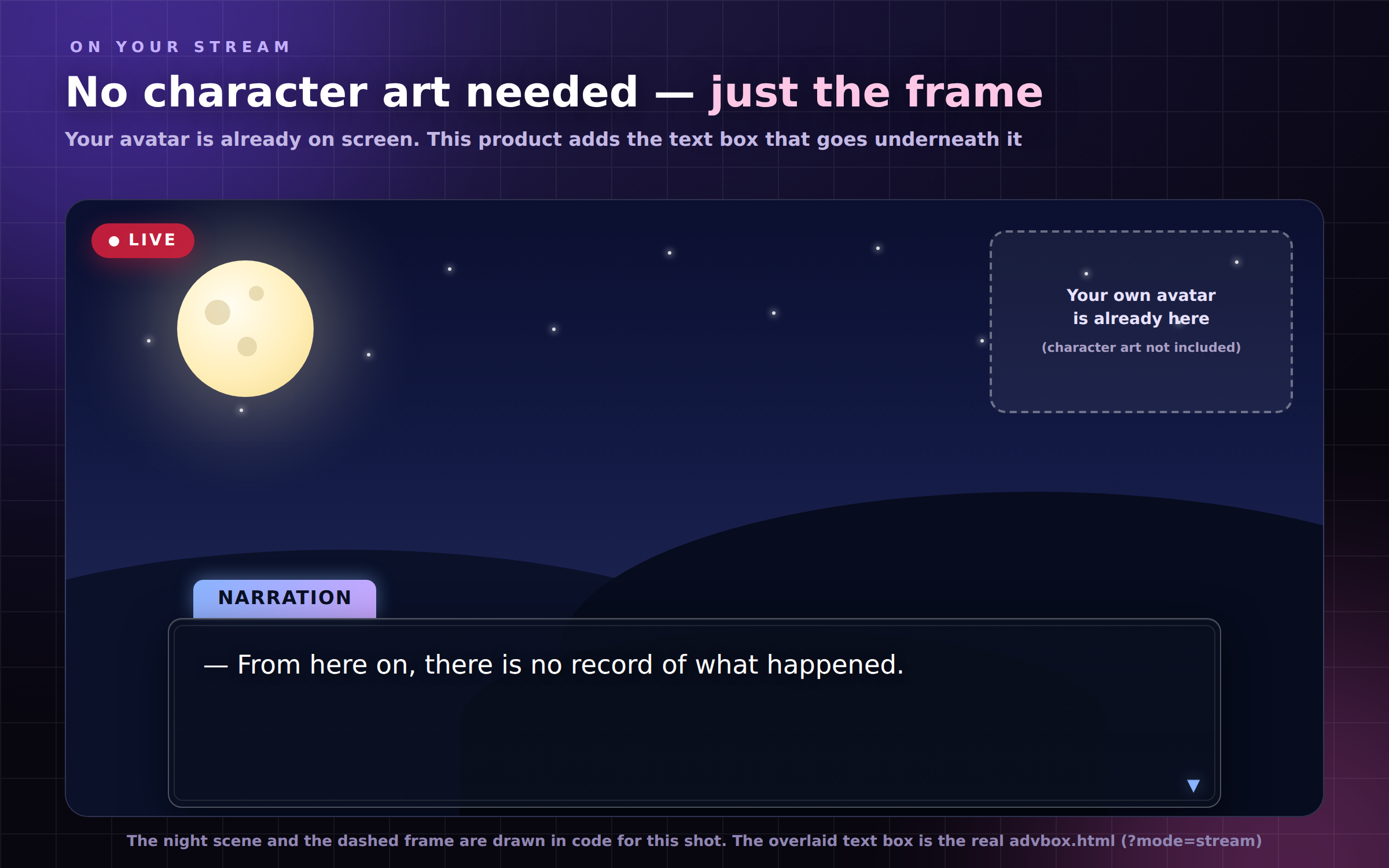
No character art needed. Your own avatar is already on screen — what this adds is the frame underneath it. Everything is drawn in code, with no image assets at all.
Single HTML, no install, no account, fully offline. Just double-click the file. English / 日本語 toggle (auto-detects your browser).
======================
WHAT IT DOES
======================
[ Moving through your lines ]
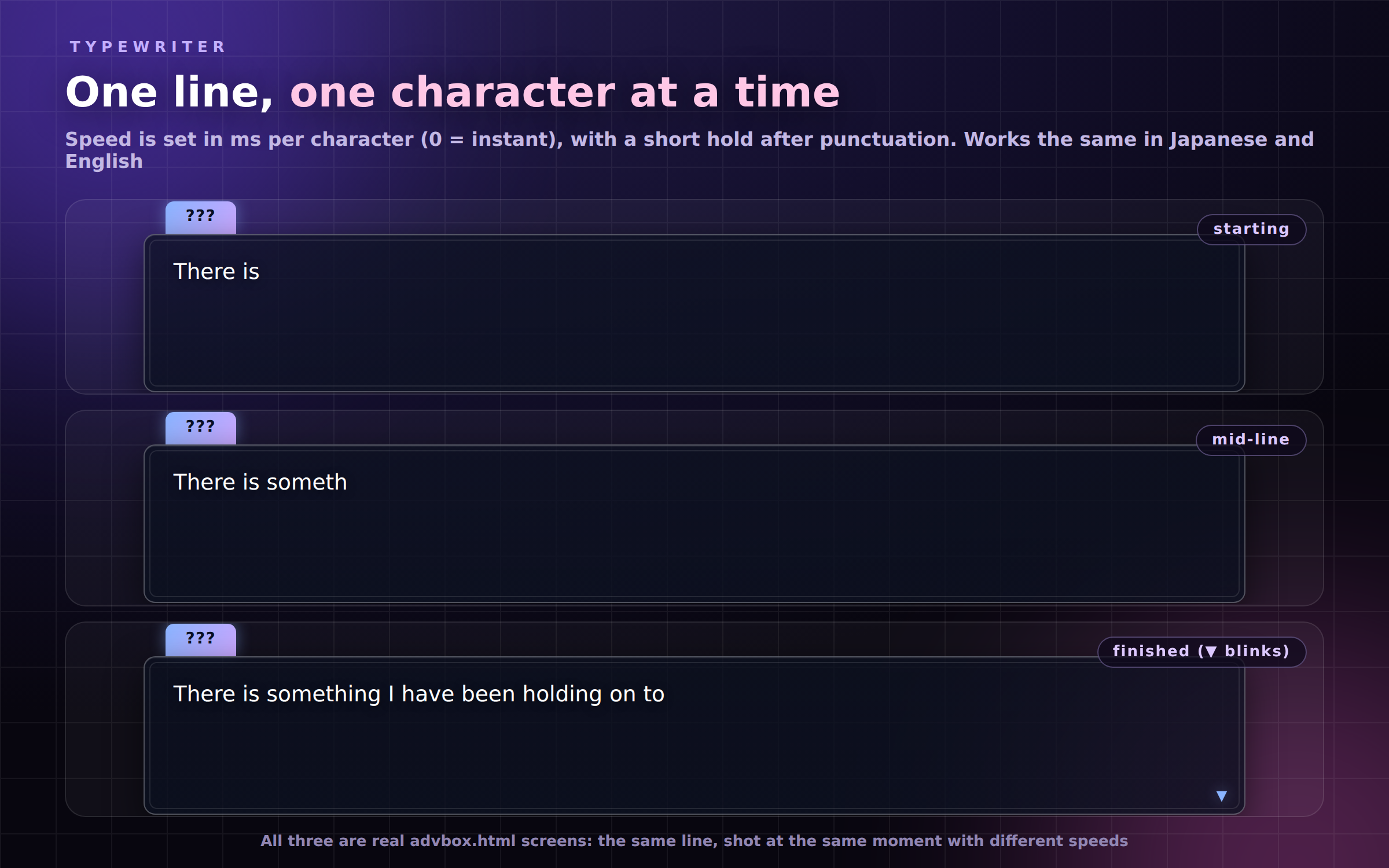
- Typewriter text (0-500 ms per character; 0 = instant, and you can switch it off)
- A short hold after punctuation, so it does not read like a machine gun
- When a line finishes, "▼" blinks. Advance and it moves to the next one
- Advance mid-typing and the whole line shows first (advance again for the next)
- Play in order, or switch "advance" to random
- Auto-advance (0-60 sec) so a reading or a narration can run on its own
[ You write the lines ]
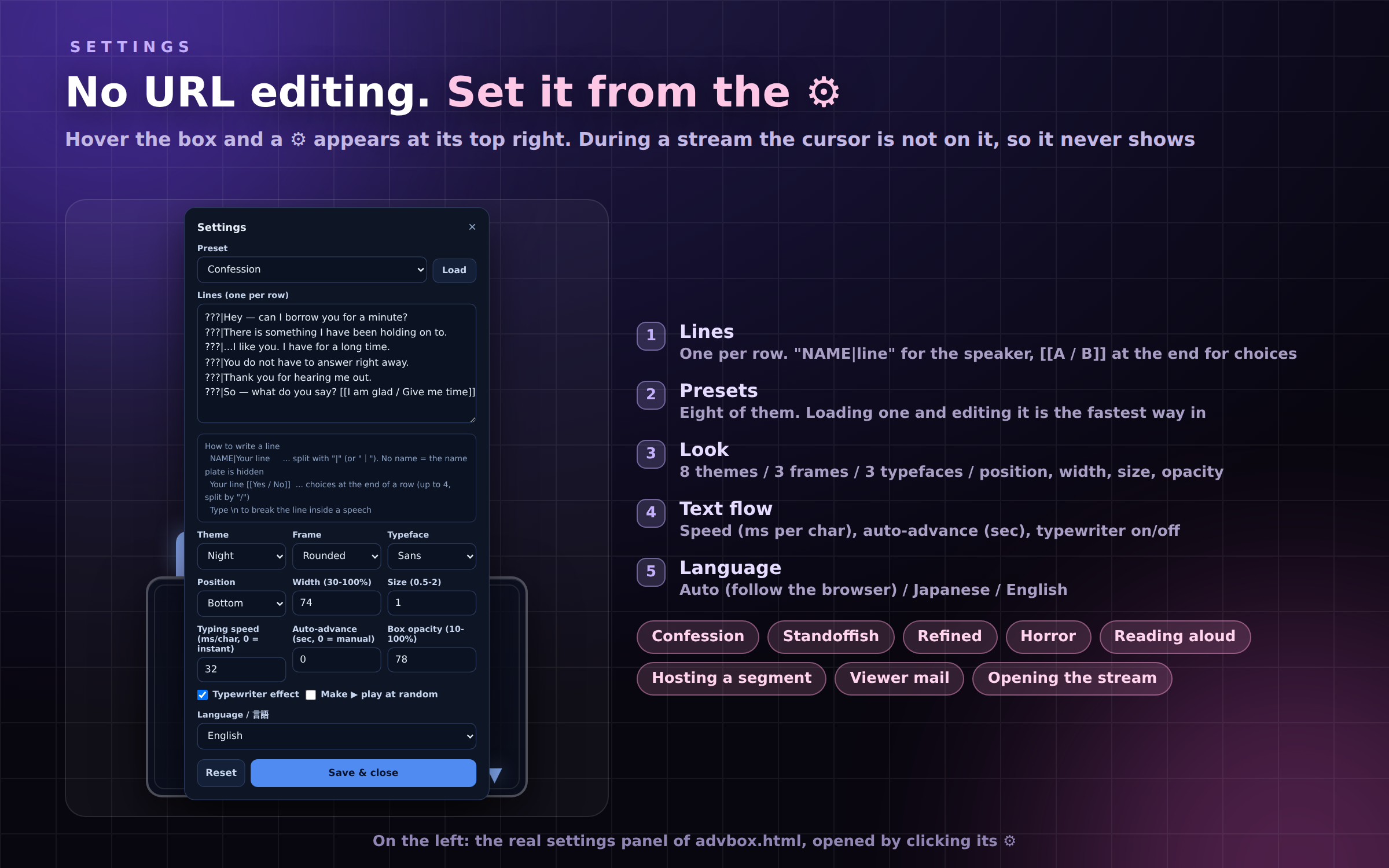
- One row = one line, typed into the gear panel (up to 300 rows)
- "NAME|your line" fills the name plate (leave the name out for narration)
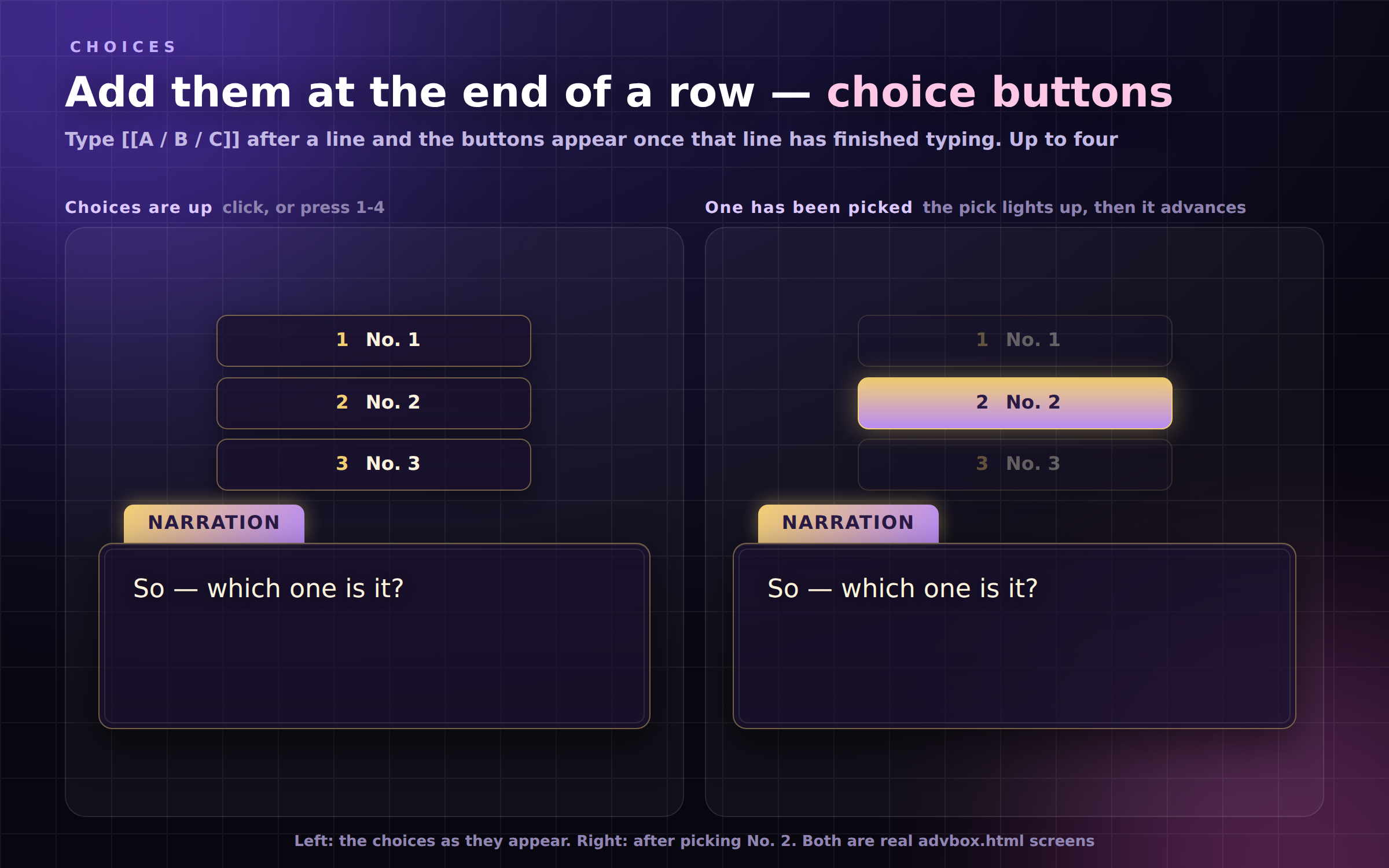
- End a row with [[Yes / No]] to get choice buttons (up to four)
- \n breaks the line inside one speech
- Eight presets included: Confession / Standoffish / Refined / Horror /
Reading aloud / Hosting a segment / Viewer mail / Opening the stream
[ Choices ]
- The buttons appear once that line has finished typing
- Click, or press 1-4. The pick lights up, then it advances
[ Handy on stream ]
- OBS transparent overlay: ?mode=stream drops just the frame onto your scene
- Control bar (hidden on the display window): back / advance / random /
restart / hide the box / which line you are on / the full list, click to jump
- A "say this right now" field: type a name and a line, press Enter, it shows
immediately. Made for reading out a viewer comment
- Keys: Space, Enter, Right = advance / Left = back / R = random /
Home = restart / H = hide-show / 1-4 = choice / F = fullscreen
- Your lines, your settings and the line you were on are saved on your PC
(they survive a reload)
[ Look & feel ]
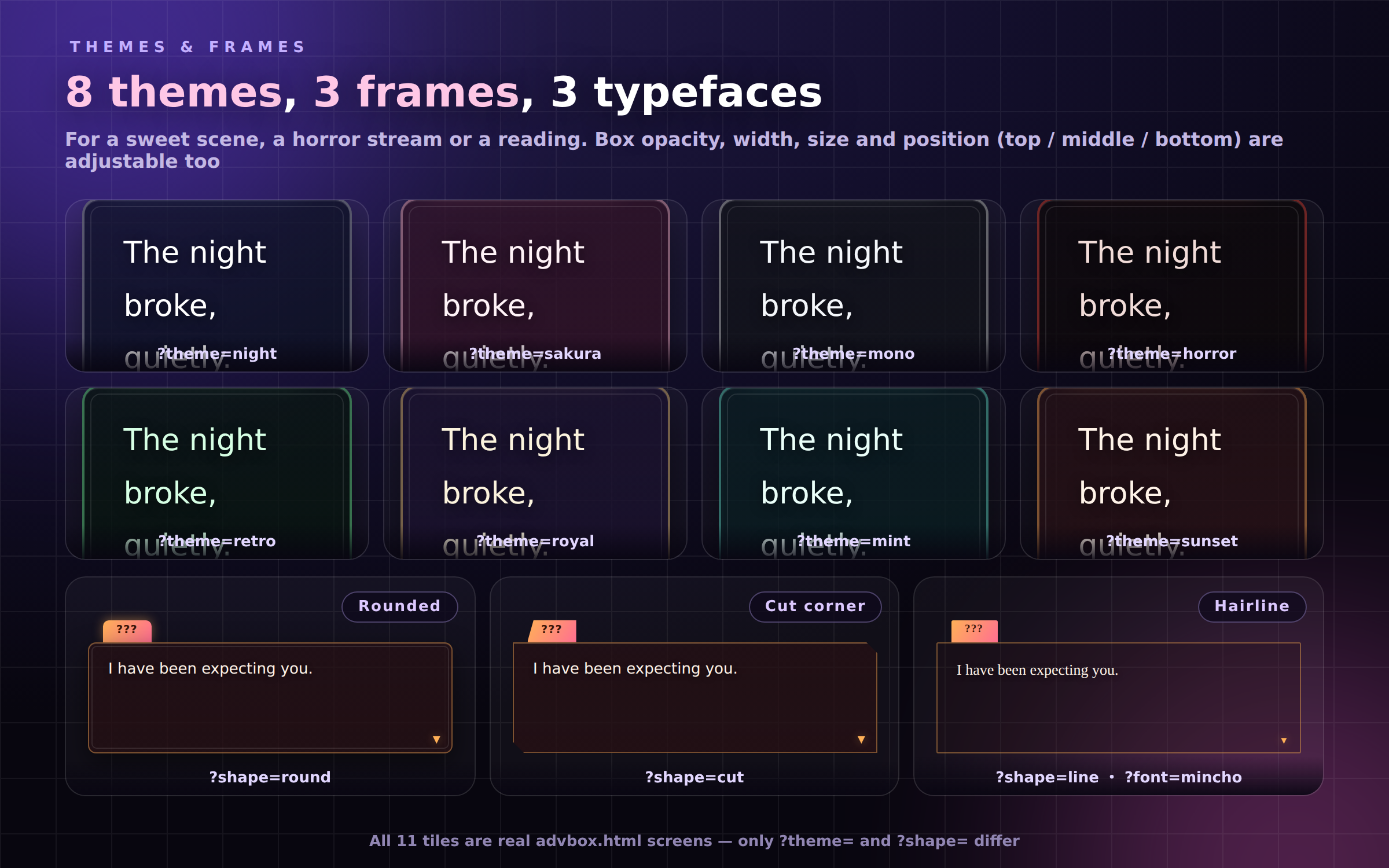
- 8 themes (Night / Sakura / Mono / Horror / Retro / Royal / Mint / Sunset)
- 3 frames (Rounded / Cut corner / Hairline)
- 3 typefaces (Sans / Serif / Mono)
- Position (top / middle / bottom), width (30-100%), size (0.5-2),
box opacity (10-100%)
- The text area reserves three lines of height, so short lines do not make
the box shrink and jump
======================
HOW TO USE
======================
- OBS: add advbox.html as a Browser Source (add ?mode=stream in the URL box
for transparency)
- Standalone: open the file and drive it from the control bar at the bottom.
Hover the box for the ⚙ at its top right
* The ⚙ only shows while the mouse is over the box, and never on a
?mode=stream window, so it cannot appear on your stream
======================
HOW IT DIFFERS FROM A LOWER THIRD
======================
- A lower third or a caption bar is a strip you leave on screen. This one you
drive: a list of lines, character-by-character reveal, advance, and choices
======================
WHAT IS IN THE ZIP
======================
- advbox.html (the whole product, one file)
- READ ME FIRST (English).txt / はじめにお読みください.txt
- TERMS.txt / 利用規約.txt
No character art, no audio.
======================
NOTES
======================
- Code-drawn, no image/audio assets — tiny and crisp at any resolution
- Tested on current Chrome / Edge. No internet needed
- Streaming & commercial use OK (see included terms)
FOR: streamers and VTubers running skits, horror narration, readings or
segment announcements, and anyone who wants to put viewer-submitted lines on
screen and read them out.
======================
TRY IT IN YOUR BROWSER
======================
There is a free browser version on this page — press play and the whole tool runs, nothing cut out. The one difference is a small "BROWSER DEMO" badge in the bottom-left corner.
The paid download is the same single HTML file without that badge. You keep it on your own disk, so it opens instantly, works with no internet, and OBS can point straight at the file.
Found a bug or want a feature? Message me.
Purchase
In order to download this tool you must purchase it at or above the minimum price of $5 USD. You will get access to the following files:
Leave a comment
Log in with itch.io to leave a comment.