DL Sales Package Builder — release ZIP, samples and store images in one run
A downloadable tool
A batch tool for the boring half of selling art online. Drop in the page
images of a comic or an art book, and it builds the release files, the sample
files and the store images in one run:
1. Release ZIP - fitted to a max long edge and a max size per file, renamed
as a clean numbered sequence
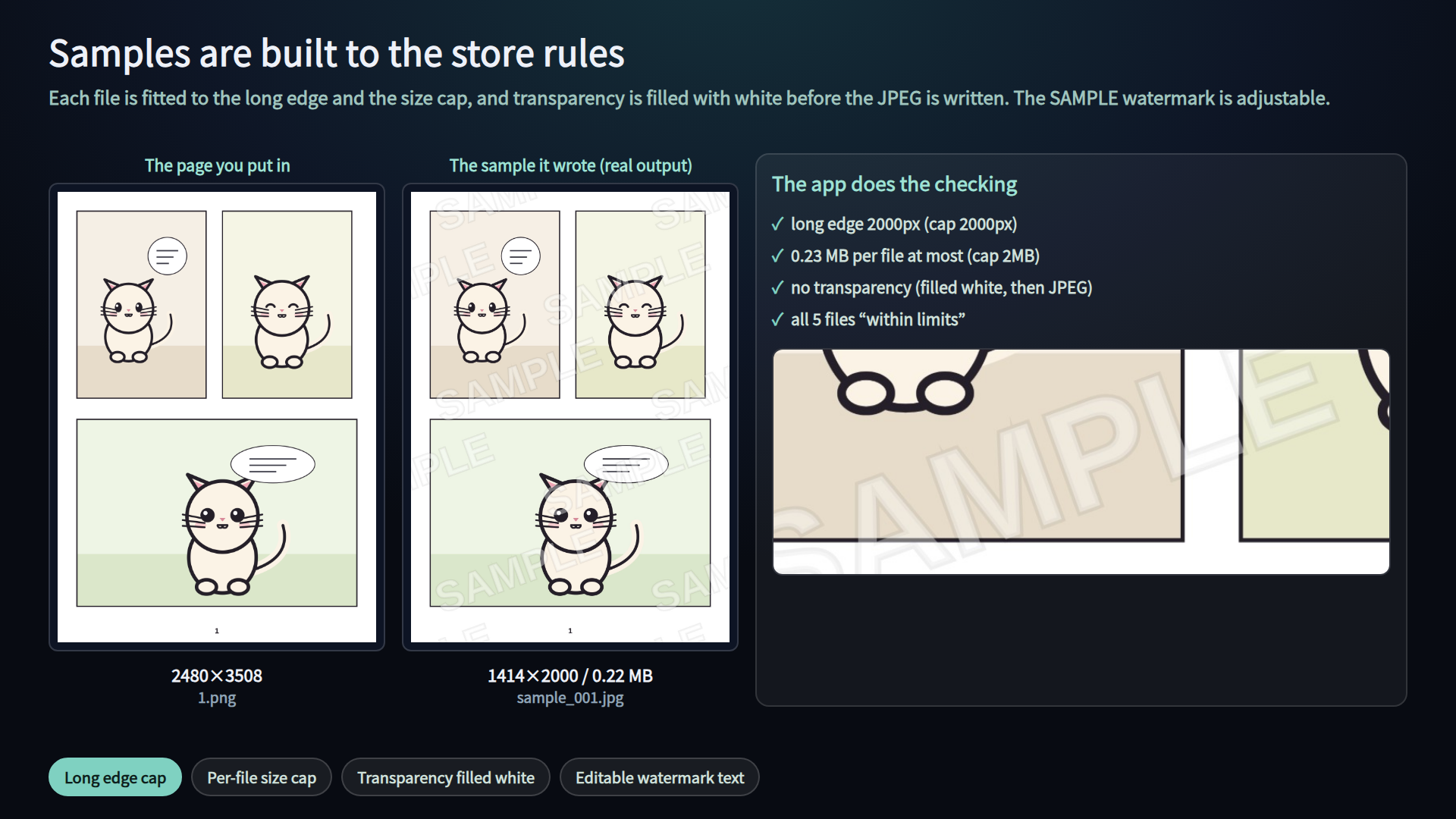
2. Sample ZIP - a selection, fitted to the preview limits, with a SAMPLE
watermark, transparency filled with white
3. Store images - exact pixel sizes such as 560x420 and 1000x1000
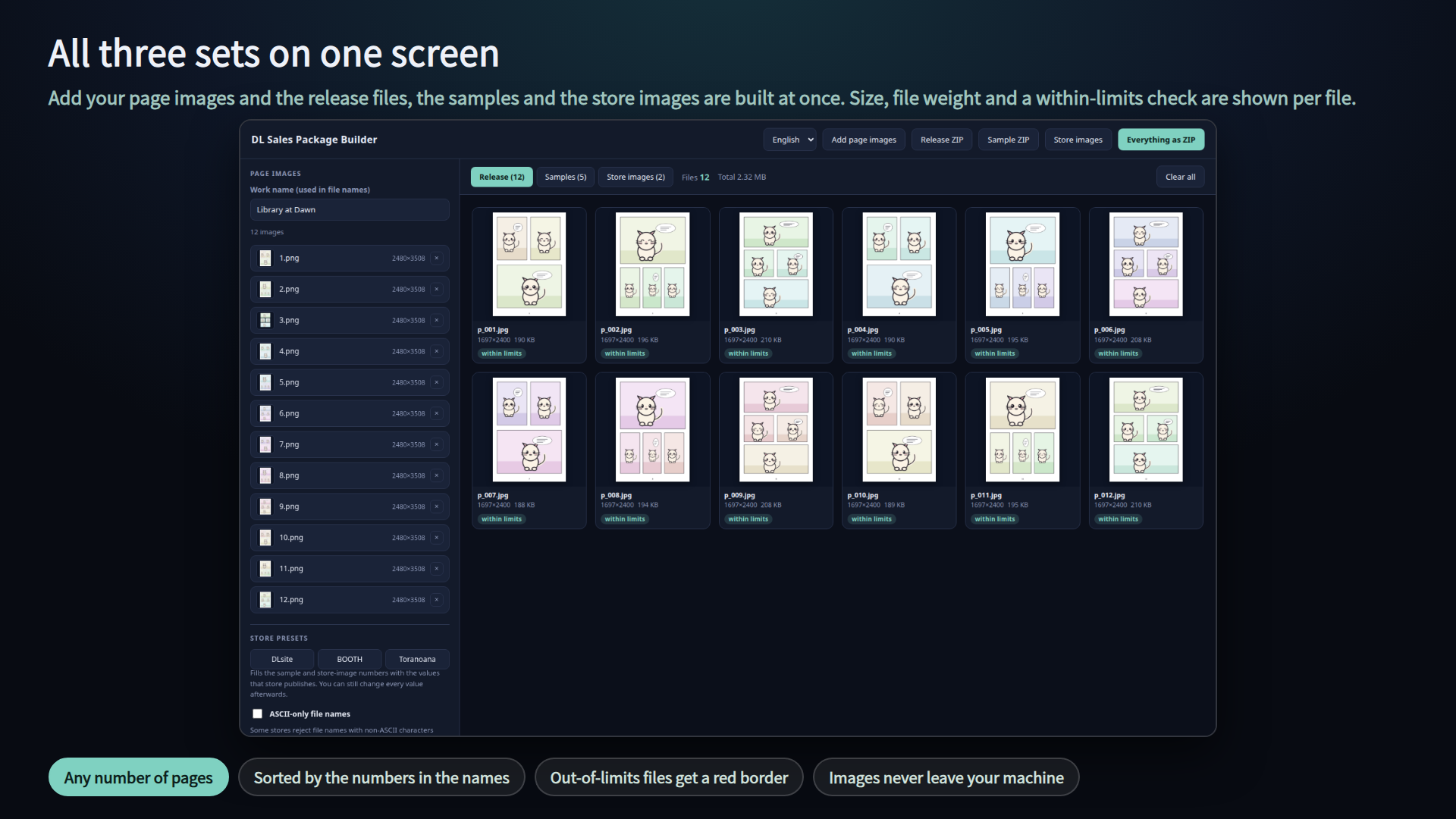
Every file is listed with its size, its weight and a "within limits / over
limits" badge, so you can check before you upload. It is not a drawing tool:
bring the pages you exported from Clip Studio, Photoshop, Procreate or
anything else.
One HTML file. No install, no account, no licence key, works offline. Just
double-click dlpack.html. Windows and Mac. English / Japanese.
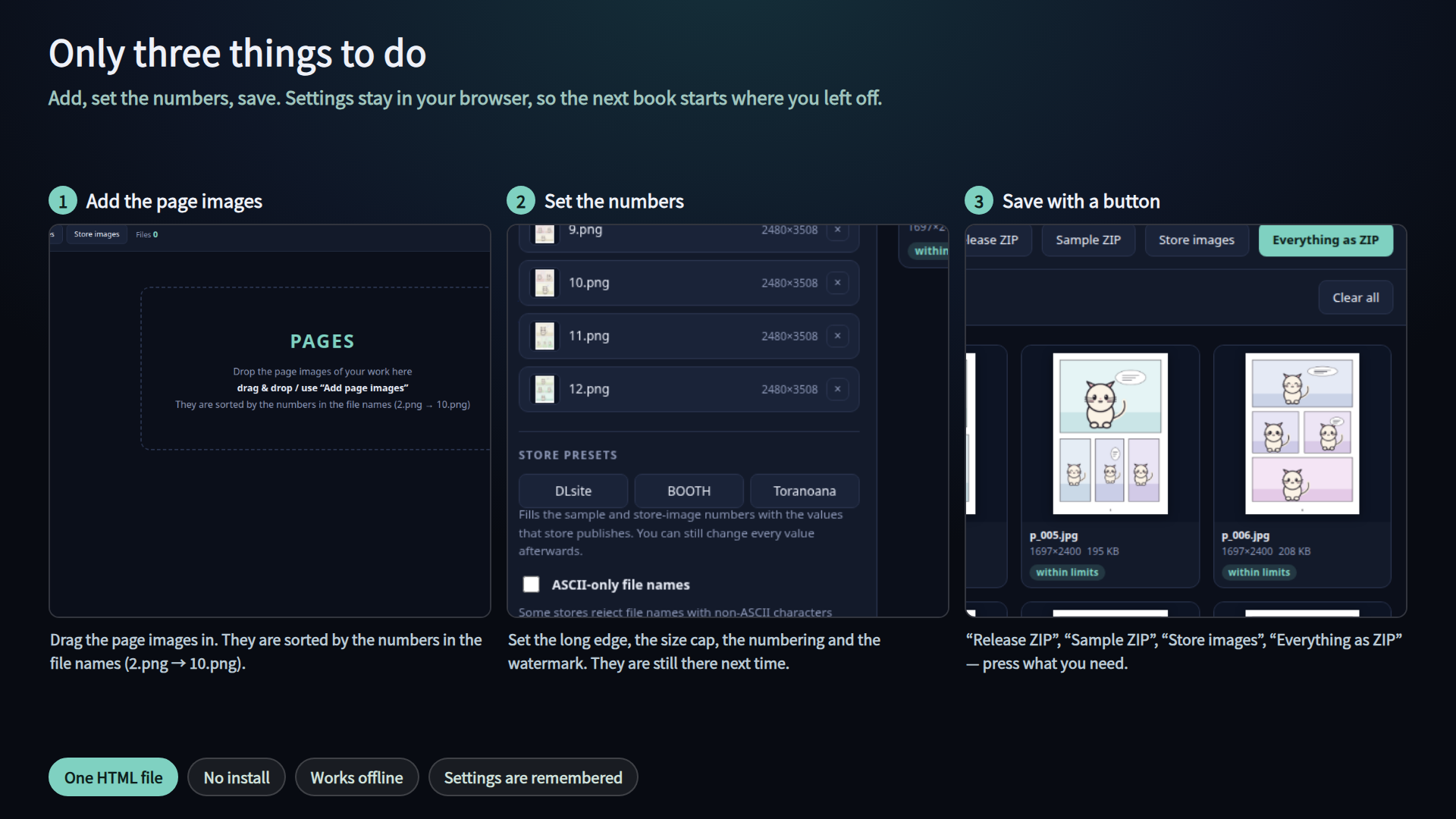
=== Three steps ===
1. Double-click dlpack.html
2. Drag the page images in (or use "Add page images"). They are sorted by the
numbers in the file names (2.png -> 10.png)
3. Press "Release ZIP", "Sample ZIP", "Store images" or "Everything as ZIP"
=== 1. Release files ===
- Format: JPEG / PNG / keep original
- Max long edge (px, 0 = keep as is)
- Max per file (MB, 0 = no limit). For JPEG the quality is lowered first; if
that is not enough the image is scaled down until it fits
- Prefix, number digits (1-6), start number
- Transparent areas are filled with white before a JPEG is written
=== Store presets (DLsite / BOOTH / Toranoana) ===
- One button fills the sample and store-image numbers with the values that
store publishes. Every value stays editable afterwards
- DLsite: samples within 2000px long edge, 2MB per file; main image 560x420
- BOOTH: product image 1000x1000
- Toranoana: samples 600-2560px long edge, up to 100MB per file, plus
ASCII-only file names
- "ASCII-only file names" is also a checkbox on its own, for stores that
reject non-ASCII names. Characters that do not fit are dropped; nothing is
transliterated for you
=== 2. Sample files ===
- Pick the first N pages, every N-th page, or all of them
- Max long edge (2000px by default), min long edge (0 = none by default;
anything below it is flagged as over limits, for stores with a lower bound
such as Toranoana), max per file (2MB by default), prefix (sample_ by
default)
- SAMPLE watermark: text, position (center / tiled / bottom right), size,
opacity, colour (white / black)
- Transparency is filled with white before the JPEG is written
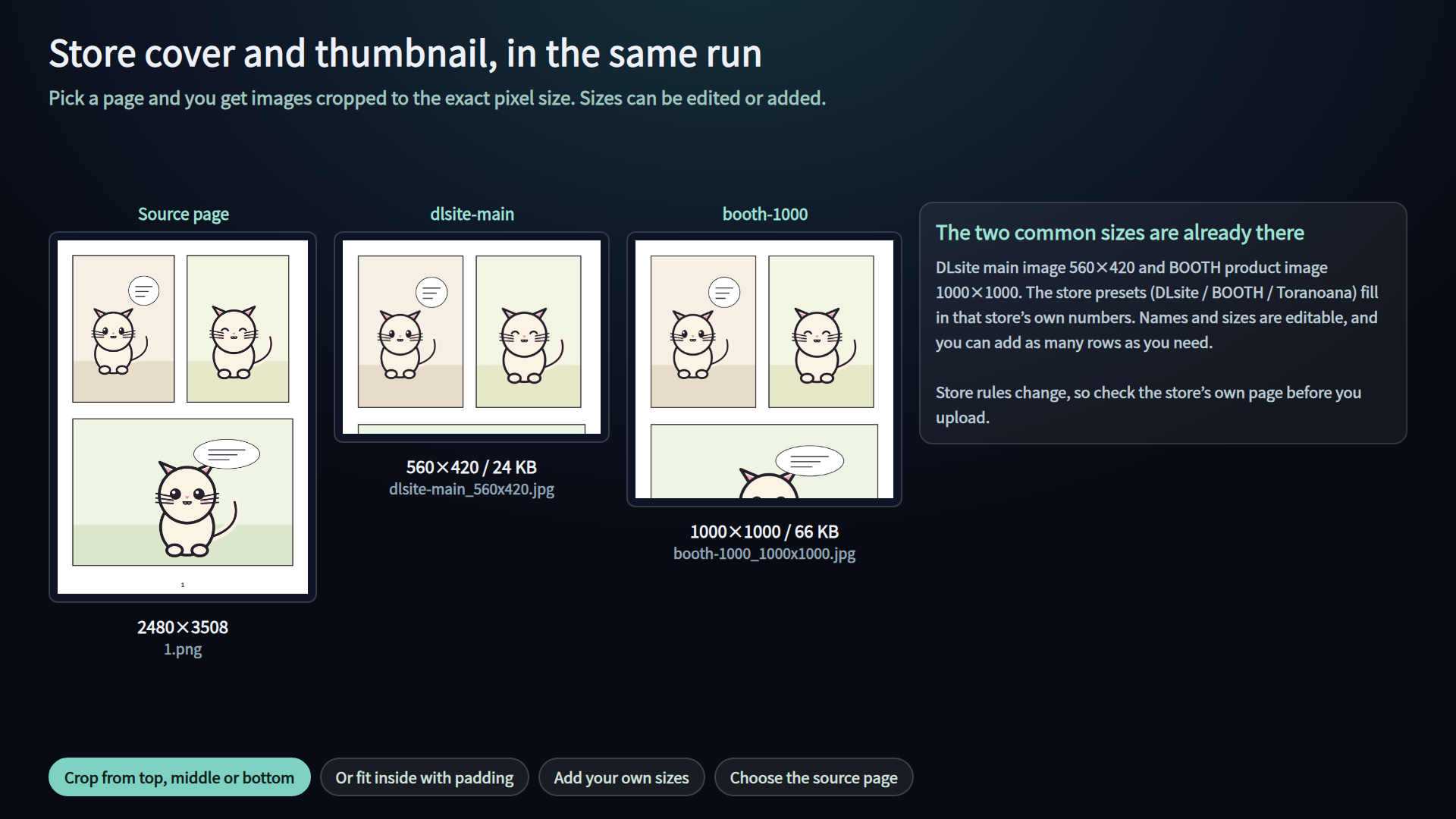
=== 3. Store images ===
- Choose the source page
- Fit: crop to fill (from the top, the middle or the bottom) or fit inside
with padding (white or black)
- Sizes are rows of "name + width x height". dlsite-main 560x420 and
booth-1000 1000x1000 are there from the start; add, edit or switch off rows
=== What comes out ===
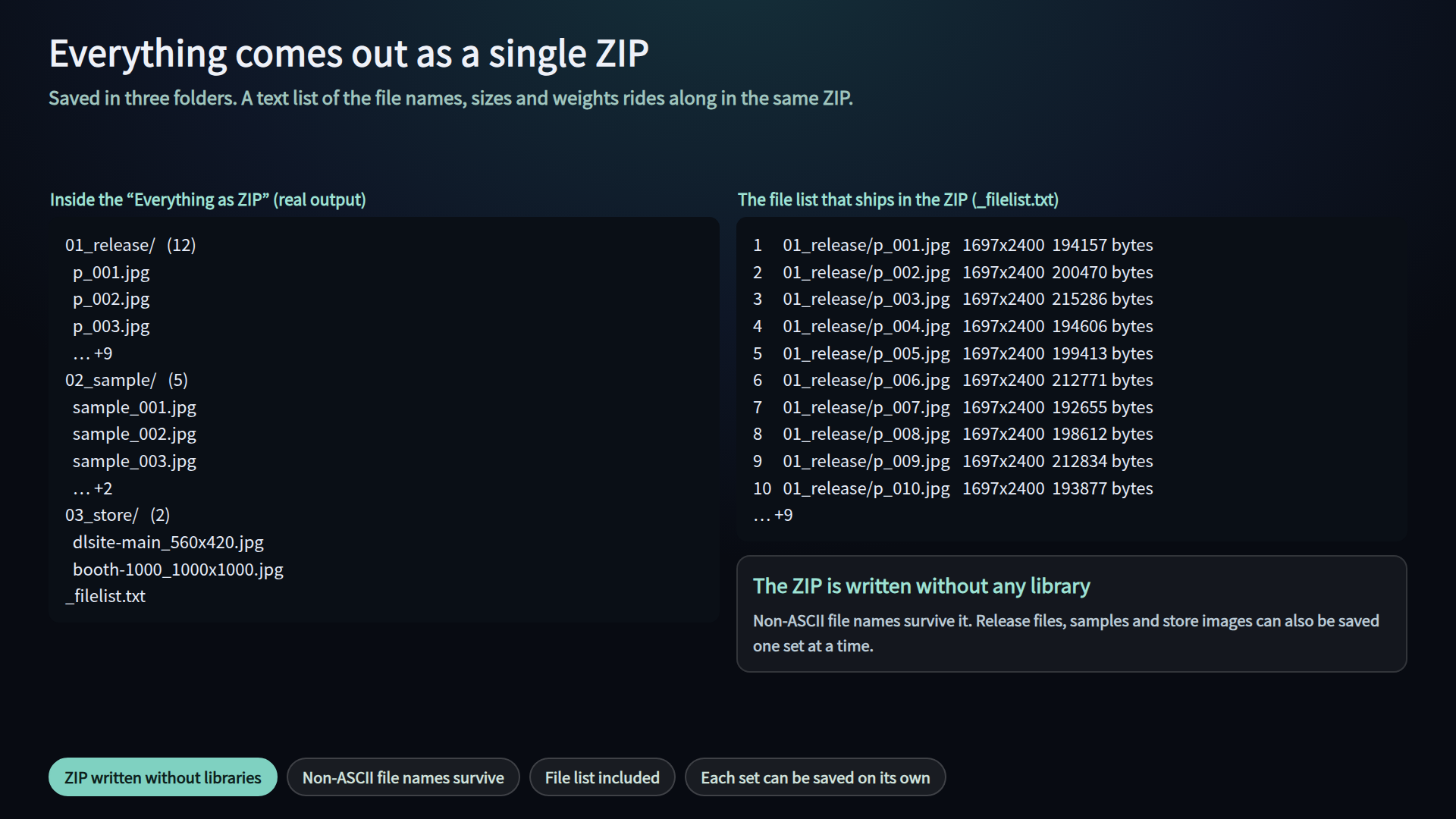
- <work name>_release.zip / <work name>_sample.zip / <work name>_store.zip
- <work name>_package.zip with 01_release/ 02_sample/ 03_store/ inside
- Every ZIP carries a _filelist.txt (number, file name, size, weight)
- The ZIP is written without any library, so non-ASCII file names survive it
=== About the numbers ===
- DLsite: samples within 2000px on the long edge, 2MB per file, no
transparency; main image 560x420
- Toranoana (consignment sample images): jpg / png, long edge 600-2560px, up
to 100MB per file; ASCII file names are the safe choice
- BOOTH product images are cropped to a square in listings and search, so
1000x1000 is the safe size to build (not a number BOOTH publishes as a rule)
- Guidelines change, so always check the store's own page before you upload
- Every number is editable on screen
=== Saving and language ===
- The settings are saved in your browser automatically
- Images are never saved; add them again after you reopen the file
- Switch language in the top right; it starts from your browser language
- ?lang=en or ?lang=ja on the URL also works
=== Notes ===
- Windows and Mac, browser only. Tested in Chrome and Edge.
- No outside connections. Your images are never uploaded: processing and
zipping happen inside your browser.
- The images you export are yours to use, commercial work included
(see TERMS.txt in the download)
- No comic or illustration data is included - bring your own images
=== In the download ===
- dlpack.html (the whole tool)
- READ ME FIRST (English).txt / はじめにお読みください.txt
- TERMS.txt / 利用規約.txt
Purchase
In order to download this tool you must purchase it at or above the minimum price of $8 USD. You will get access to the following files:
Leave a comment
Log in with itch.io to leave a comment.