Geometric Backgrounds - 12 Animated Line and Solid Loops for OBS
A downloadable tool
Not an image, not a video: these are drawn on the spot and keep moving forever. Twelve full-screen backgrounds built from lines, faces and solids - no illustration, no scenery, just geometry. Made for music streams, work-along streams, standby scenes and chat streams.
All twelve together come to about 140 KB, and there is no loop seam - the motion joins up exactly at the end of one cycle.
The point of the pack: you can clear the middle. Fade the shapes exactly where your character, your camera or your text sits, by whatever amount you like. Backgrounds with a drawing in them fight your art; these get out of the way instead.
One single HTML file each. No install, no account, works completely offline. English / Japanese.
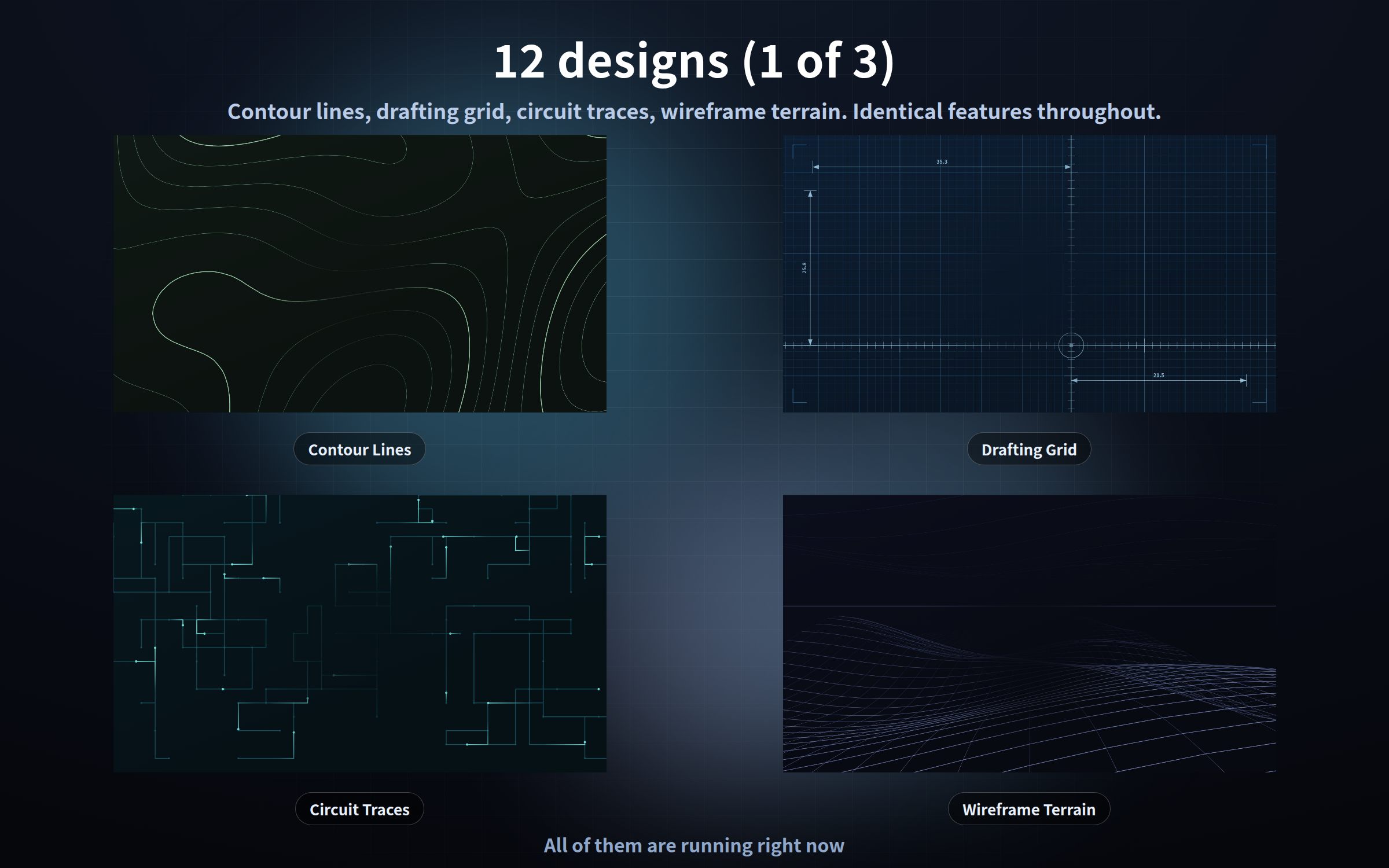
The twelve designs
- contour - map-like level lines rising, stretching and fading
- grid - a crosshair rule and dimension lines sliding over drafting paper
- circuit - points of light running along board wiring
- wireframe - an undulating surface flowing toward you
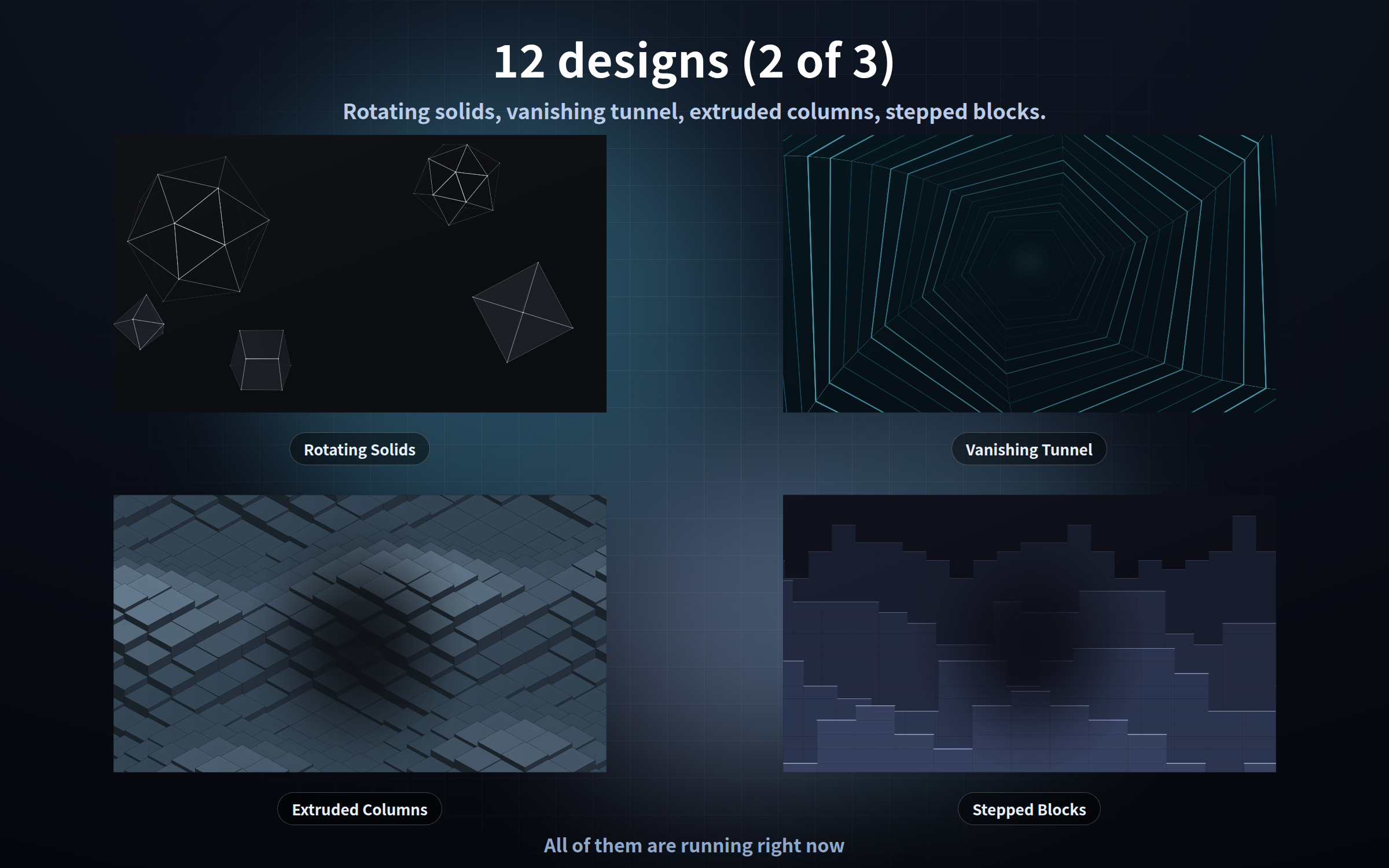
- polyhedron - icosahedron, octahedron and cube turning, edges only
- tunnel - hexagonal rings passing from far to near
- extrude - square columns on an isometric floor riding a wave
- steps - back, middle and front layers of stepped blocks drifting past
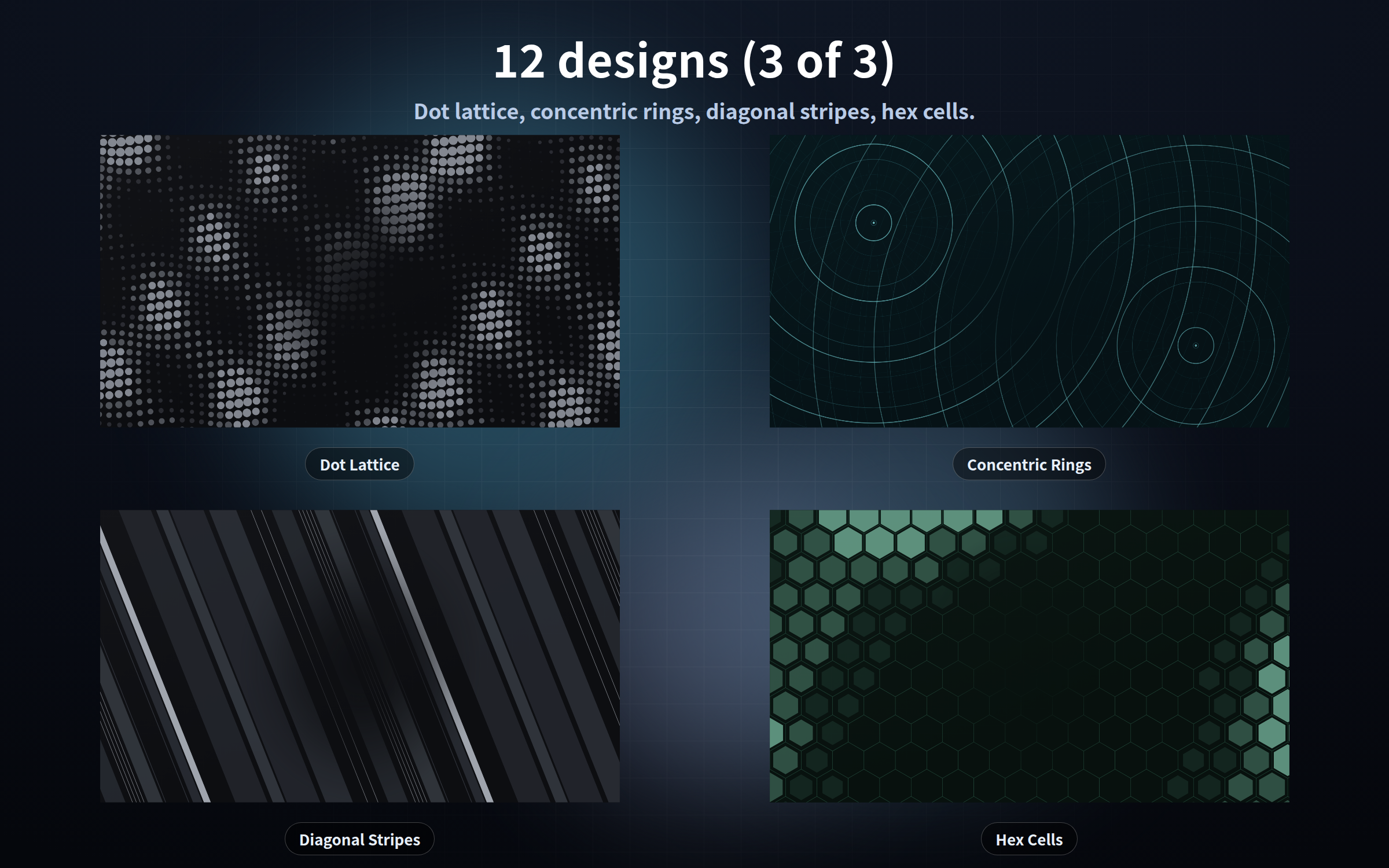
- dots - an even grid of dots swelling under travelling waves
- rings - rings spreading out from two centres
- stripes - bands of different widths sliding across at an angle
- hexcell - a honeycomb lighting up along the path of a wave
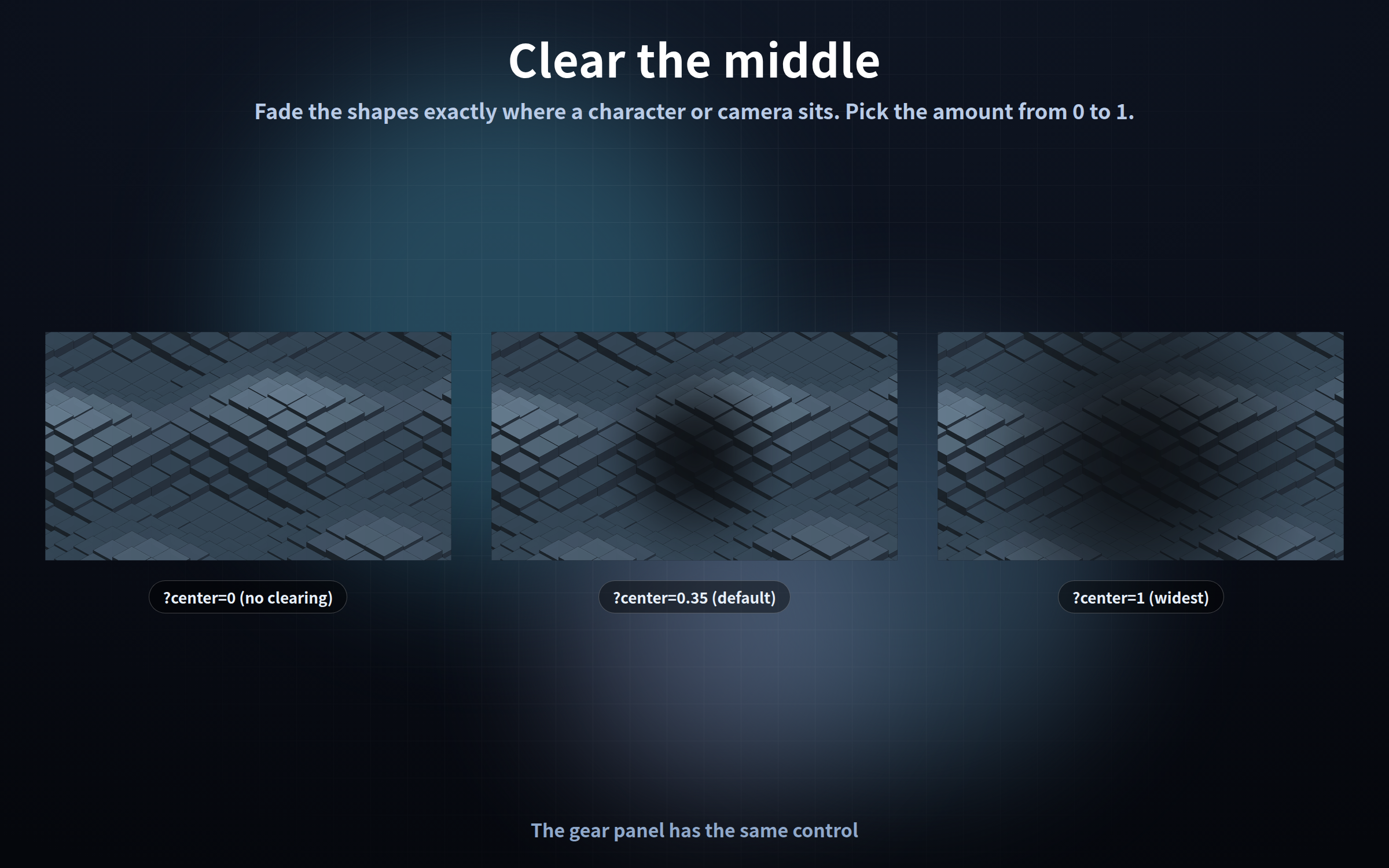
Clearing the middle
- ?center=0 nothing cleared
- ?center=0.35 the default, about one character wide
- ?center=1 the widest clearing
The gear panel has the same control, in steps of 0.05. Shapes are faded, not cut out, so the background never looks chopped.
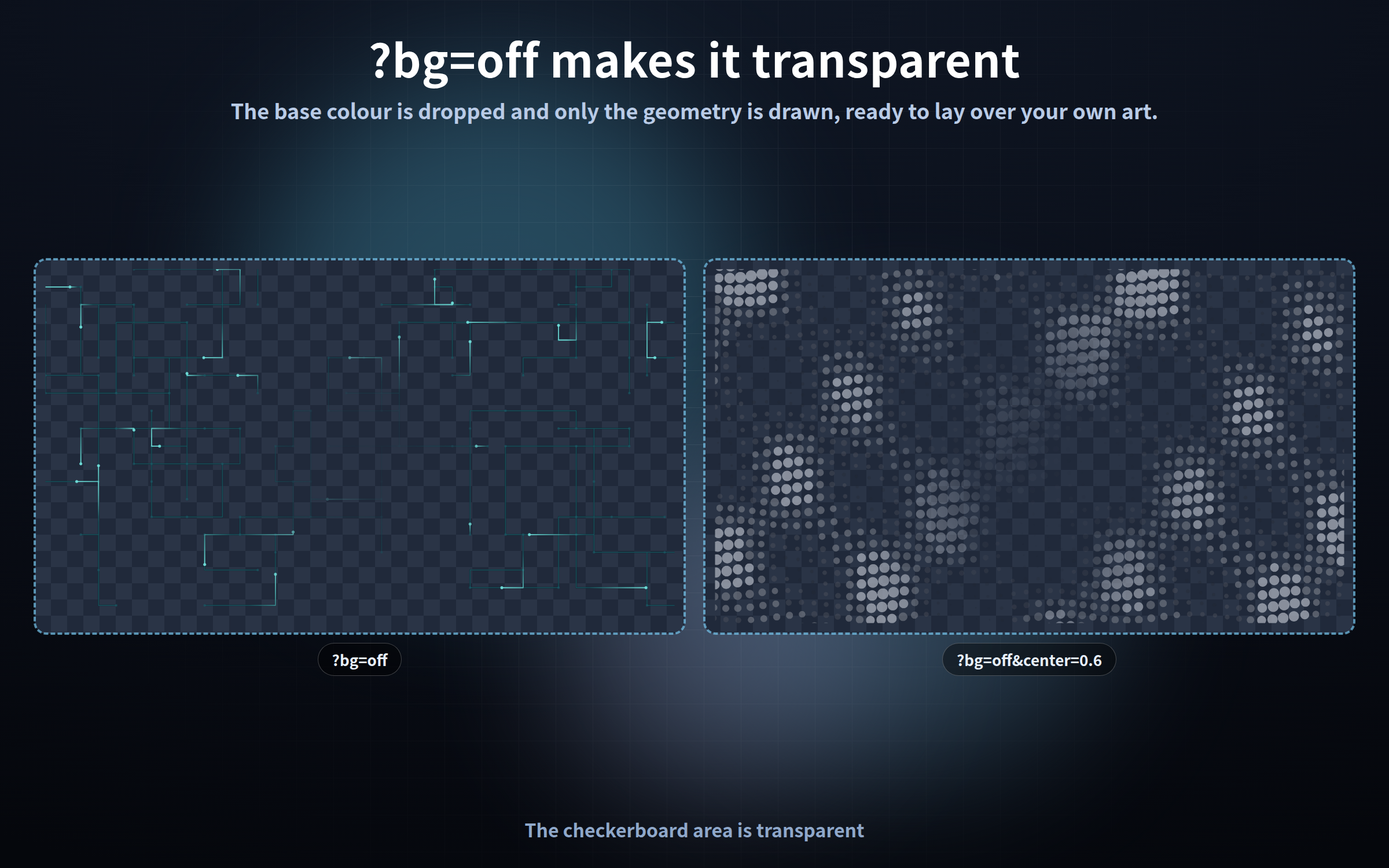
A transparent background
?bg=off drops the base colour and draws only the geometry. An OBS browser source is transparent by default, so you can lay the lines straight over your own image or video.
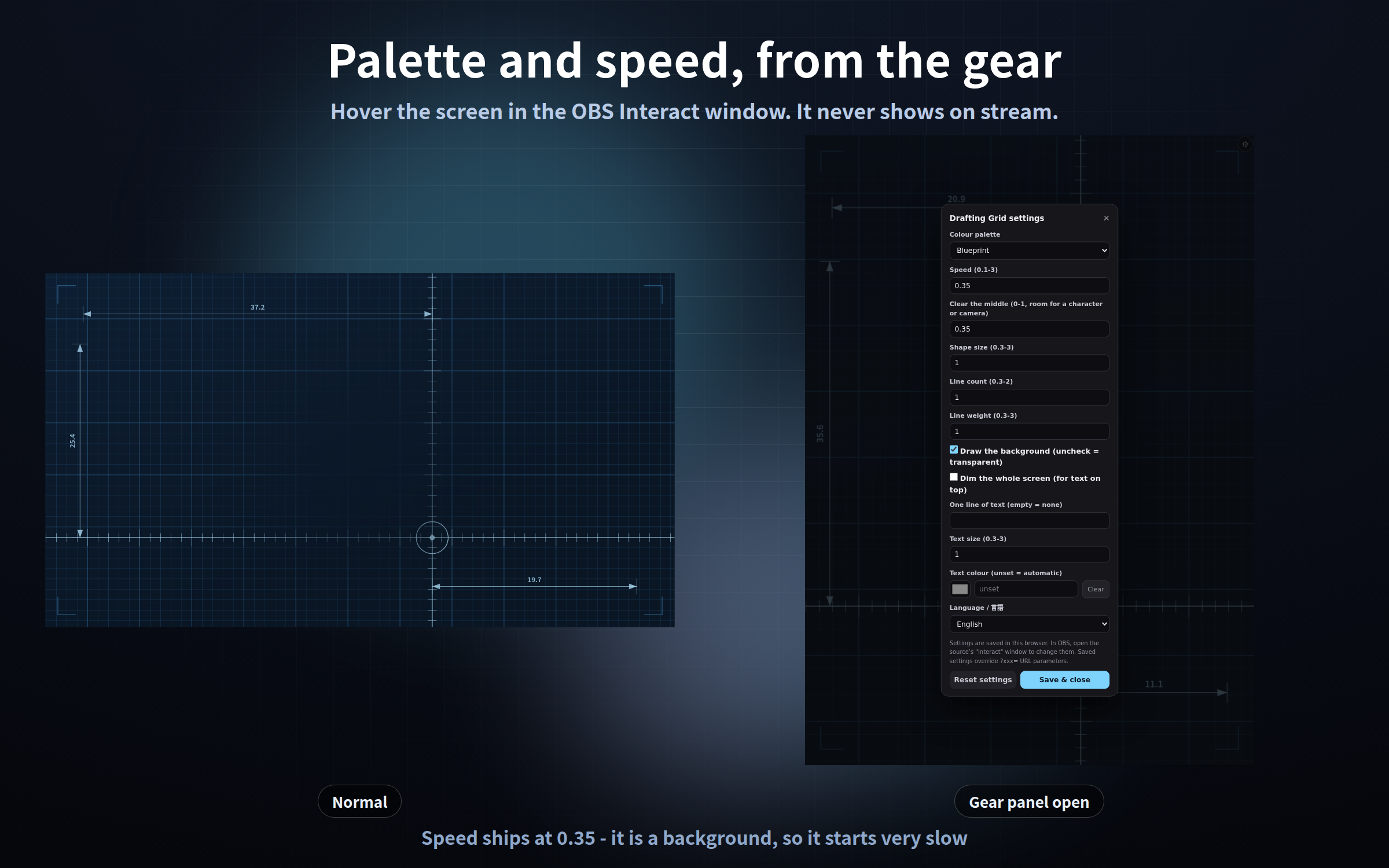
The gear button
1. Right-click it in the OBS Sources list and choose "Interact"
2. Move the mouse over it - a gear appears top right (or press the S key)
3. Change what you like and press "Save and close"
The gear is invisible the rest of the time, so it never shows on stream. Settings are saved and survive an OBS restart. Add ?key=a or ?key=b to run the same design with different settings in different scenes. Settings are stored per browser, so always configure inside the OBS "Interact" window.
Settings shared by all twelve
?palette= four per design / ?speed= 0.1-3, default 0.35 / ?center= 0-1, default 0.35 / ?scale= 0.3-3 shape size / ?density= 0.3-2 line count / ?thick= 0.3-3 line weight / ?bg=off / ?dark=on / ?text= one line, | for a break / ?textsize= / ?textcolor= / ?lang= / ?mode=stream / ?key=
Palettes: contour moss, ink, amber, paper / grid blueprint, paper, graphite, teal / circuit teal, amber, plum, steel / wireframe night, moss, ember, ice / polyhedron graphite, gold, cobalt, rose / tunnel cyan, plum, amber, ink / extrude slate, clay, mint, ivory / steps dusk, sand, copper, sea / dots ink, cyan, rose, paper / rings teal, graphite, amber, indigo / stripes ink, mustard, sea, linen / hexcell mint, cobalt, ember, ash
Please note
Visuals only - no sound, no clock, no countdown, no chat display. Nothing is ever sent anywhere: no internet needed, no web fonts, no analytics. No people, animals or characters appear. A higher ?density= costs more to draw.
Tested in Chrome and Edge. The OBS Studio 28+ browser source is Chromium, so it runs the same way there, and in other apps with a browser source such as Streamlabs.
Each frame is computed from the current time and no past frames are kept, so memory does not grow however long you leave it on (checked over 12 hours of animation at 900x; add ?qa=fast and you can check it yourself). One frame at 1920x1080 measures 11-22 ms across the twelve designs, measured in Chromium with the GPU off - 44 to 60 frames per second.
Streaming and commercial use are fine; see the included terms of use.
Found a bug or want a feature? Message me.
Purchase
In order to download this tool you must purchase it at or above the minimum price of $3 USD. You will get access to the following files:
Leave a comment
Log in with itch.io to leave a comment.