Lower Thirds - 20 OBS Overlay Designs with a Control Panel (Manual Next, 10 Slots)
A downloadable tool
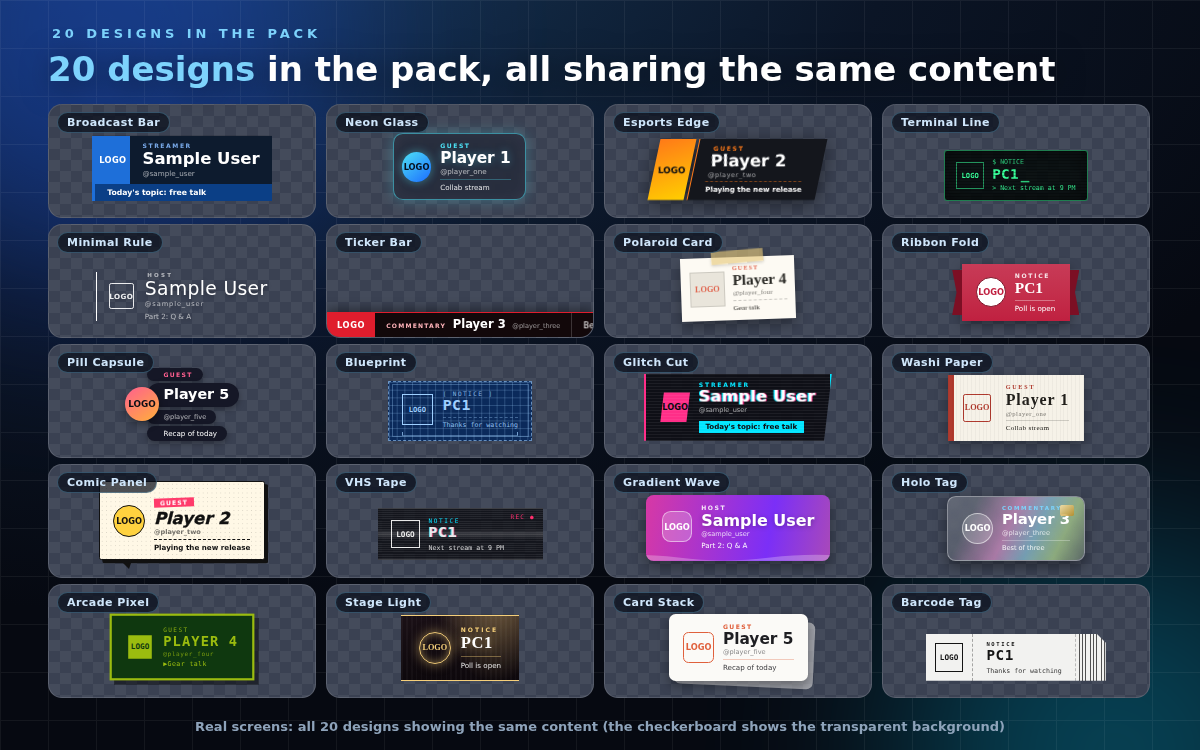
Twenty lower-third designs that put a name, role, social handle and topic headline across the bottom third of your screen. Single self-contained HTML, no install, no account, works offline. Transparent background — drop it straight into an OBS Browser Source.
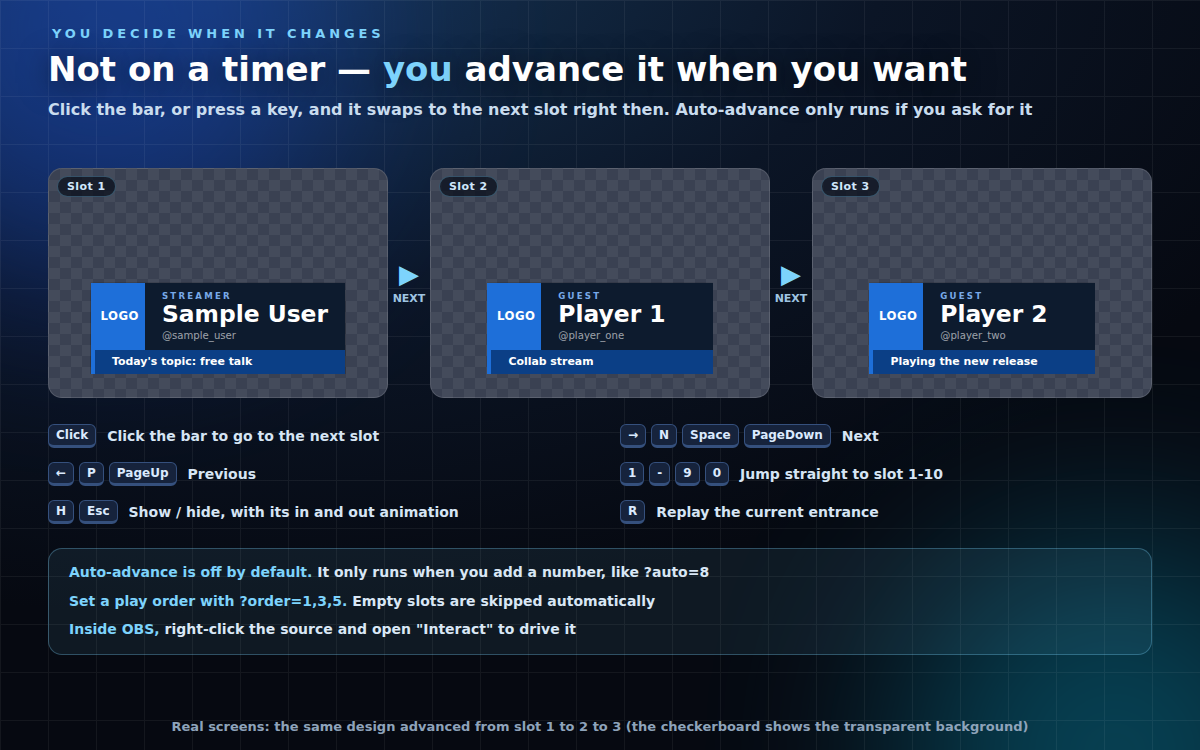
Nothing rotates on a timer unless you ask it to. You advance to the next line yourself, when you want to.
WHAT IT DOES
- Manual advance: click the bar, or press Right / N / Space / PageDown for next, Left / P / PageUp for previous
- Number keys 1-9 and 0 jump straight to slot 1-10
- H / Esc shows and hides the bar with its in and out animation; R replays the current entrance
- Inside OBS, right-click the source and open "Interact" to drive it
- Auto-advance only runs if you ask for it: add ?auto=8 (seconds). Off by default
- Set a play order with ?order=1,3,5. Empty slots are skipped automatically
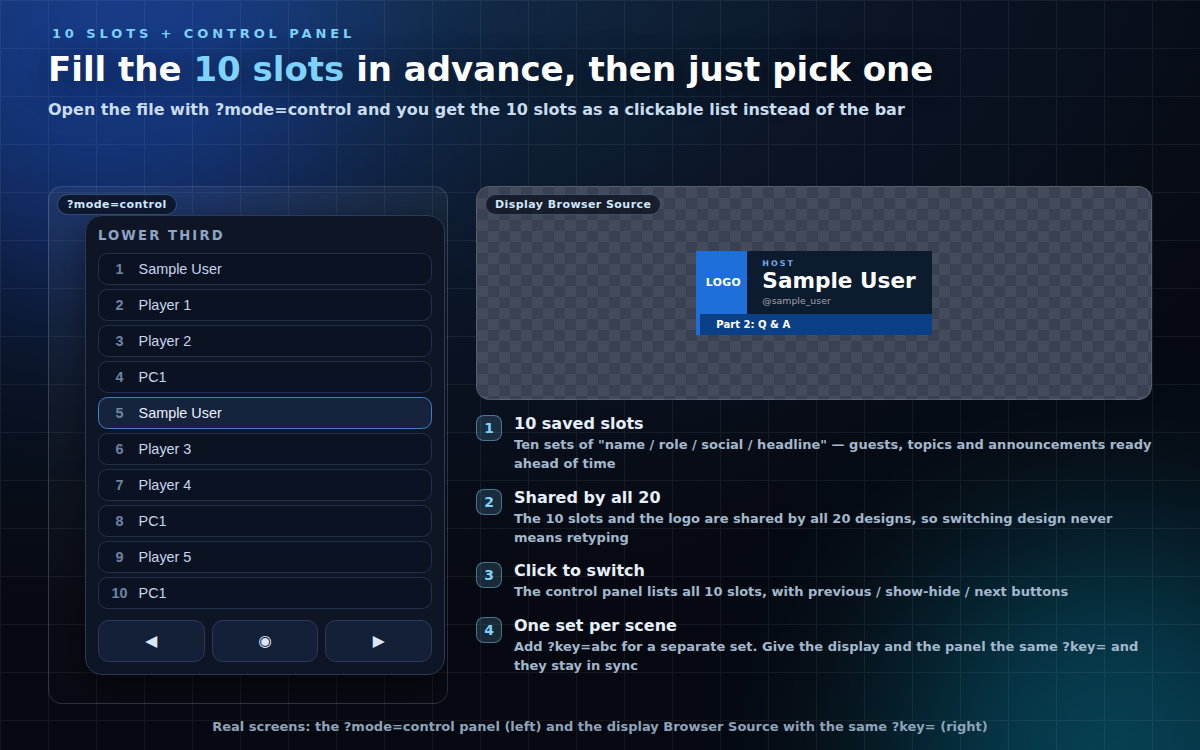
- 10 saved slots of "name / role / social / headline" — fill in your guests, topics and announcements ahead of time, then just hit next
- The 10 slots and the logo are shared by all 20 designs, so switching design never means retyping anything
- Add ?key=abc for a separate set of slots (useful when different scenes need different content)
- Control panel: open a file with ?mode=control and you get all 10 slots as a clickable list, plus previous / show-hide / next buttons
- Run two Browser Sources with the same ?key= — one as the display, one as the control panel — and they stay in sync (they share the browser's own storage; verified on Chrome)
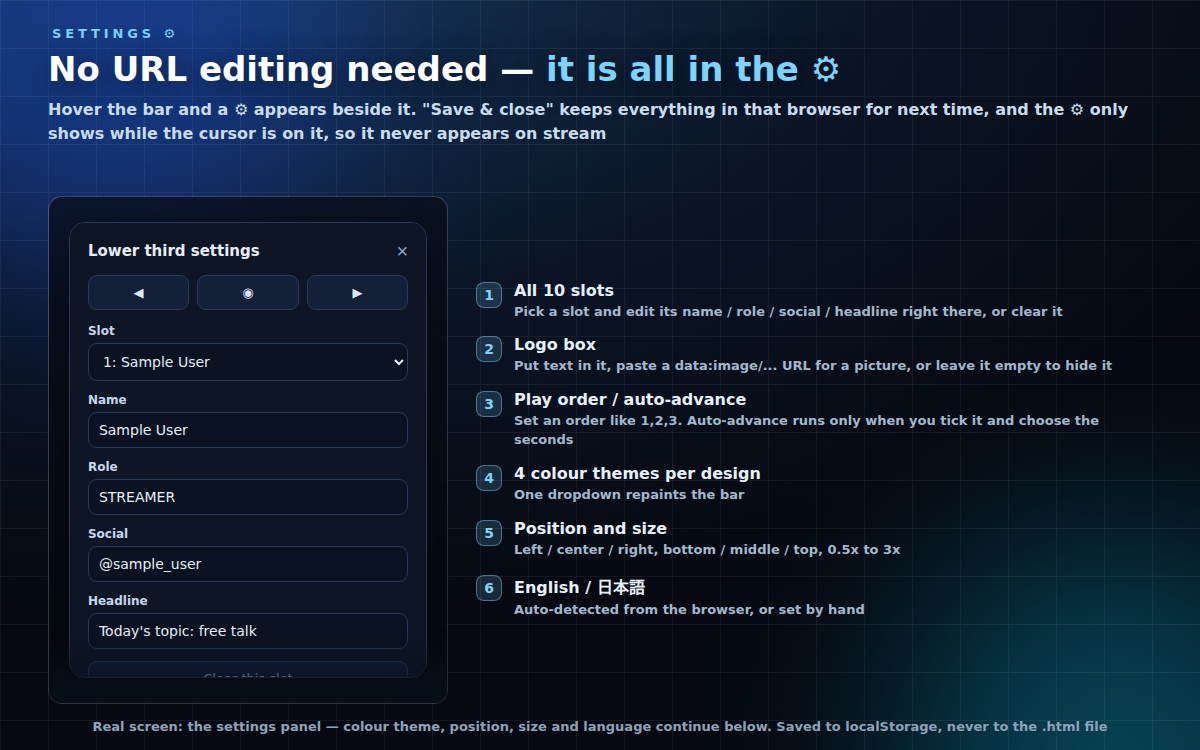
- Every one of the 20 designs has a logo box, so switching design never drops or hides your logo (the box size varies a little between designs). Put text in it, paste a data:image/... URL for a picture, or turn it off
- Gear settings button, tucked against the widget and only visible while the cursor is over it, so it never shows on stream. It edits all 10 slots, the logo, play order, auto-advance, color theme, horizontal and vertical position, size and language. "Save & close" stores everything in that browser (localStorage — the HTML file is not modified); "Reset" clears it
- 4 color themes per design, position left/center/right and bottom/middle/top, size 0.5x-3x
- Japanese/English switch (auto-detected from your browser, or force it with ?lang=)
DESIGNS (20 total)
- Broadcast Bar — news-broadcast bar with a headline strip
- Neon Glass — frosted glass panel with a sweeping neon edge
- Esports Edge — skewed two-piece plate sliding in from both sides
- Terminal Line — monospace terminal that types in from the left
- Minimal Rule — a hairline rule grows, then the text fades in line by line
- Ticker Bar — full-width bar with a headline scrolling in from the right
- Polaroid Card — tilted photo card held up by a strip of tape
- Ribbon Fold — ribbon banner with folded ends, unfurling horizontally
- Pill Capsule — rounded pills that bounce in one row at a time
- Blueprint — grid paper, dashed frame and a dimension line
- Glitch Cut — dark slab with RGB-split glitching and scanlines
- Washi Paper — washi panel with a vermilion strip and serif type
- Comic Panel — thick outline, halftone dots and a speech tail
- VHS Tape — scanlines, rolling tracking noise and a blinking REC
- Gradient Wave — animated gradient bar with a wave along the bottom
- Holo Tag — holographic ID tag with moving foil, flipping up from its base
- Arcade Pixel — chunky pixel-art frame with a blinking cursor
- Stage Light — stage curtain lit by a moving spotlight, opening from the centre
- Card Stack — cards stacked behind the front one, swapping left to right
- Barcode Tag — ticket tag with a perforated stub and a barcode
HOW TO USE
- OBS: Sources -> Browser -> Local file -> pick the .html (background stays transparent automatically)
- Standalone: double-click the .html to open in your browser
Code-based — no image, video or web-font assets — so it stays tiny and crisp at any resolution. Text uses the fonts already installed on Windows / macOS. Tested on current Chrome (Edge and other Chromium-based browsers use the same engine). No internet needed.
Found a bug or want a feature? Message me.
Purchase
In order to download this tool you must purchase it at or above the minimum price of $6 USD. You will get access to the following files:
Leave a comment
Log in with itch.io to leave a comment.