Overlay Textures - 12 Film Grain, Scanline and Light Leak Layers for OBS
A downloadable tool
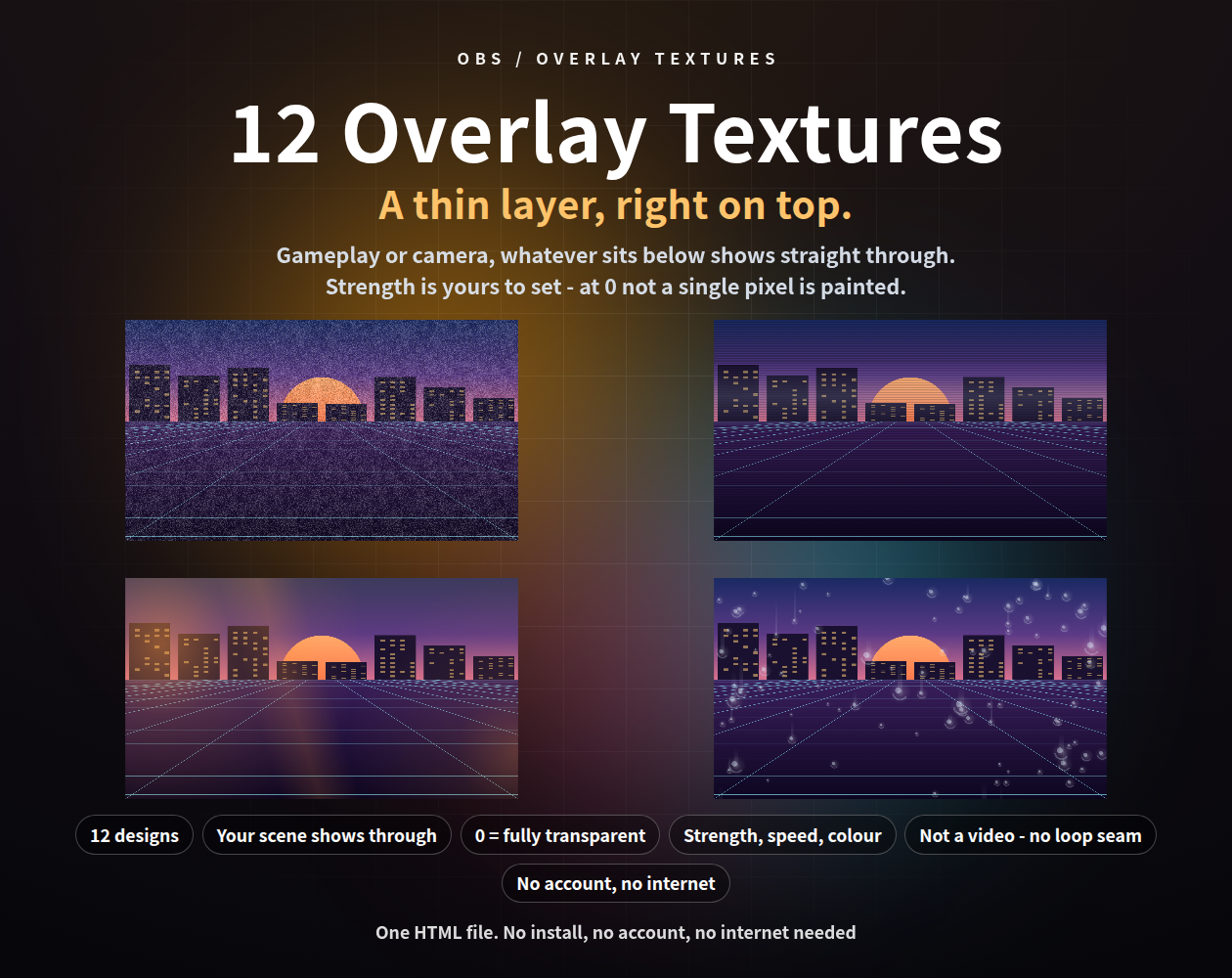
A thin layer for the top of your stream that changes the feel of the whole picture. Gameplay, camera, anything you put below shows straight through. Film grain, CRT scanlines, light leaks, rain on glass - twelve of them, all used the same way.
None of these are video files. Everything is drawn live, so the files are tiny and there is no loop seam. Every design starts on the subtle side, and the strength runs from 0 to 100 - at 0 not a single pixel is painted, so your scene passes through untouched.
One HTML file each. No install, no account, works offline. Drop it into an OBS browser source and put it at the top of your source list. Japanese / English interface.
━━━━━━━━━━━━━━━━━━
WHAT IS INSIDE - 12 DESIGNS
━━━━━━━━━━━━━━━━━━
- grain.html - Film grain: fine light and dark specks, renewed every frame
- scanline.html - CRT scanlines: thin lines with a bright band rolling down
- leak.html - Light leak: coloured light bleeding in from the edges
- vignette.html - Vignette: the edges settle into shadow, the centre stays clear
- frost.html - Frosted pane: a milky film with wiped-clear patches
- droplet.html - Rain on glass: beads of water, some running down in streaks
- dust.html - Floating dust: fine motes drifting slowly through the light
- warp.html - Tape warp: flickering bands, a noisy strip passing through
- fringe.html - Colour fringe: complementary colour edges around the frame
- flare.html - Lens flare: streaks and ghosts from an off-screen light
- fibre.html - Paper fibre: washi-like fibres and mottling, with light passing over
- flicker.html - Flicker: brightness wavering like a film projector
━━━━━━━━━━━━━━━━━━
SETUP (30 SECONDS)
━━━━━━━━━━━━━━━━━━
1. In OBS: Sources -> "+" -> Browser
2. Tick "Local file" and choose the .html you want
3. Set Width and Height to your canvas size (e.g. 1920 x 1080)
4. Put the source at the TOP of the source list
It then lies thinly over the gameplay, camera and other sources below it. You can stack two or more - add each as its own browser source.
━━━━━━━━━━━━━━━━━━
CHOOSING THE STRENGTH
━━━━━━━━━━━━━━━━━━
The gear panel has "Strength", from 0 to 100.
- Start at the default, watch your own stream, and raise it a little at a time
- At 0 nothing is painted at all, so your scene comes through untouched
- On a dark game it is hard to see; on a bright picture it shows strongly
- A good target is "you would not notice unless someone told you"
With nothing underneath it is hard to judge, so three sample backdrops are included for checking (a game-like scene, colour bars, a landscape). Pick one in the gear panel and set it back to none before you go live.
━━━━━━━━━━━━━━━━━━
THE GEAR PANEL
━━━━━━━━━━━━━━━━━━
Strength, speed, grain size and colour, without touching the URL.
1. Right-click the source -> "Interact"
2. Move the mouse over the picture; a gear appears in the top right (or press S)
3. Change what you like and press "Save & close"
- The gear is invisible the rest of the time, so it never shows on stream
- Settings are saved and survive an OBS restart; "Reset settings" puts it back
- Add ?key=a or ?key=b to keep separate settings per scene
Settings are stored per browser, so set them inside the OBS Interact window.
━━━━━━━━━━━━━━━━━━
URL PARAMETERS (ALL 12 SHARE THESE)
━━━━━━━━━━━━━━━━━━
- ?amount=45 strength 0-100. 0 is fully transparent. Defaults are 22-40
- ?speed=0.5 speed of the motion, 0-3 (default 1). 0 freezes it
- ?grain=1.6 grain size, 0.3-3 (default 1). Larger is coarser
- ?color=ff9a3c colour, no "#"
- ?demo=scene sample backdrop (off = default / scene / bars / photo)
- ?lang=ja Japanese labels / ?key=a separate saved settings
- ?mode=stream never build the gear at all
━━━━━━━━━━━━━━━━━━
IDEAS
━━━━━━━━━━━━━━━━━━
- A light layer of grain over gameplay, to take the flatness off the capture
- Vignette over a camera, to pull the eye towards the middle
- Scanlines plus tape warp for a retro session
- Leak or dust over a chatting scene, to change the air of the picture
━━━━━━━━━━━━━━━━━━
PLEASE NOTE
━━━━━━━━━━━━━━━━━━
- The picture underneath is never processed. This layer only adds on top, so it cannot blur what is below and cannot shift the colours of what is below. Frosted pane paints a milky film; colour fringe paints coloured edges
- No sound - these are visual only
- No chat reading, and no connection to any external app or API
- An OBS browser source is transparent by default. If you set it to paint a black background, nothing underneath will show through
- Too much strength hides your scene. Come up from the subtle side
━━━━━━━━━━━━━━━━━━
REQUIREMENTS
━━━━━━━━━━━━━━━━━━
- Tested in Chrome and Edge. The OBS Studio 28+ browser source is Chromium, so it runs the same way there, and in other apps with a browser source such as Streamlabs
- No internet connection needed. Nothing is ever sent anywhere (no web fonts, no ads)
- Each frame is worked out from the clock alone; no past frames are kept, so memory does not grow when you leave it running
- Included: 12 HTML files, a read-me in English and Japanese, and the terms of use
Purchase
In order to download this tool you must purchase it at or above the minimum price of $3 USD. You will get access to the following files:
Leave a comment
Log in with itch.io to leave a comment.