Particle Backgrounds - 12 Animated Motes and Flow Loops for OBS
A downloadable tool
Not an image, not a video. These backgrounds are drawn as they play and never stop moving. Palette and speed change from a gear panel, and all twelve designs together are about 170 KB.
Twelve full-screen stream backgrounds built from particles, streaks and flow. No illustration, no scenery - just motion. Made for music streams, work-along streams, standby scenes and chat streams.
The point of the pack: every design can clear its middle. Fade the particles exactly where a character or camera sits, from 0 to 1, so the background never fights the main subject.
One HTML file each. No install, no account, works offline. Drop it into an OBS browser source. Japanese / English interface.
────────────────────
THE TWELVE DESIGNS
────────────────────
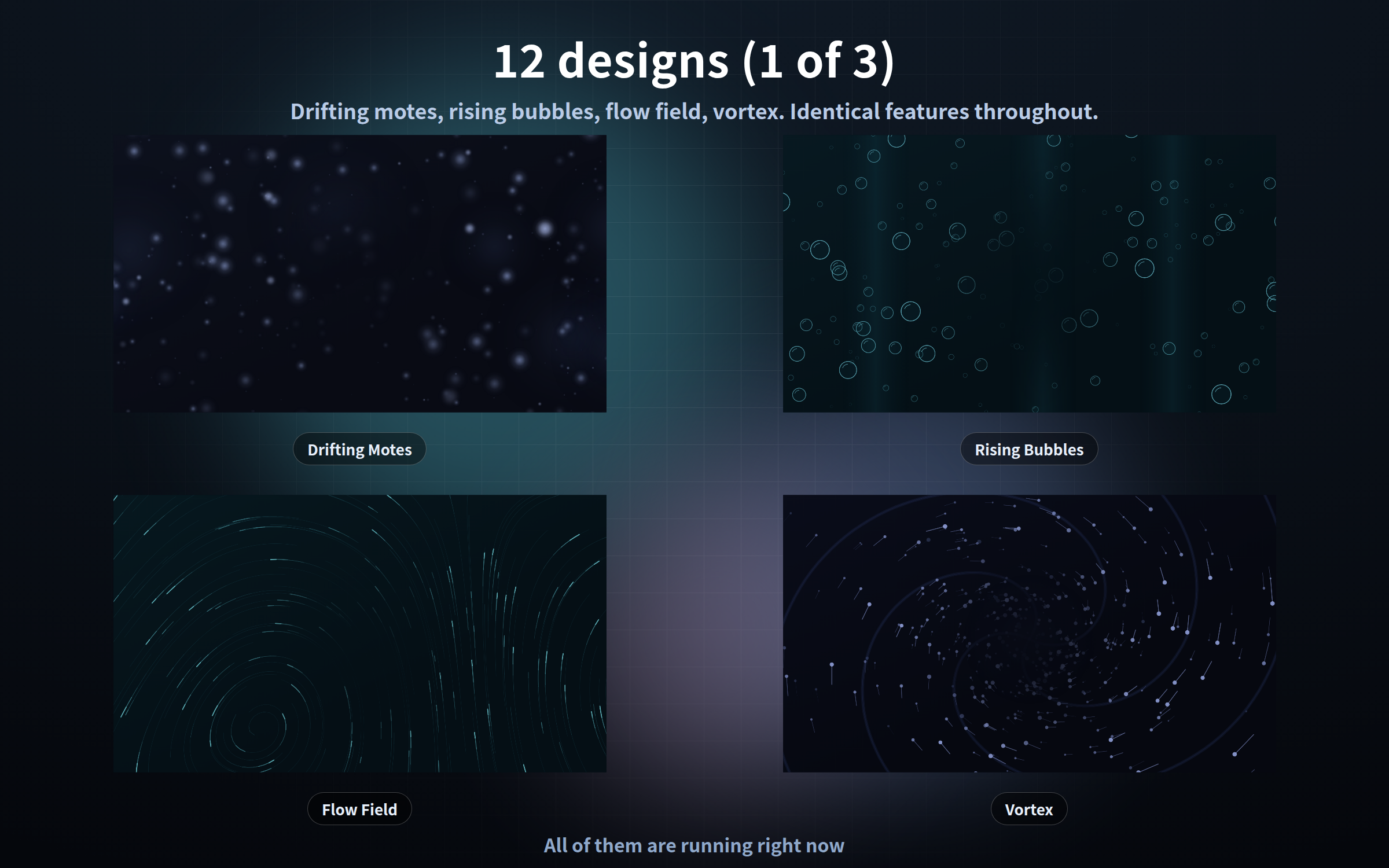
- drift.html - Drifting motes (large and small motes float slowly sideways)
- bubble.html - Rising bubbles (outlined bubbles wobble their way up)
- flowfield.html - Flow field (light runs along streaks that follow an unseen current)
- vortex.html - Vortex (particles spiral inward and are drawn into the core)
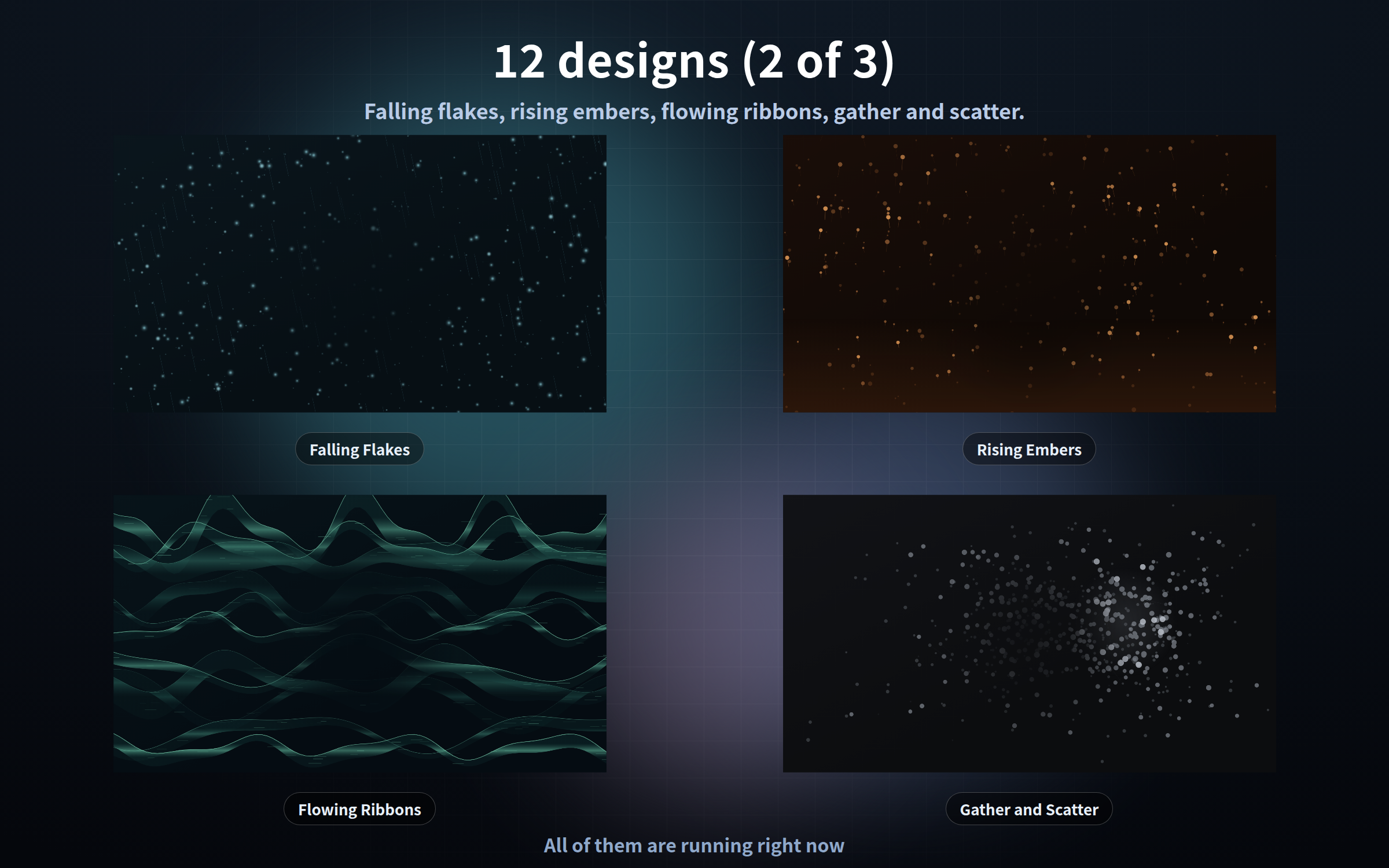
- snow.html - Falling flakes (three layers of fine flakes drift down on a side wind)
- ember.html - Rising embers (sparks blow upward, wander, and fade out)
- ribbon.html - Flowing ribbons (bands of changing width slide past, streaked inside)
- swarm.html - Gather and scatter (scattered points draw together, then spread again)
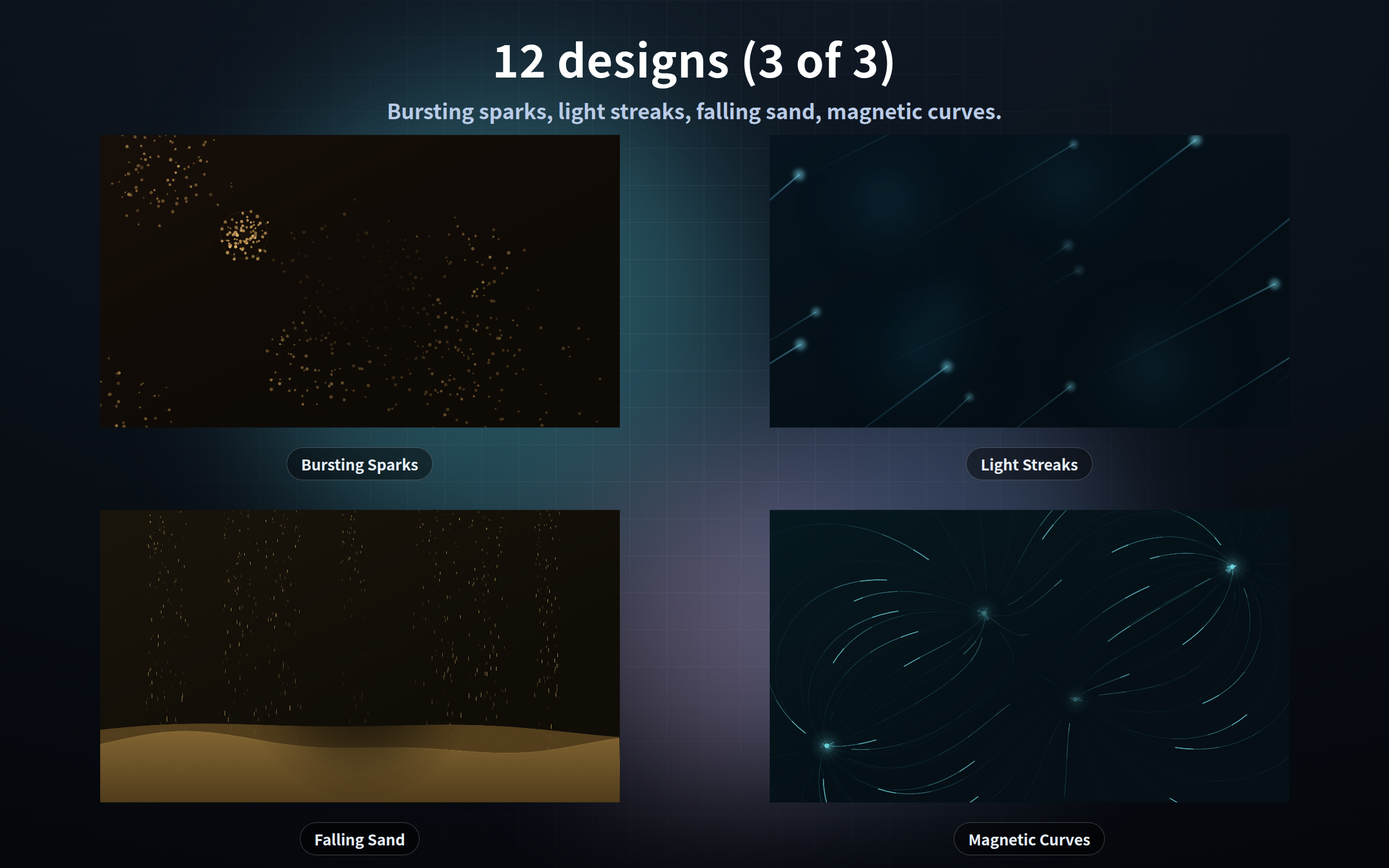
- burst.html - Bursting sparks (points burst outward all over the screen)
- beam.html - Light streaks (long streaks cross the screen, trailing behind them)
- sandfall.html - Falling sand (fine grains pour in streams onto a dune below)
- magnet.html - Magnetic curves (points run along field lines between moving poles)
────────────────────
CLEAR THE MIDDLE (?center=)
────────────────────
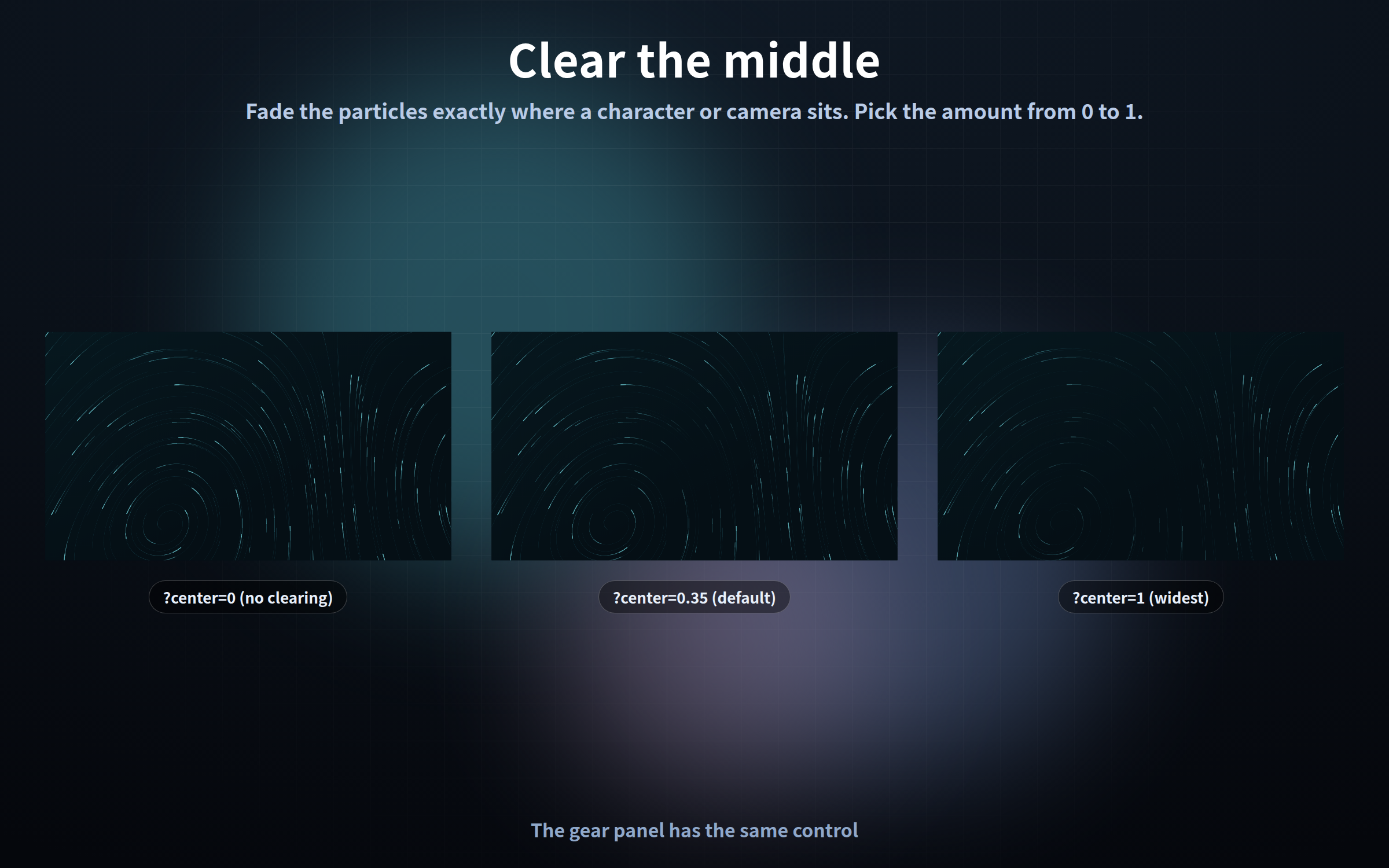
- ?center=0 - nothing cleared (particles cover the whole screen)
- ?center=0.35 - the default, roughly room for one character
- ?center=1 - the widest clearing
The gear panel has the same control, in steps of 0.05.
Particles are faded rather than cut out, so the background never looks chopped.
────────────────────
TRANSPARENT BACKGROUND (?bg=off)
────────────────────
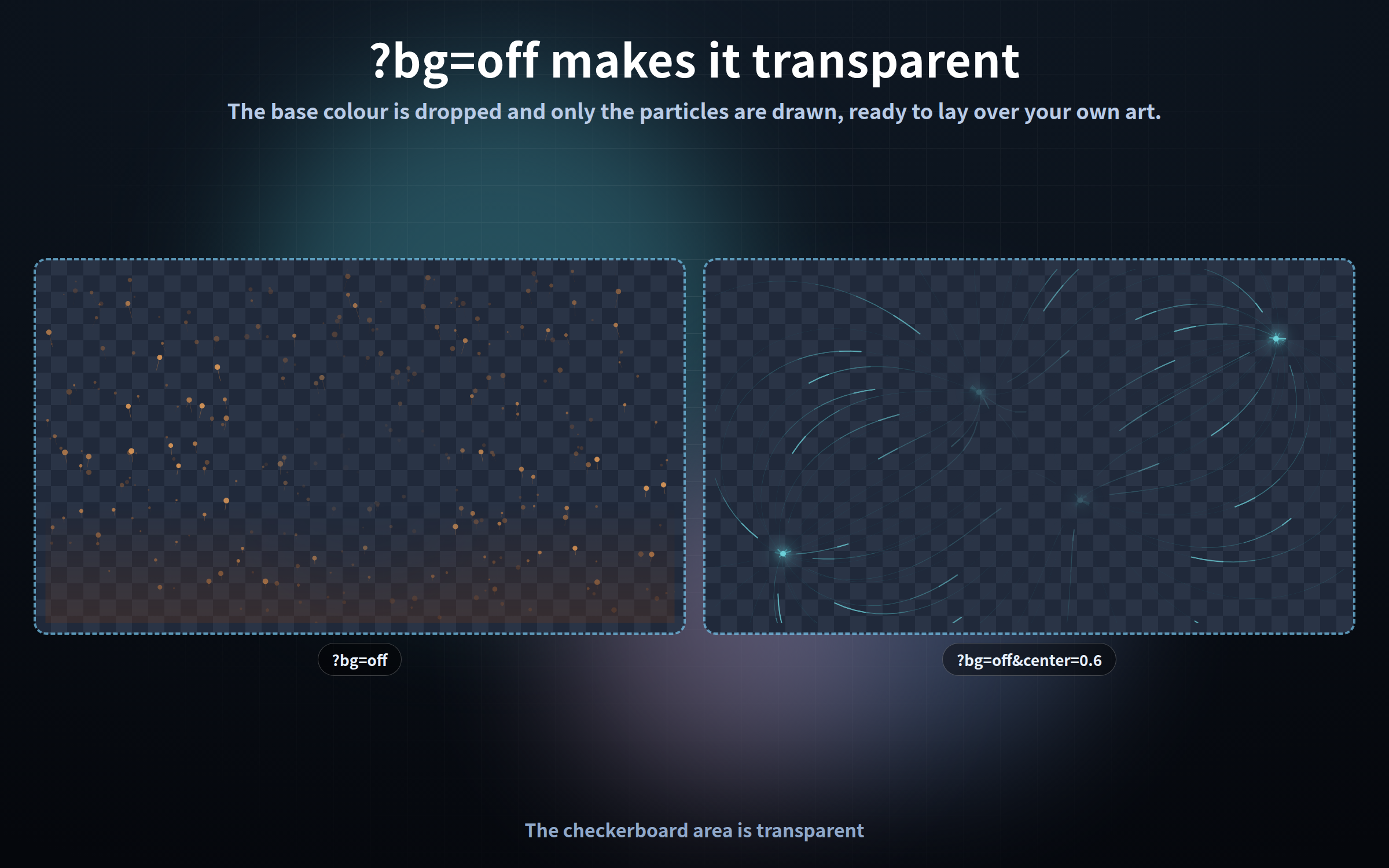
With ?bg=off the base colour is not drawn - only the particles and streaks.
An OBS browser source is transparent by default, so you can lay the motion
straight over your own image or video.
────────────────────
THE GEAR PANEL
────────────────────
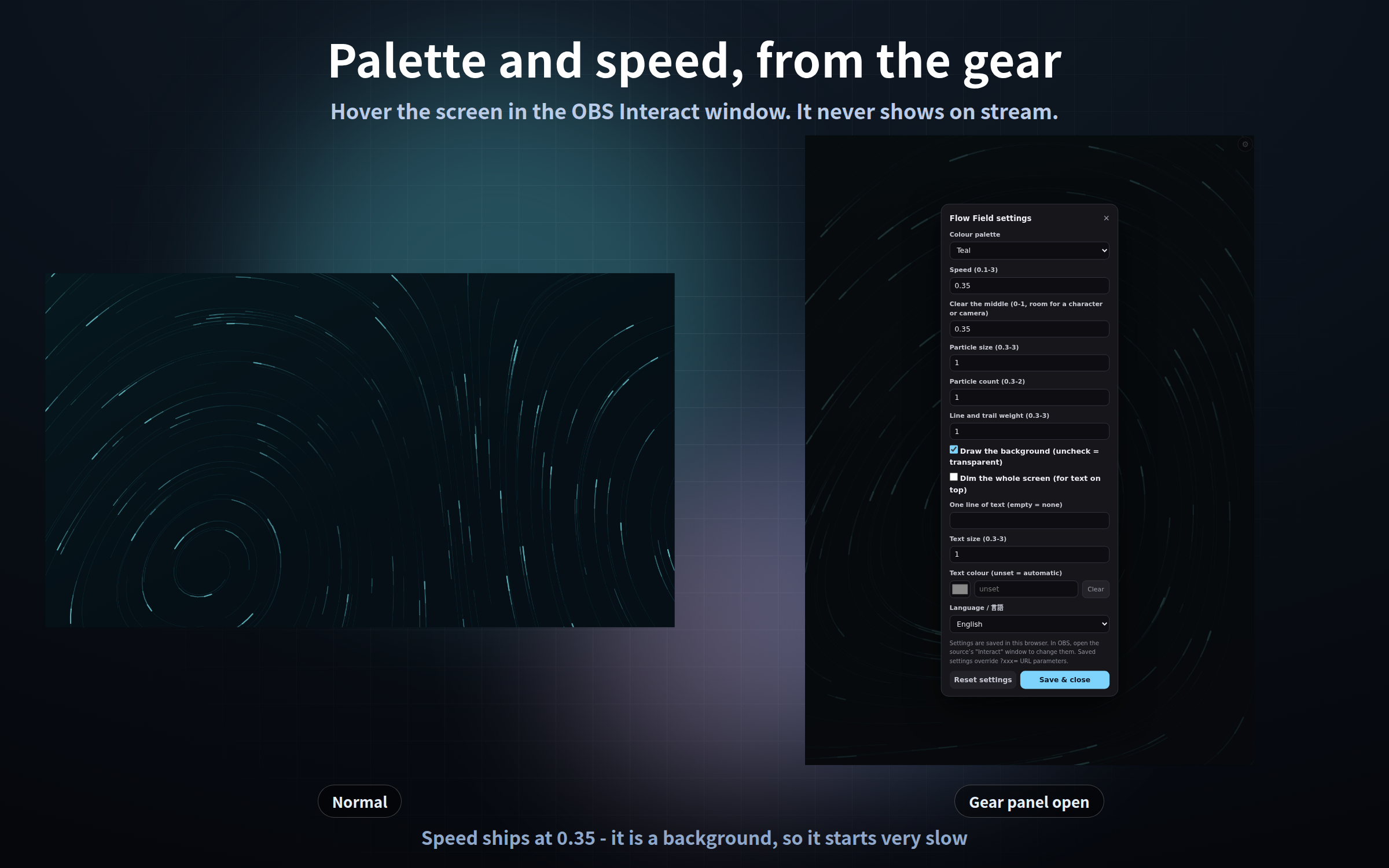
Palette, speed and the cleared middle can all be changed without touching the URL.
1. Right-click the source in OBS and choose "Interact"
2. Move the mouse over the page; a gear appears top right (or press S)
3. Change what you like and press "Save & close"
- The gear is invisible normally, so it never shows on stream
- Settings survive an OBS restart; "Reset settings" puts everything back
- Add ?key=a or ?key=b to give the same design different settings per scene
Note: settings are stored per browser. Configuring it in Chrome does not carry
over to OBS - set it up inside the OBS Interact window for the copy you use there.
────────────────────
URL PARAMETERS (all twelve)
────────────────────
- ?palette=ink - colour palette (four per design)
- ?speed=0.2 - speed (0.1-3, default 0.35)
- ?center=0.6 - how much of the middle is cleared (0-1, default 0.35)
- ?scale=1.6 - particle size (0.3-3, default 1)
- ?density=0.6 - particle count (0.3-2, default 1)
- ?thick=1.8 - line and trail weight (0.3-3, default 1)
- ?bg=off - do not draw the base colour (transparent background)
- ?dark=on - dim the whole screen
- ?text=Live - one line of text in the middle (| starts a new line)
- ?textsize=1.4 / ?textcolor=ffffff - text size and colour (no #)
- ?lang=ja - gear panel language / ?mode=stream - never show the gear
Palettes (?palette=)
- drift - dusk (default) / moss / amber / paper
- bubble - aqua (default) / mint / plum / ink
- flowfield - teal (default) / ember / indigo / linen
- vortex - night (default) / gold / rose / steel
- snow - ice (default) / graphite / cobalt / cream
- ember - fire (default) / copper / teal / violet
- ribbon - aurora (default) / dusk / peach / ivory
- swarm - ink (default) / cyan / clay / sage
- burst - spark (default) / cyan / rose / mono
- beam - cyan (default) / gold / violet / night
- sandfall - dune (default) / ash / rust / linen
- magnet - teal (default) / plum / amber / steel
────────────────────
SETUP
────────────────────
1. Sources -> "+" -> Browser
2. Tick "Local file" and choose the .html you want
3. Set Width and Height to your canvas size (e.g. 1920 x 1080)
4. Move it to the bottom of the source list
────────────────────
PLEASE NOTE
────────────────────
- No sound (visuals only)
- No clock, countdown or chat display. This is a background
- ?text= places one static line; it does not update by itself
- No chat counting and no connection to outside apps or APIs
- A higher ?density= or ?thick= costs more to draw
- No people, animals or characters appear - particles and streaks only
────────────────────
WHY IT IS LIGHT
────────────────────
- Every particle's position is computed from its number and the current time,
so no past frames are kept and memory does not grow. Checked by running
12 hours' worth at 900x; add ?qa=fast to the URL and check it yourself
- The motion joins up exactly at the end of one cycle. Measured pixel by
pixel: the last frame and the first frame are identical in all twelve
- One frame at 1920x1080 measures 12-22 ms across the twelve designs
(measured in Chromium with the GPU off: 46-84 frames per second)
- Nothing is ever sent anywhere (no internet needed, no web fonts)
- Tested in Chrome and Edge. The OBS Studio 28+ browser source is Chromium,
so it runs the same way there, and in other apps with a browser source
such as Streamlabs
- Fine for streaming and commercial use (see the included terms)
Found a bug or want a feature? Message me.
Purchase
In order to download this tool you must purchase it at or above the minimum price of $3 USD. You will get access to the following files:
Leave a comment
Log in with itch.io to leave a comment.