Pattern Backgrounds - 10 Animated Patterns for OBS and Twitch
A downloadable tool
Full-screen backgrounds that keep changing, slowly, underneath everything else. Made for music streams, work-along streams and standby scenes. Ten patterns that you can actually name: kaleidoscope, stained glass, water ripples, a raked zen garden, and more.
This is not a video file. Everything is drawn on the spot, so all ten together come to about 130 KB and there is no loop seam.
It is a background, so it ships slow on purpose (speed 0.35). All ten keep the middle of the screen quiet, because that is where your camera, your avatar or your text is going to sit.
One single HTML file each. No install, no account, works completely offline. English / Japanese.
## The ten designs
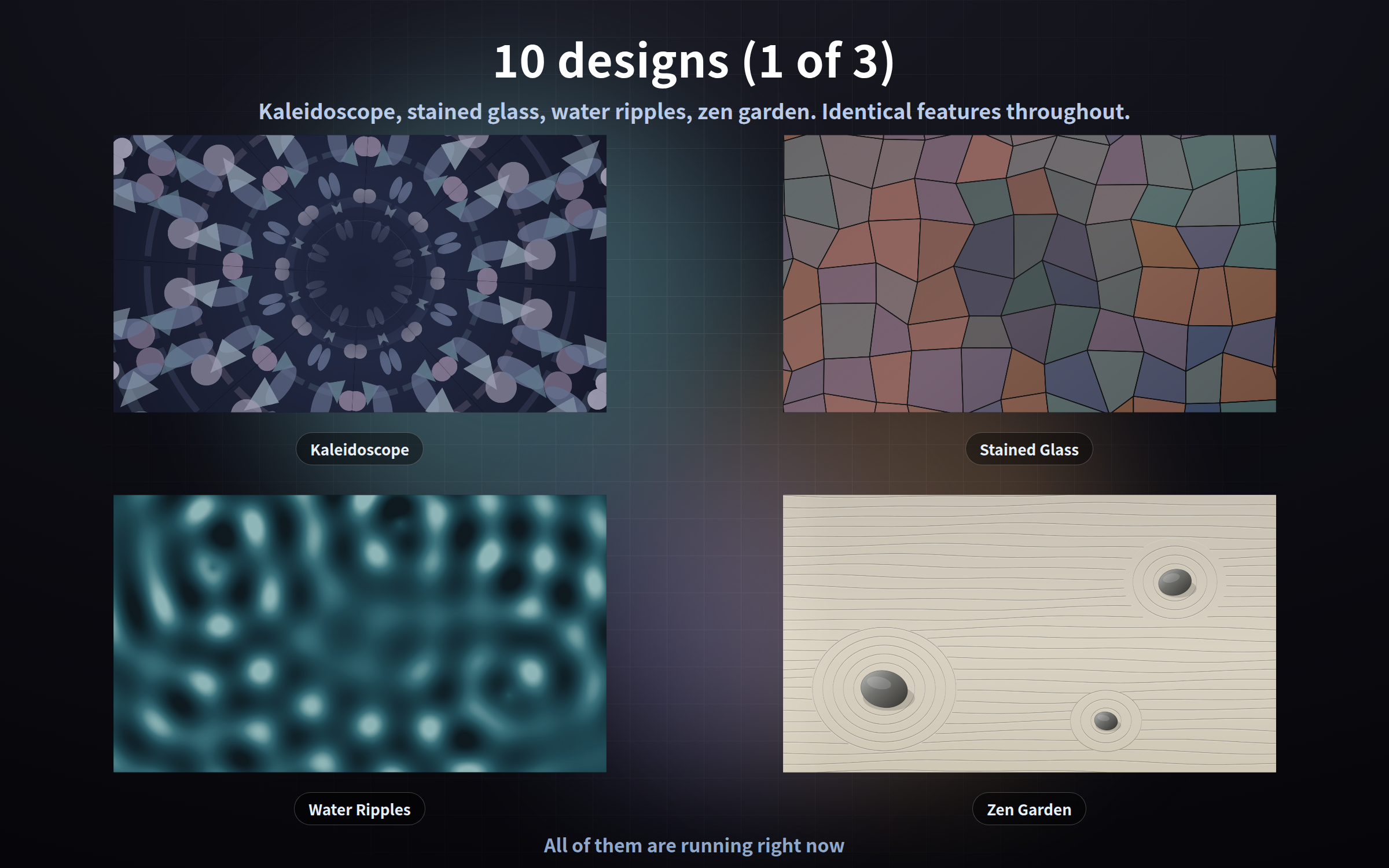
- **kaleidoscope** - mirrored glass chips turning very slowly
- **stainedglass** - leaded panes with a band of light drifting across
- **ripple** - rings from three points, interfering where they meet
- **zengarden** - straight rake lines, with concentric rings around each stone
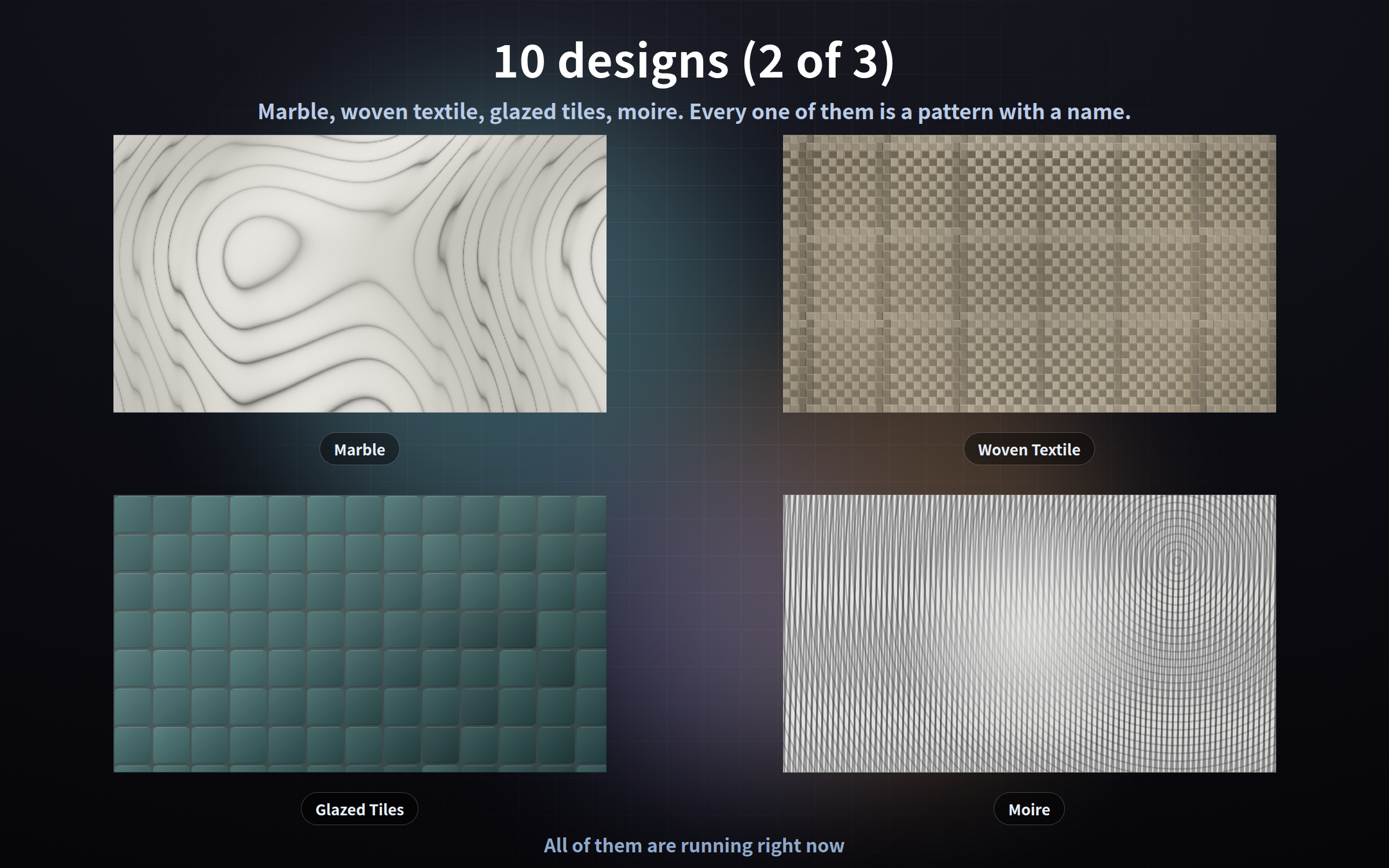
- **marble** - the flow of the stone and its branching veins
- **textile** - weft crossing warp one thread at a time, the colour bands drifting
- **tiles** - the sheen of the glaze moving from face to face
- **moire** - two fine grids, slightly off angle, making broad fringes
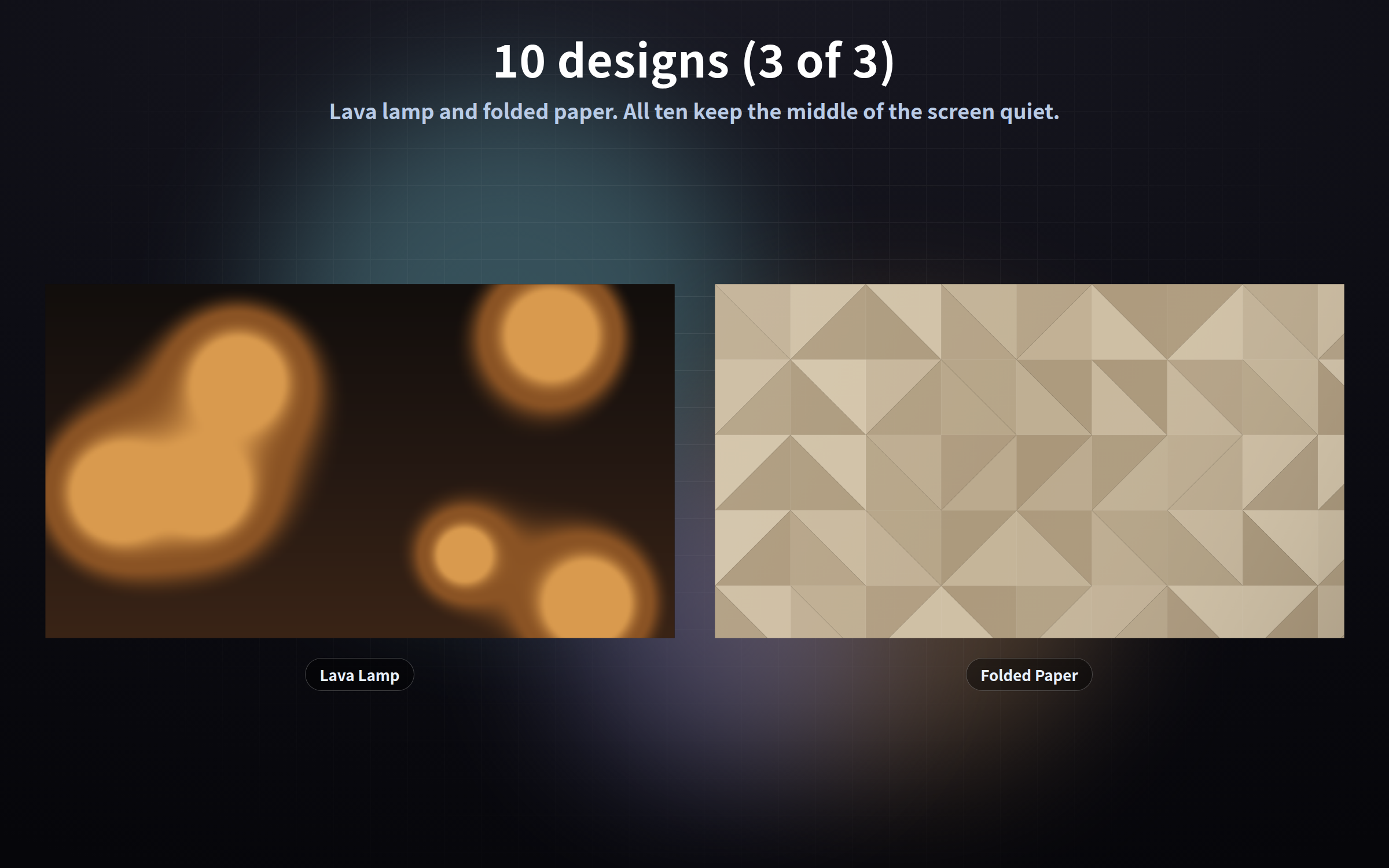
- **lava** - blobs of wax rising and sinking at the sides
- **paperfold** - triangular facets trading light and shade
## Putting text or a camera on top
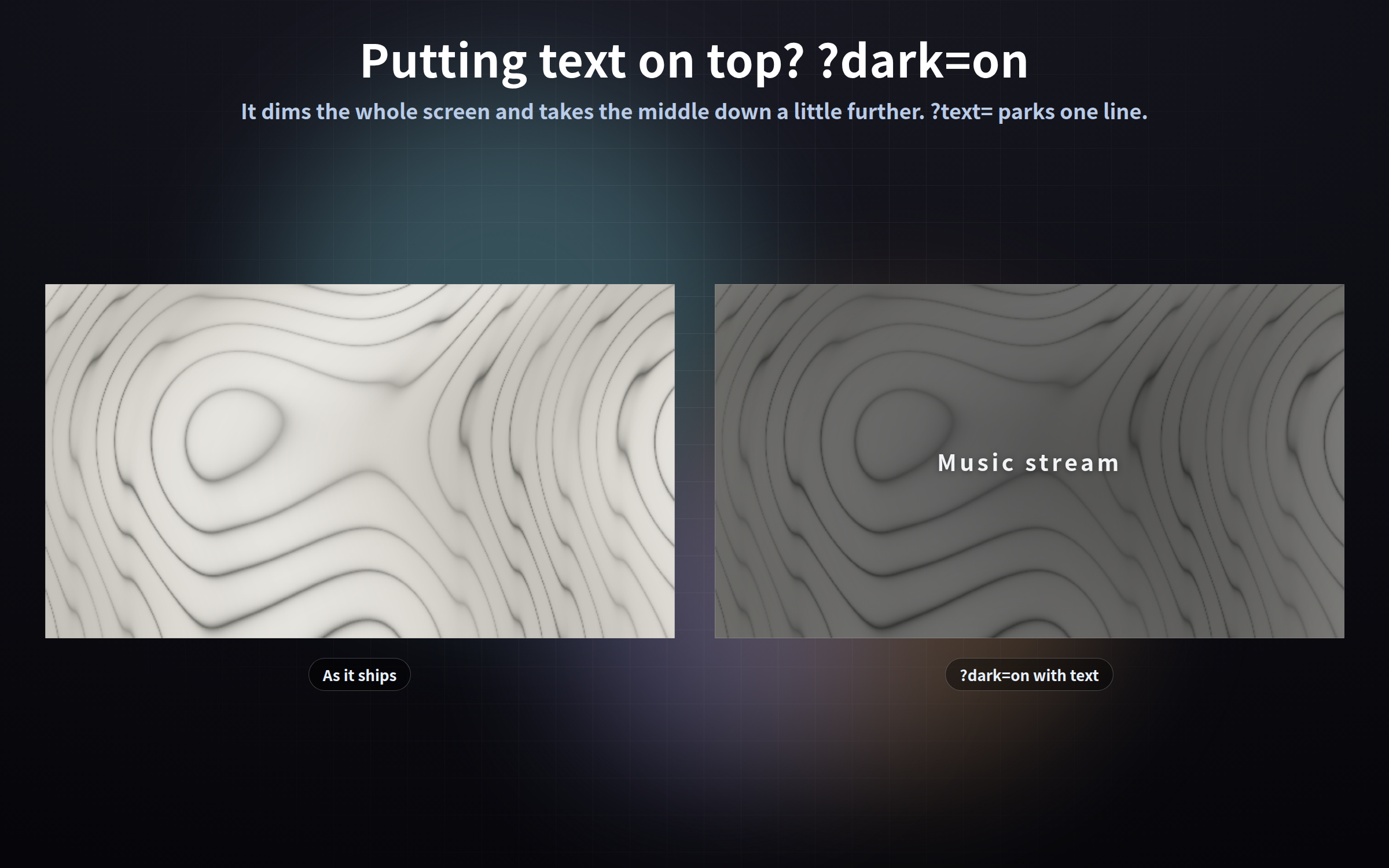
- `?dark=on` dims the whole screen, and takes the middle down a little further
- `?text=Music stream` parks one line in the middle (colour and size are yours too)
- `?blur=14` softens the edges away, so it stops competing for attention
## The gear button
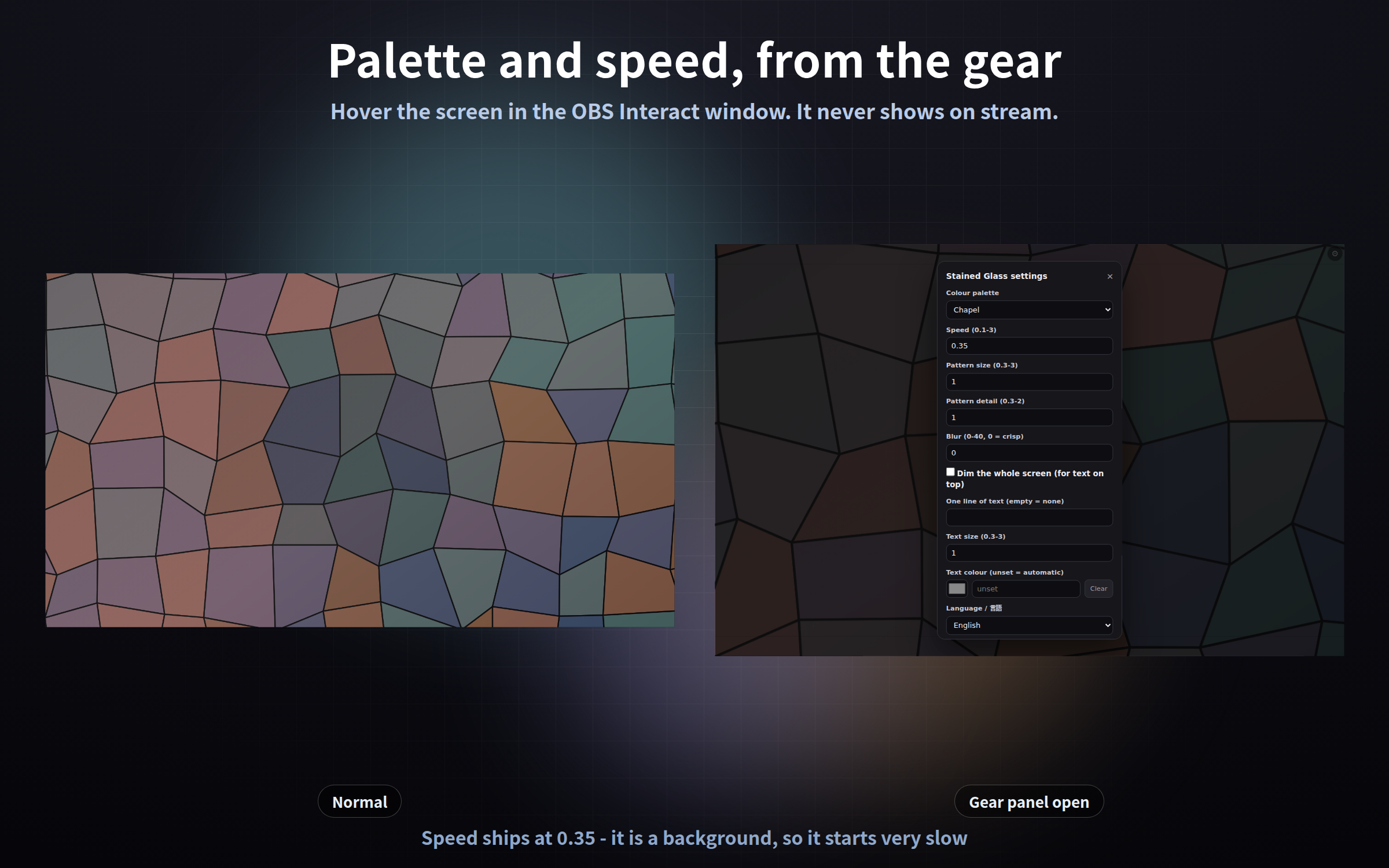
1. Right-click it in the OBS Sources list and choose "Interact"
2. Move the mouse over it - a gear appears top right (or press the S key)
3. Change what you like and press "Save and close"
The gear is invisible the rest of the time, so it never shows on stream. Settings are saved and survive an OBS restart. Add `?key=a` / `?key=b` to run the same design with different settings in different scenes. Settings are stored per browser, so always configure inside the OBS "Interact" window.
## Settings shared by all ten
`?palette=` four per design / `?speed=` 0.1-3, default 0.35 / `?scale=` 0.3-3 pattern size / `?density=` 0.3-2 detail / `?blur=` 0-40 / `?dark=on` / `?text=` one line, `|` for a break / `?textsize=` / `?textcolor=` / `?lang=` / `?mode=stream` / `?key=`
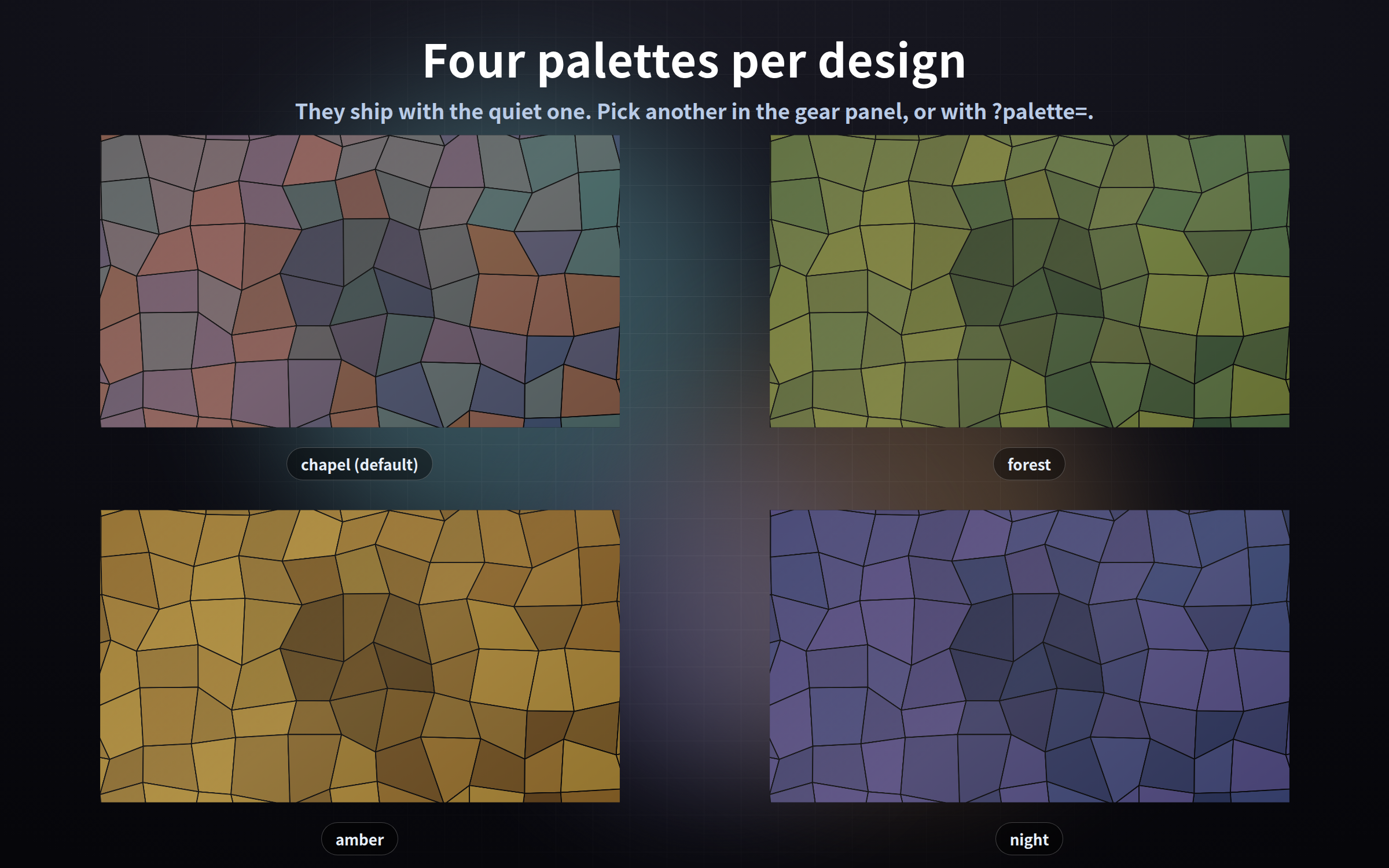
Palettes: kaleidoscope twilight, amber, moss, rose / stainedglass chapel, forest, amber, night / ripple lake, ink, dawn, moss / zengarden sand, ash, dusk, clay / marble carrara, nero, verde, rosso / textile linen, indigo, wine, moss / tiles seaglass, terracotta, cobalt, ivory / moire graphite, ink, teal, sepia / lava amber, plum, sea, ash / paperfold kraft, snow, indigo, sage
## Good to know
- No sound: it is a display only
- No clock, no countdown, no chat display. It is a background and nothing else
- It does not read your chat, and there is no chat-app or API integration
- Tested in Chrome and Edge. The OBS Studio 28+ browser source is Chromium, so it runs the same way there, and in other apps with a browser source such as Streamlabs
- Every frame is computed from the current time rather than accumulated, so memory does not creep up when it is left running. Measured over the equivalent of 92 hours at 900x speed with no growth - add `?qa=fast` and you can run the same check yourself
- Measured drawing time for one frame at 1920x1080 is between 0.1 and 5 milliseconds across the ten
- A large `?blur=` costs more to draw than a small one
- It makes no external request of any kind - no internet needed
- Streaming and commercial use OK (see the included terms)
Found a bug or want a feature? Message me.
Purchase
In order to download this tool you must purchase it at or above the minimum price of $3 USD. You will get access to the following files:
Leave a comment
Log in with itch.io to leave a comment.