Pixel Town - 12 Scenes of Living Pixel-Art Stream Background
A downloadable tool
Full-screen animated town backgrounds for your stream. A train rolls through, a shop curtain sways, a lighthouse beam turns, and the clock in the scene ticks. Made to sit behind a starting-soon screen, a just-chatting stream or a work session. 12 scenes, all included.
This is not a video file. Every frame is drawn one pixel at a time from the current time, so the download is tiny and there is no loop seam. The weather, the time of day and the speed are settings you can change later from a gear panel.
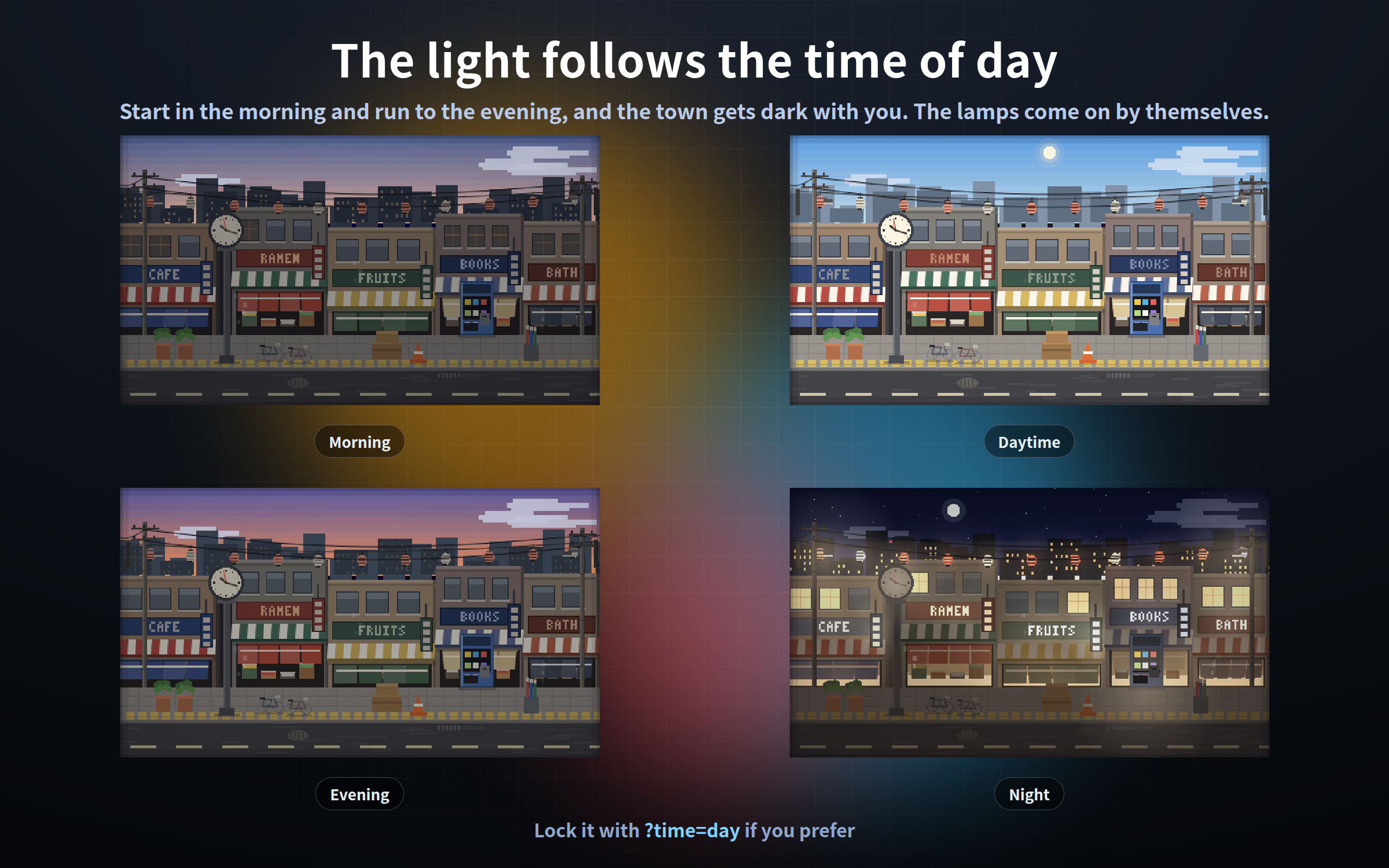
None of it is decoration: the real time and the real time of day are in the picture. Every scene has a clock somewhere, and it shows your actual current time. The light in the sky changes through morning, day, evening and night, and the town lights come on by themselves when it gets dark.
One single HTML file each. No install, no account, works completely offline.
This is the outdoor companion to "Pixel Room", which is built the same way but is set indoors. Nothing is repeated between them, and you do not need one to use the other.
- - - - - - - - - - - - - - - - - -
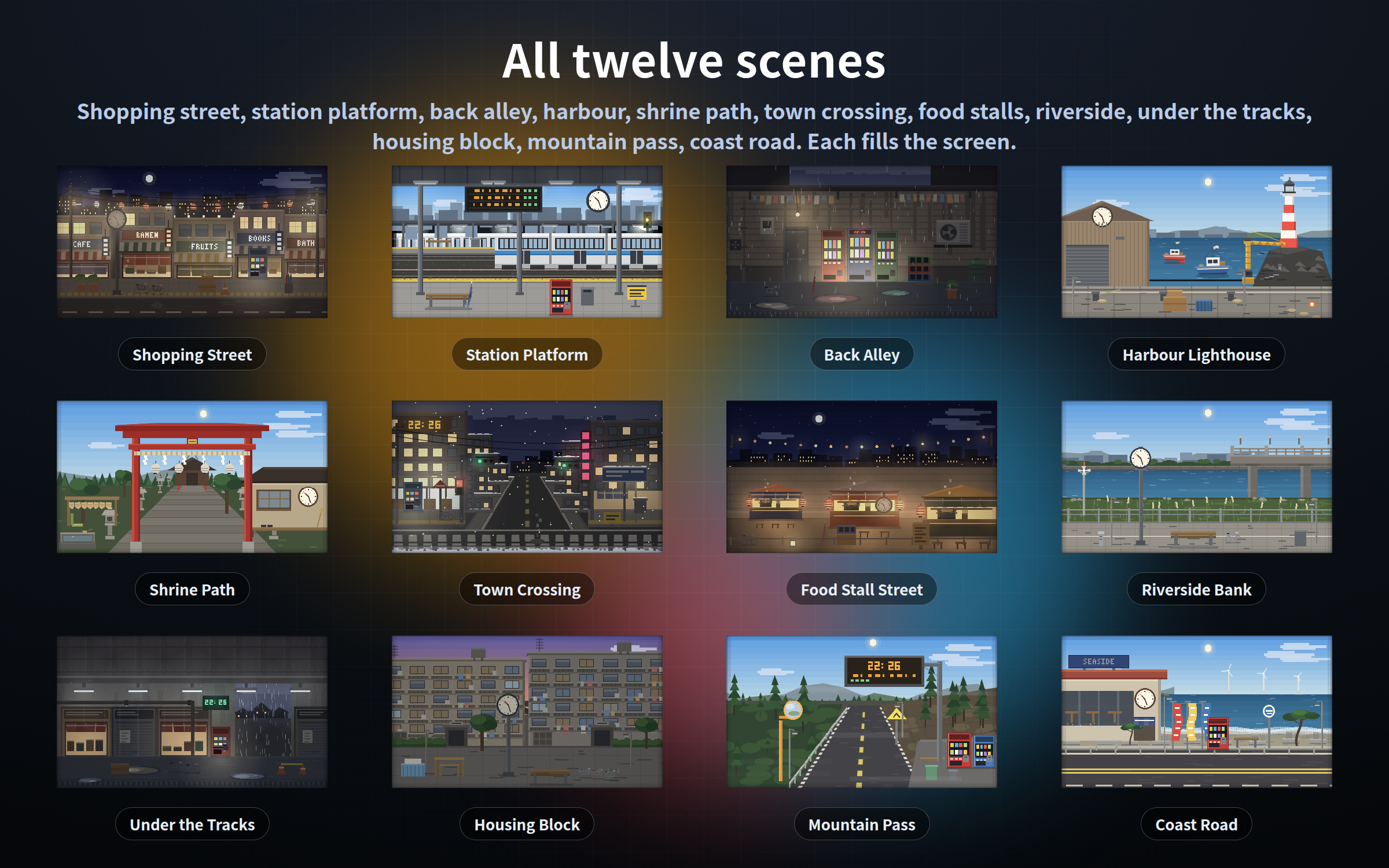
THE TWELVE SCENES
- - - - - - - - - - - - - - - - - -
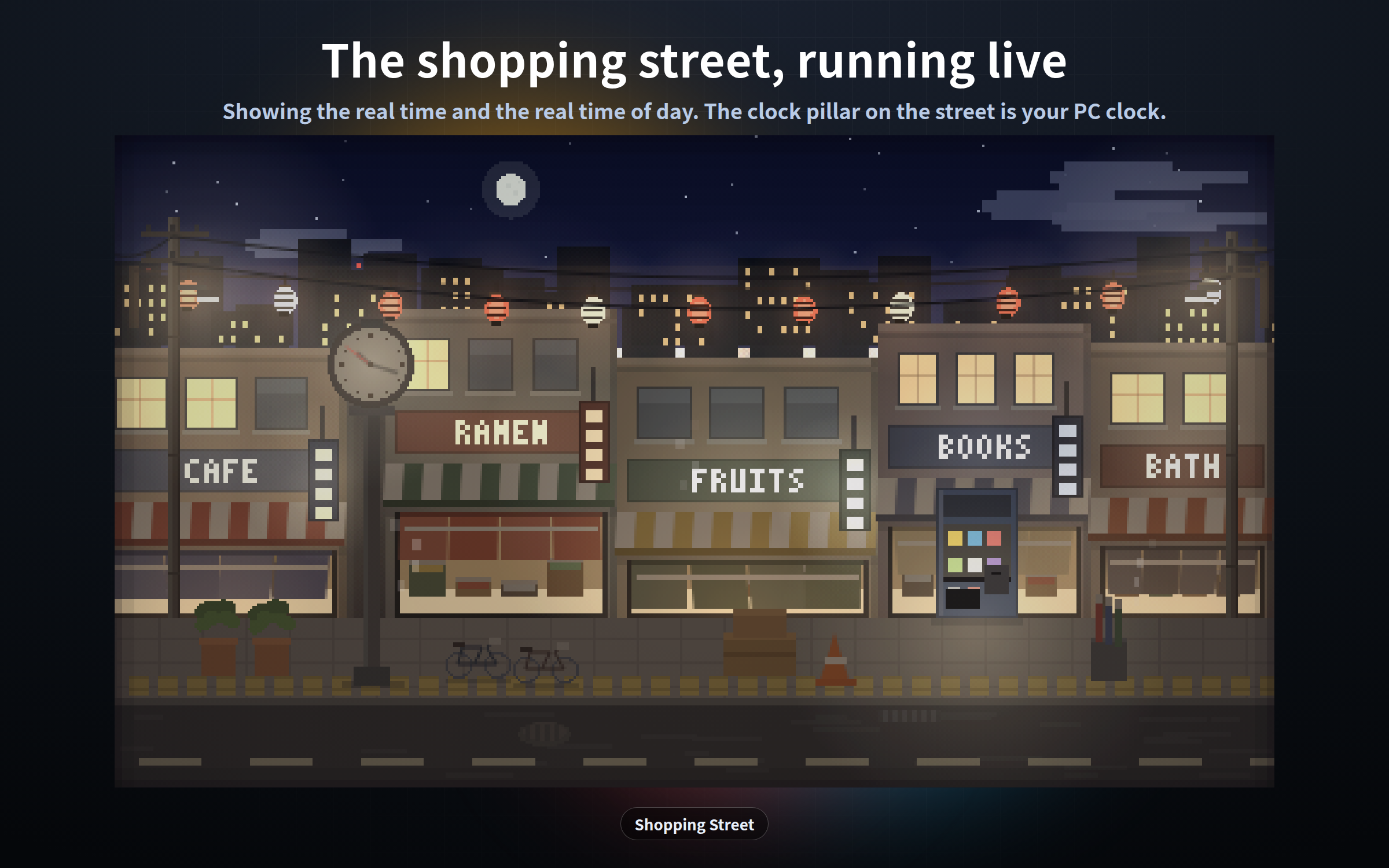
shotengai.html - Shopping street. Shop curtains and paper lanterns sway, the projecting shop signs flicker, steam drifts up from a vent. The clock pillar on the street shows the real time.
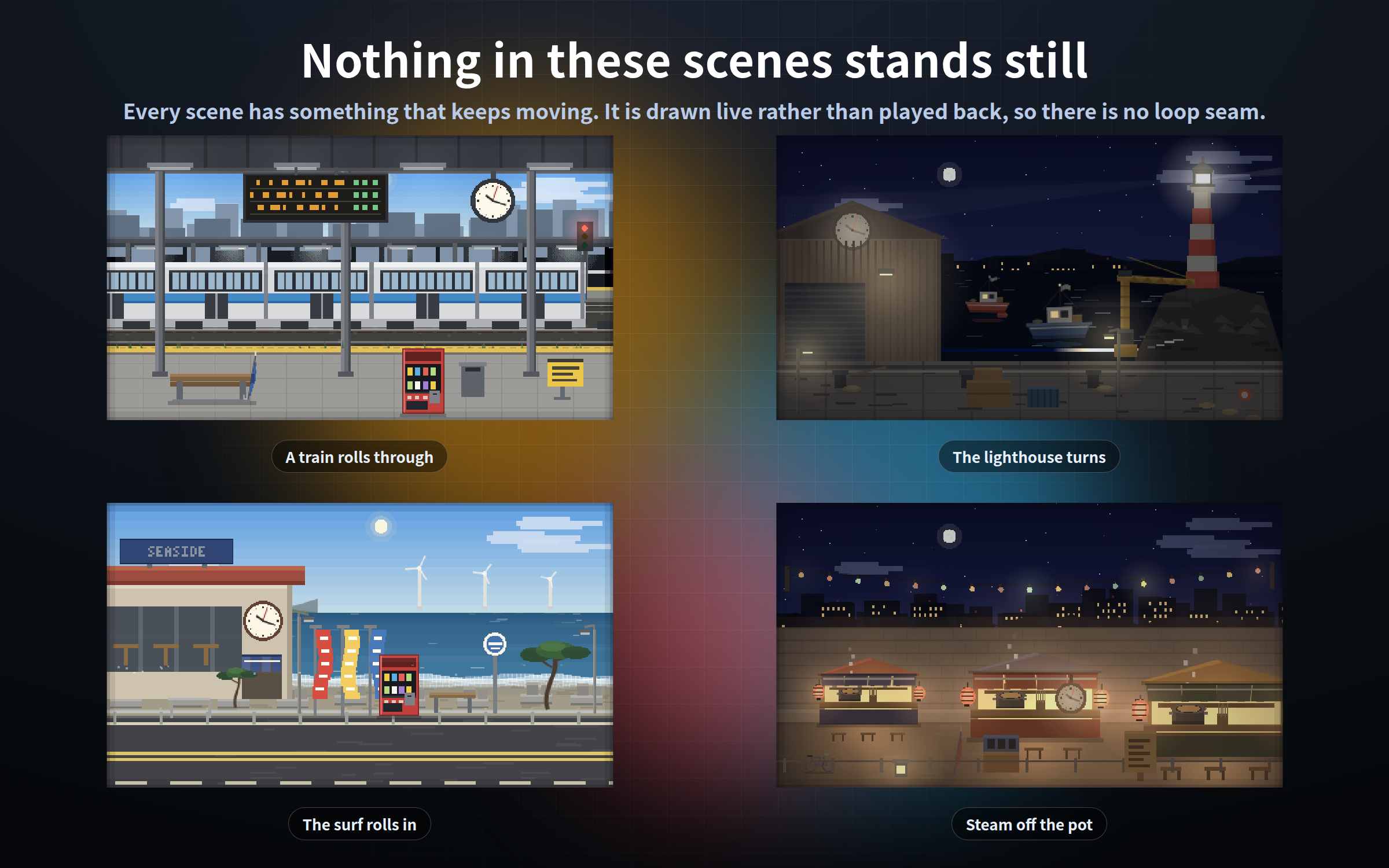
station.html - Station platform. Now and then a train rolls through. The departure board scrolls, one fluorescent tube flickers, the signal changes. The double-faced clock under the canopy shows the real time.
alley.html - Back alley. A bare bulb swings, the extractor fan and the air-conditioner unit turn, water drips from a pipe. The red digital display on the vending machine shows the real time.
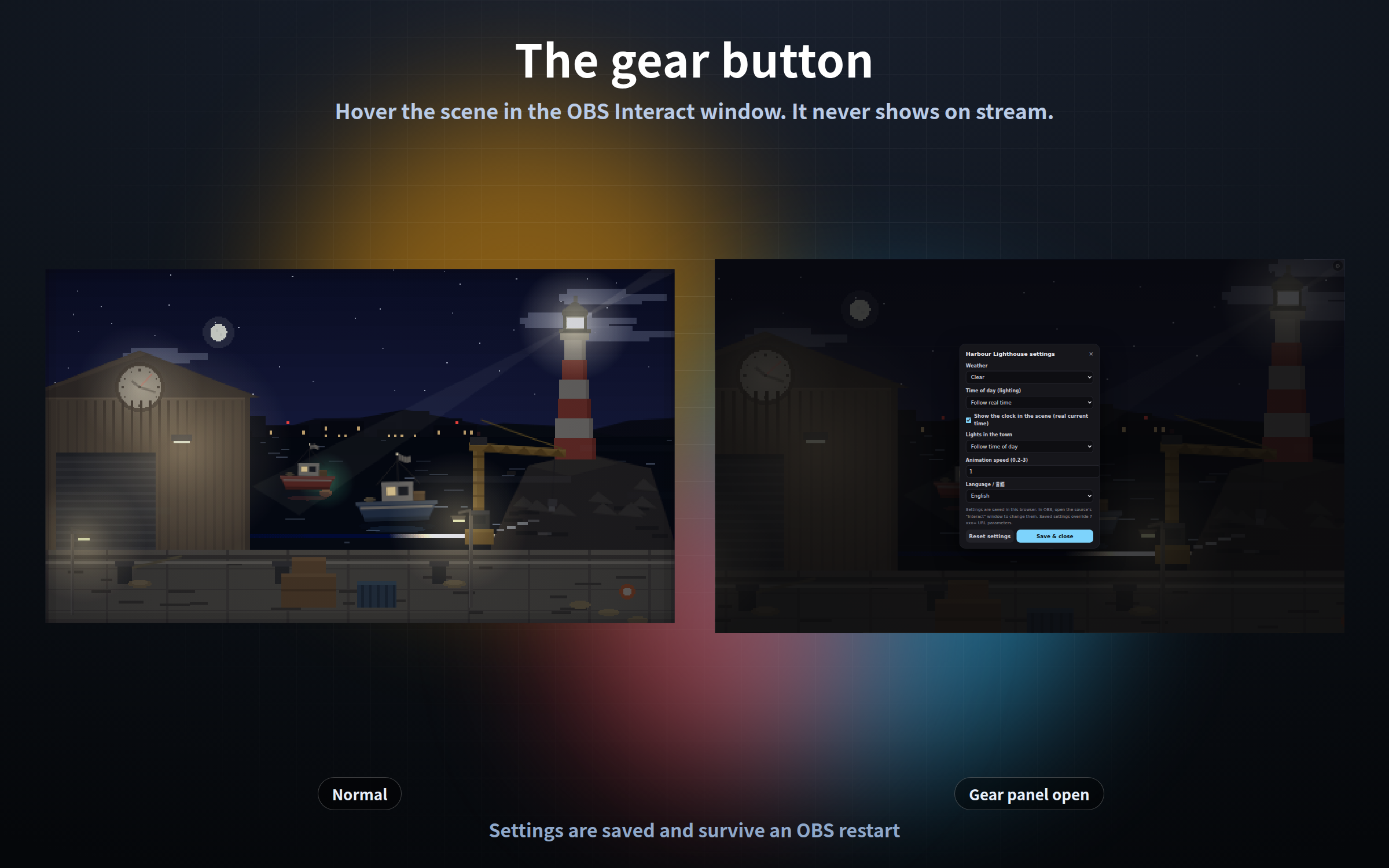
harbor.html - Harbour and lighthouse. The beam turns, the swell rolls, the moored boats ride up and down. The round clock on the warehouse gable shows the real time.
torii.html - Shrine path. Flames waver inside the stone lanterns, votive tablets and paper streamers move in the wind, water falls from the bamboo spout. The round clock on the shrine office shows the real time.
crossing.html - Town crossing. The signal cycles green to amber to red and the pedestrian light follows it. Snow falls and steam rises from a manhole. The display board on the building shows the real time.
yatai.html - Food stall street. Steam rises off the pot, the paper lanterns glow, the string of bulbs sways. The round clock hanging from the stall beam shows the real time.
riverside.html - Riverside bank. Light moves on the water, grass and pampas bend in the wind, lamps line the bridge and lights cross it. The clock pillar on the path shows the real time.
underpass.html - Under the tracks. The girder shakes and dust falls when a train passes overhead, a tube light flickers, and the rain only falls out in the open. The digital clock on the wall shows the real time.
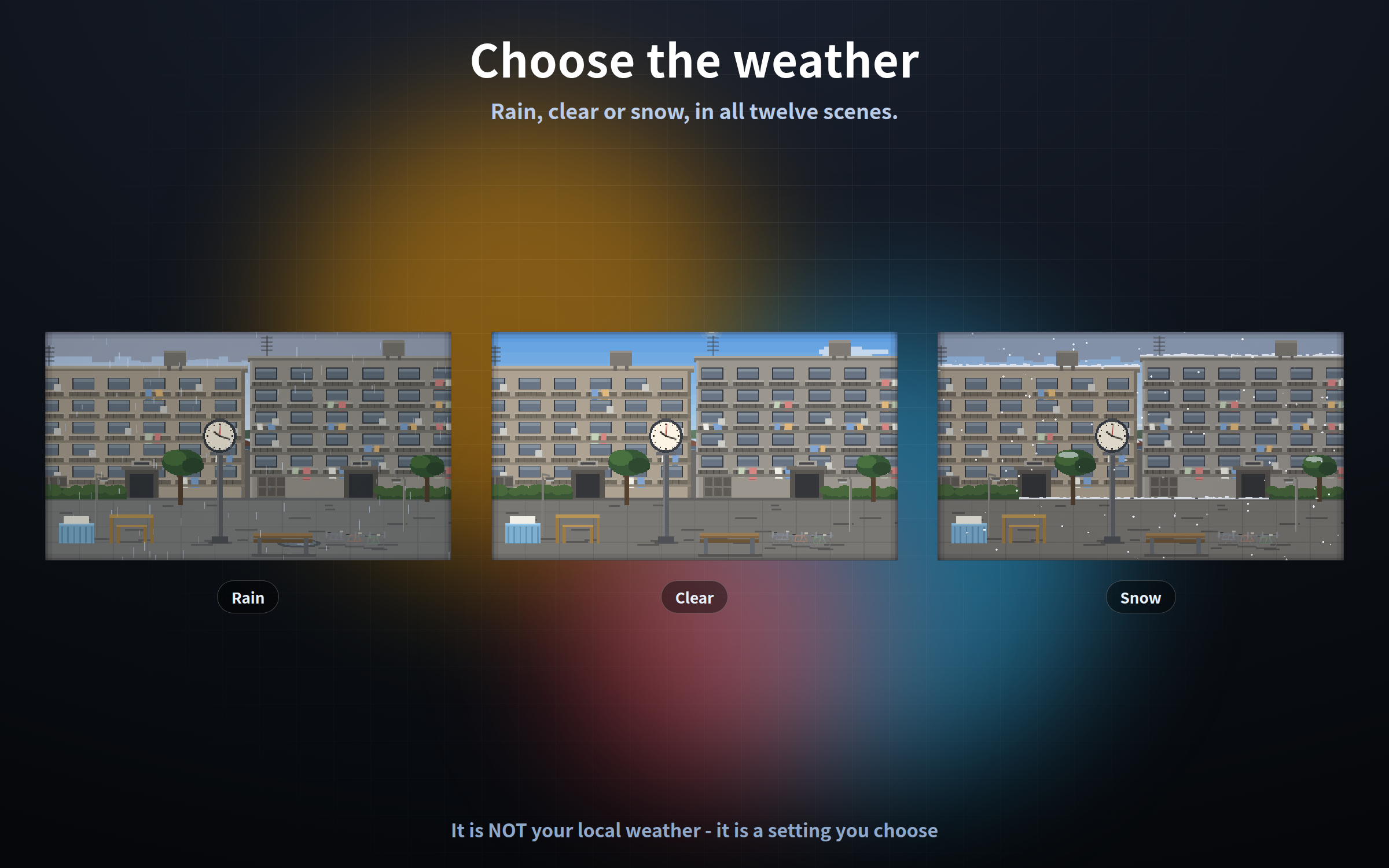
danchi.html - Housing block. Windows light up one by one, a television flickers behind one of them, laundry sways on the balconies. The clock pillar in the yard shows the real time.
touge.html - Mountain pass. Mist drifts through, the cedars sway, the guardrail reflectors catch the light. The digital road information board shows the real time.
coastroad.html - Coast road. The surf rolls in and back out, the wind turbines offshore turn, the banners flap. The round clock on the roadside diner shows the real time.
- - - - - - - - - - - - - - - - - -
SETUP
- - - - - - - - - - - - - - - - - -
1. OBS: Sources - "+" - Browser - tick "Local file" - pick the .html you want
2. Set the width and height to your CANVAS size (e.g. 1920 x 1080)
3. Put it at the BOTTOM of the Sources list, so everything else sits on top
This is a 480x270 pixel-art canvas scaled up by whole numbers. 1920x1080 is exactly 4x. Odd sizes make the pixels blurry, so stick to 16:9 sizes like 1920x1080 or 1280x720.
- - - - - - - - - - - - - - - - - -
WHAT FOLLOWS THE REAL CLOCK
- - - - - - - - - - - - - - - - - -
- The clock in the scene shows your actual current time (every scene has one)
- The light in the sky changes through morning, day, evening and night (default)
- On clear days the sun and the moon cross the sky at the right hour
- The town lights come on by themselves when it gets dark
?time=real follows the real clock (default) / ?time=morning / ?time=day / ?time=evening / ?time=night
Lock it if you always stream at night but want a daytime harbour.
- - - - - - - - - - - - - - - - - -
THE GEAR BUTTON
- - - - - - - - - - - - - - - - - -
1. Right-click the scene in the OBS Sources list and choose "Interact"
2. Move the mouse over it - a gear appears in the top right (or press the S key)
3. Change the weather, time of day, lights and speed, then "Save and close"
The gear is invisible the rest of the time, so it never shows on stream. Settings are saved and survive an OBS restart. Add ?key=a / ?key=b to give the same scene different settings in different scenes. Settings are stored per browser, so always configure inside the OBS "Interact" window.
- - - - - - - - - - - - - - - - - -
SETTINGS VIA URL
- - - - - - - - - - - - - - - - - -
?weather=rain rain / clear / snow (alley and underpass start on rain, crossing starts on snow, the other nine on clear)
?time=night real / morning / day / evening / night
?lights=on auto / on / off
?clock=off hide the clock in the scene
?speed=0.5 0.2 to 3
?format=12 12-hour clock, no AM/PM marker (only alley / crossing / underpass / touge)
?lang=ja language of the gear panel (ja / en)
?key=a keep separate saved settings for the same file
?mode=stream never show the gear
- - - - - - - - - - - - - - - - - -
GOOD TO KNOW
- - - - - - - - - - - - - - - - - -
- No sound. There is no rain or surf audio.
- The weather is NOT your local weather. Rain, clear and snow are settings you choose.
- The time comes from your PC clock.
- No people or characters appear. It is the town, objects and light. The sense of somebody living there comes from lit windows, shop curtains, hanging laundry, parked bicycles and rising steam.
- There is no link to any external app or API.
- Tested in Chrome and Edge. The OBS Studio 28+ browser source is Chromium, so it runs the same way there, and in other apps with a browser source such as Streamlabs.
- Each frame is computed from the current time rather than accumulated, so memory does not creep up when left running all stream.
- It makes no external request of any kind - no internet needed.
- Streaming and commercial use OK (see the included terms).
Purchase
In order to download this tool you must purchase it at or above the minimum price of $5 USD. You will get access to the following files:
Leave a comment
Log in with itch.io to leave a comment.