Pro Clocks - 10 Broadcast and Control-Room Clock Overlays for OBS
A downloadable tool
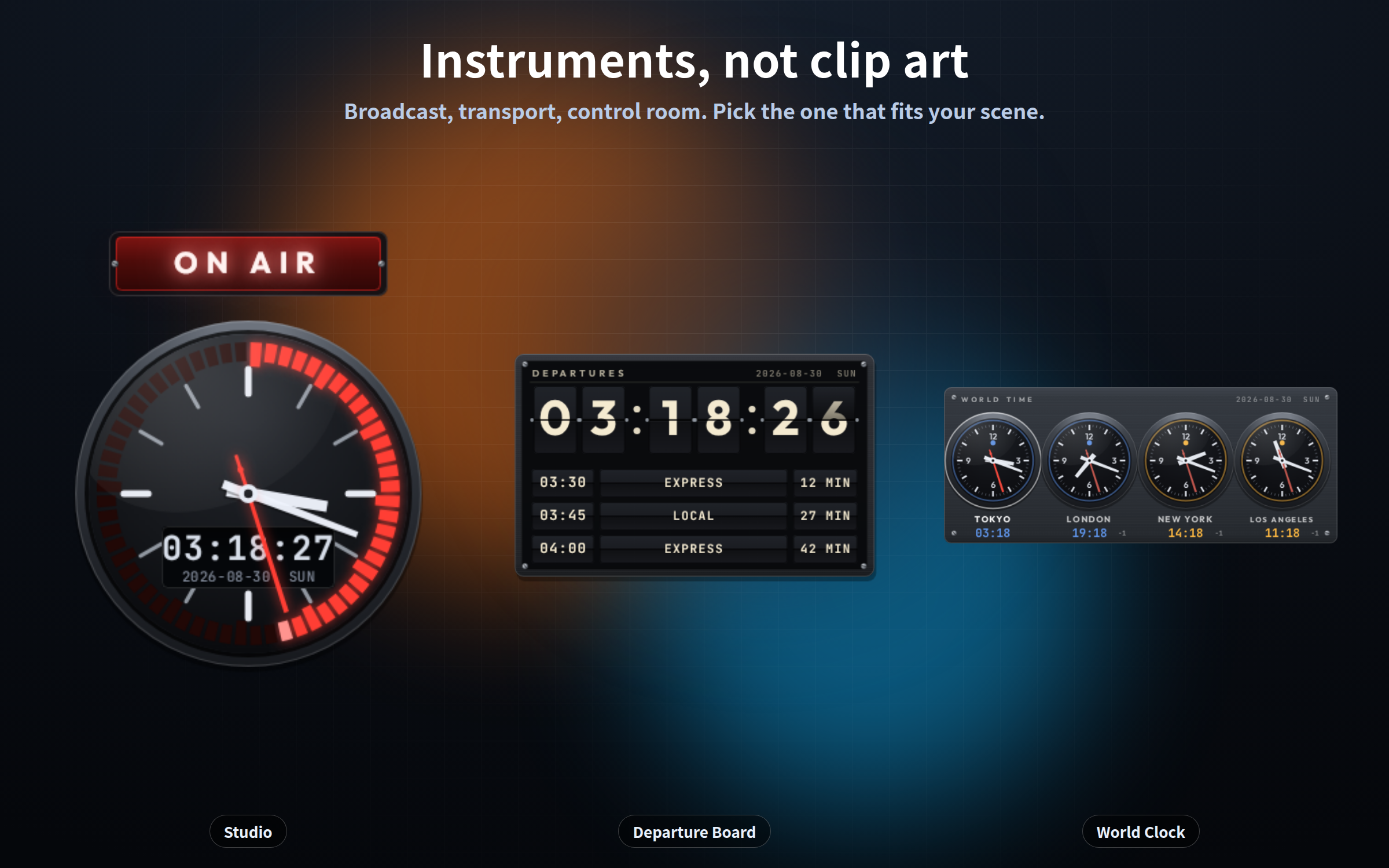
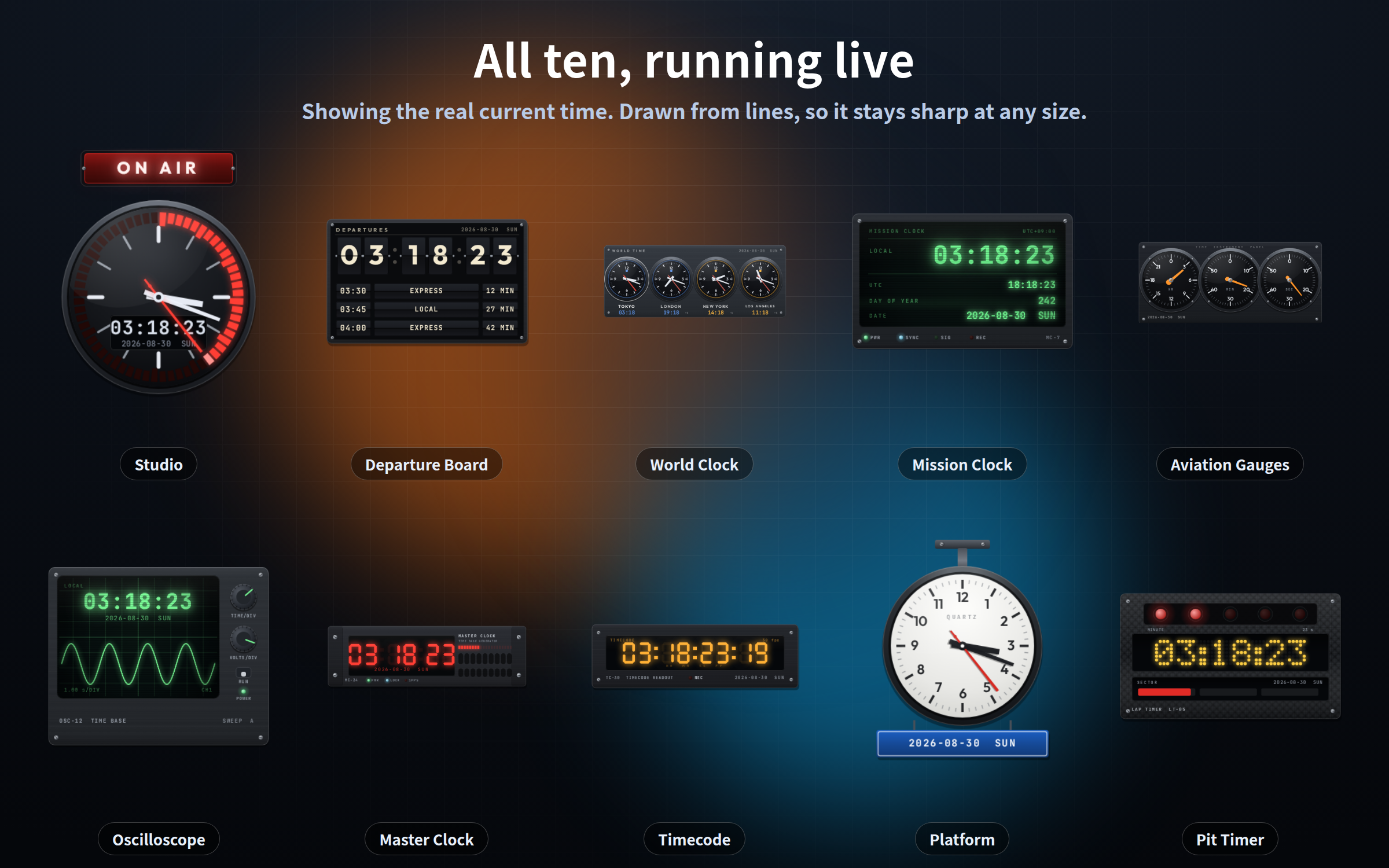
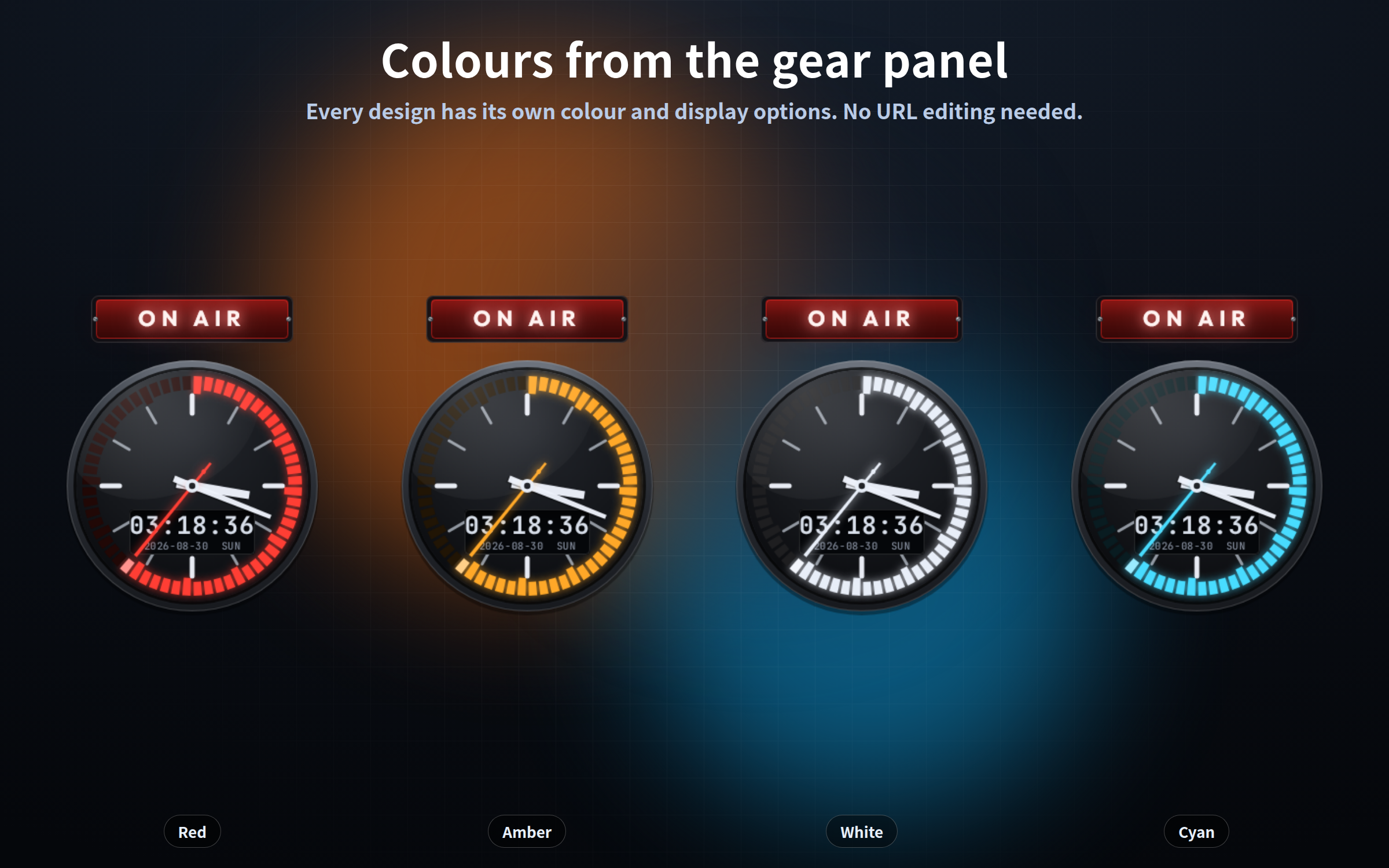
Clocks that look like the instruments a real control room actually uses: a broadcast studio clock, a split-flap departure board, an airport world clock, a mission clock, an oscilloscope. Ten designs, all included.
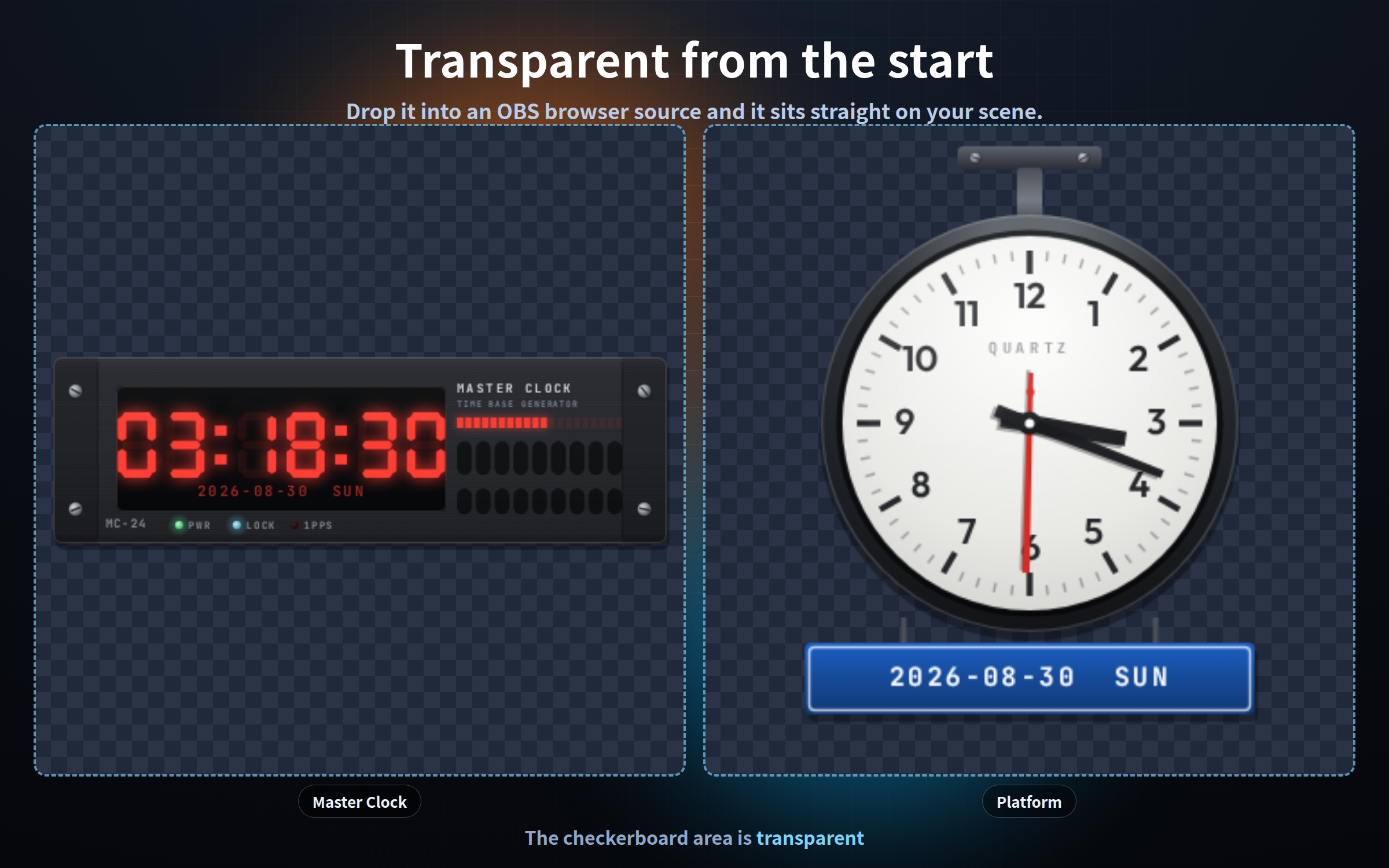
Everything is drawn from lines on the fly (vector), not from images, so it stays sharp at any size. The background is transparent from the start - drop it into an OBS browser source and it sits straight on your scene.
One single HTML file each. No install, no account, works completely offline. The fonts are embedded in the file, so nothing is ever requested externally. English / Japanese.
## The ten designs
**Broadcast / video**
- studio.html - Studio clock (seconds sweep around a ring, ON AIR tally lamp)
- timecode.html - Edit-suite timecode (HH:MM:SS:FF at 24/25/30/60 fps)
- rack.html - Rack-mount master clock (19-inch faceplate, wide and low)
**Transport**
- flap.html - Split-flap departure board (the cards flip when digits change)
- platform.html - Station platform clock (hanging round face with a sign plate)
- world.html - Airport world clock (four cities, daylight saving handled automatically)
**Instruments / control**
- mission.html - Mission clock (phosphor tube with scanlines)
- gauge.html - Three aviation gauges (hours, minutes and seconds as needles)
- scope.html - Oscilloscope (the trace runs in time with the seconds)
- pit.html - Pit-lane timer (start lights and a lap readout)
## Free demo
The demo download is the rack-mount master clock (rack.html), with exactly the same features as the paid version - gear panel, elapsed time and countdown all work. Try the OBS setup with that first.
## What makes these different: the sub readout
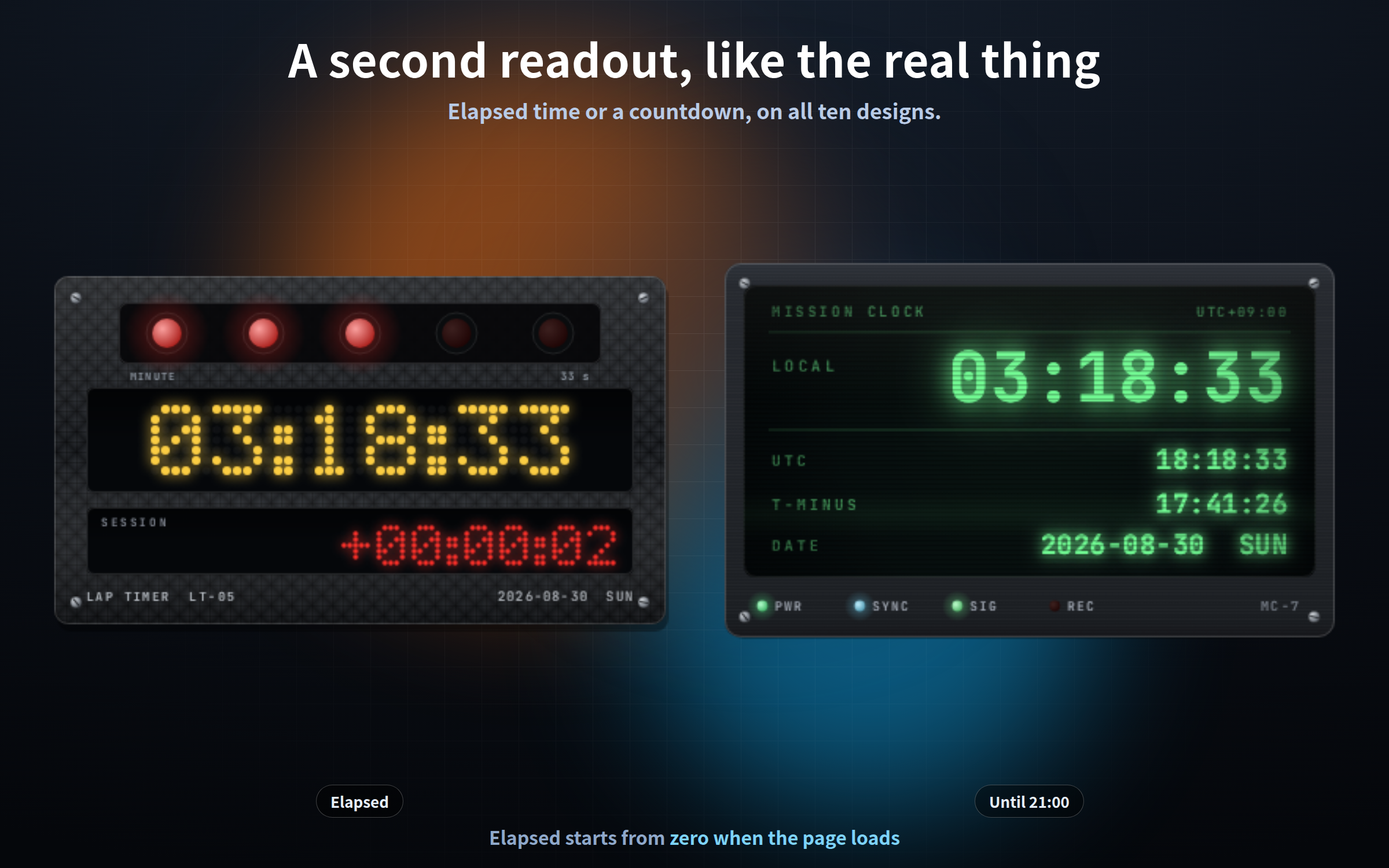
Real broadcast instruments always carry a small second readout next to the time. All ten designs have one.
- `?sub=elapsed` - elapsed time, counting up as "+0:12:34"
- `?sub=goal` - countdown to a target time (`?goalh=21&goalm=30`, default 21:00)
A "starting in X minutes" holding screen is just the clock, nothing else to run.
**Note:** elapsed time starts from zero the moment the page loads - it is not a total since your stream began. Tick "Shutdown source when not visible" in the OBS browser source properties if you want it to reset on every scene change.
## The gear button
You do not have to edit URLs.
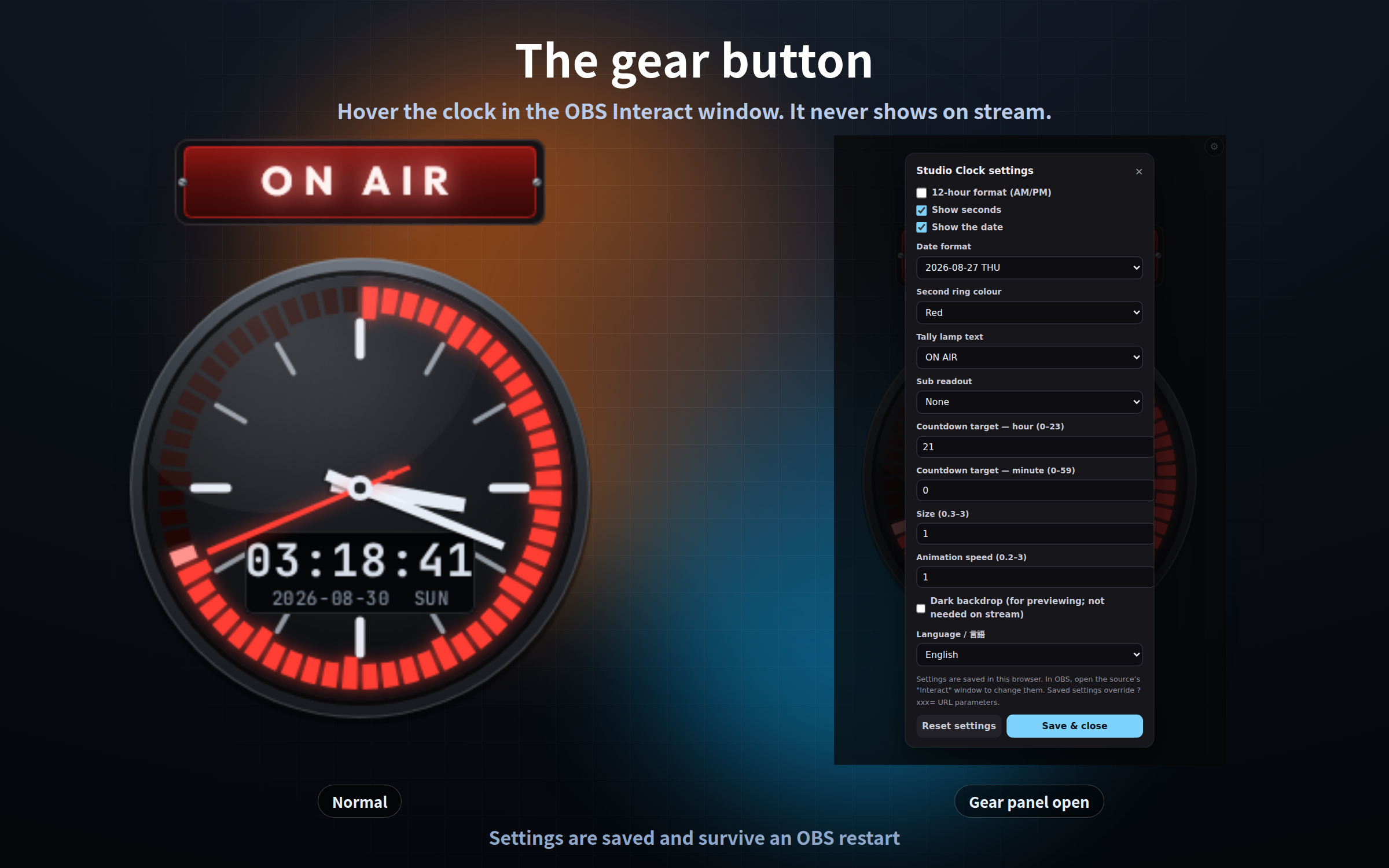
1. Right-click the clock in the OBS Sources list and choose "Interact"
2. Move the mouse over it - a gear appears in the top right (or press the S key)
3. Change what you like and press "Save and close"
The gear is invisible the rest of the time, so it never shows on stream. Settings are saved and survive an OBS restart. Add `?key=a` / `?key=b` to give the same clock different settings in different scenes.
Settings are stored per browser, so always configure inside the OBS "Interact" window for the copy you use in OBS.
## Settings shared by all ten
`?format=12` 12-hour with AM/PM (24h is the default) / `?seconds=off` / `?date=off` / `?datefmt=en` / `?zoom=1.4` size 0.3-3 / `?speed=0.5` animation speed / `?lang=en` / `?bg=on` dark backdrop for checking / `?mode=stream` never show the gear
Each design also has its own options - ring colour, tally lamp text, phosphor colour, waveform, city set, frame rate, panel finish and so on. They are all listed in the included read-me.
## Good to know
- No sound: these are displays only
- The departure times on the split-flap board are decoration, generated from the current time in 15-minute steps. They are not a real timetable (`?rows=0` hides them)
- The time comes from your PC clock. There is no time-sync feature
- It does not read your chat. There is no chat-app or API integration
- Tested on current Chrome and Edge, in the OBS Studio 28+ browser source
- It makes no external request of any kind - no internet needed
- Streaming and commercial use OK (see the included terms)
Purchase
In order to download this tool you must purchase it at or above the minimum price of $3 USD. You will get access to the following files:
Download demo
Leave a comment
Log in with itch.io to leave a comment.