Scene Clocks - 8 Living Scenes With a Clock In Them, for OBS
A downloadable tool
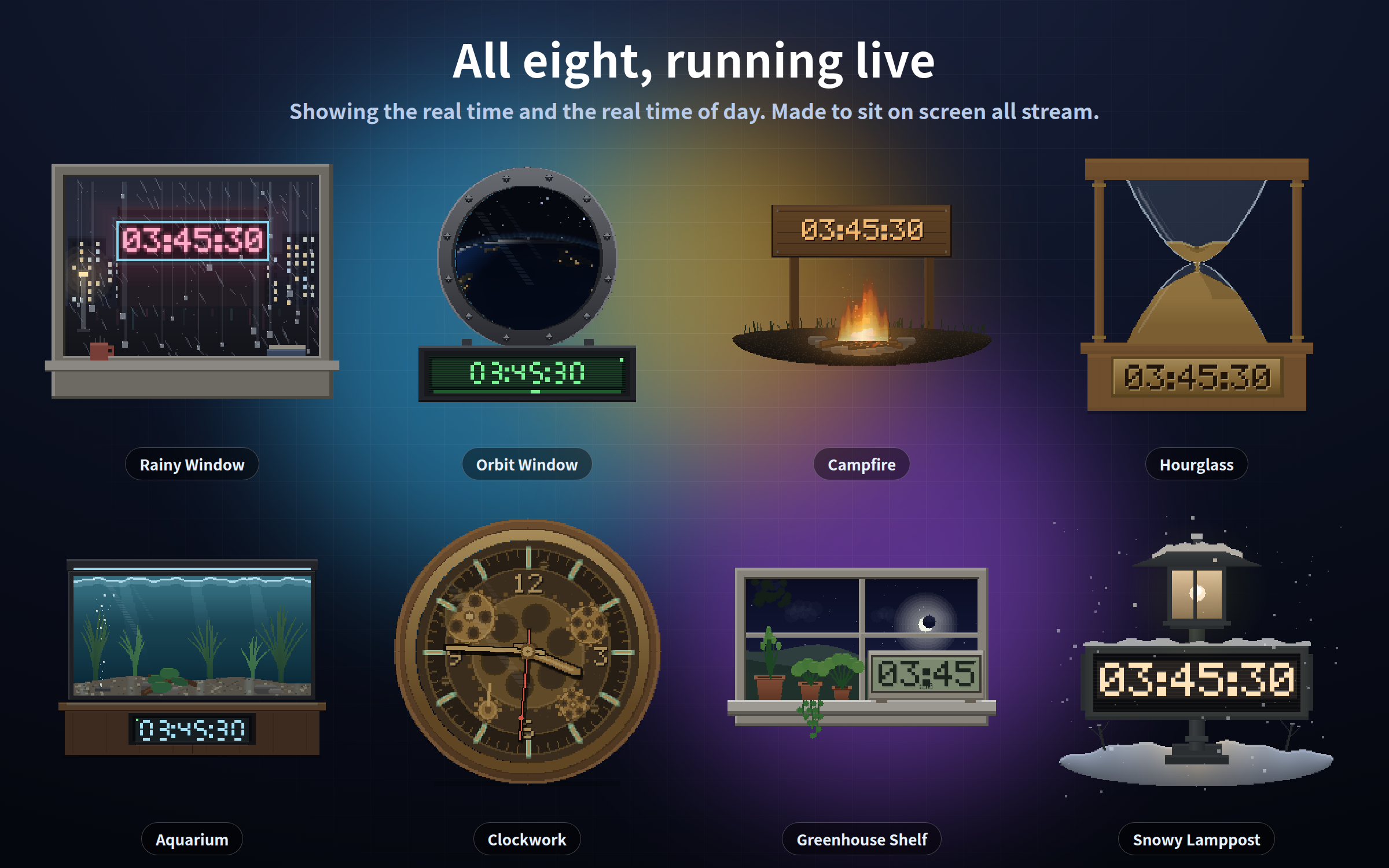
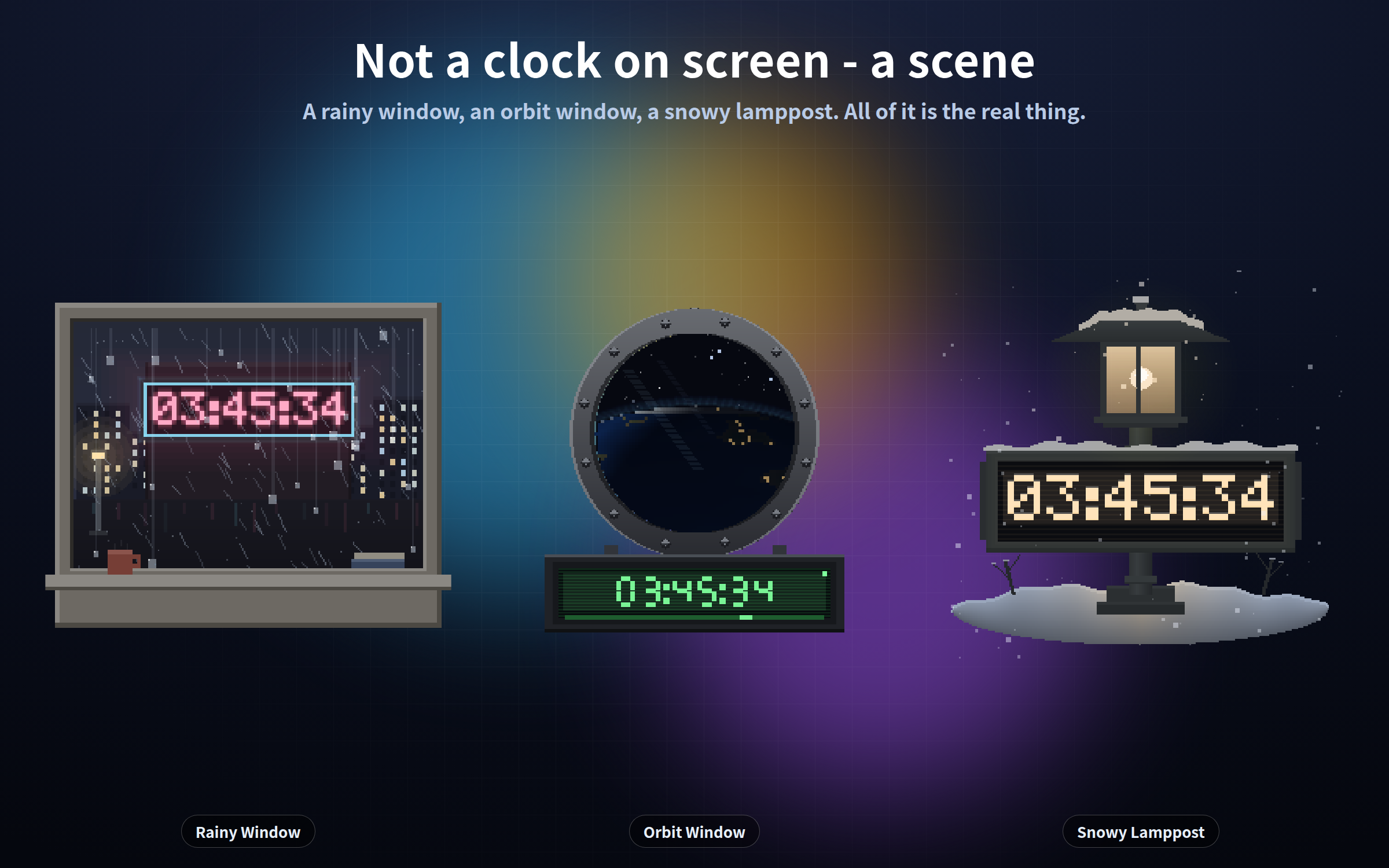
These are not "a clock you put on screen" - they are "a small scene you put on screen, that happens to be a clock". Eight scenes, all included, all moving.
What matters is that the movement is not decoration: it IS the current time. The hourglass holds the current MINUTE as sand, top and bottom. The orbit window's day/night terminator follows the real position of the sun. The clockwork escapement ticks once per second.
One single HTML file each. No install, no account, works completely offline. English / Japanese.
## The eight scenes
- **aquarium.html** - Aquarium / 300x210. Bubbles rise, plants sway, the surface ripples on the gravel. The clock is the LED controller on the cabinet.
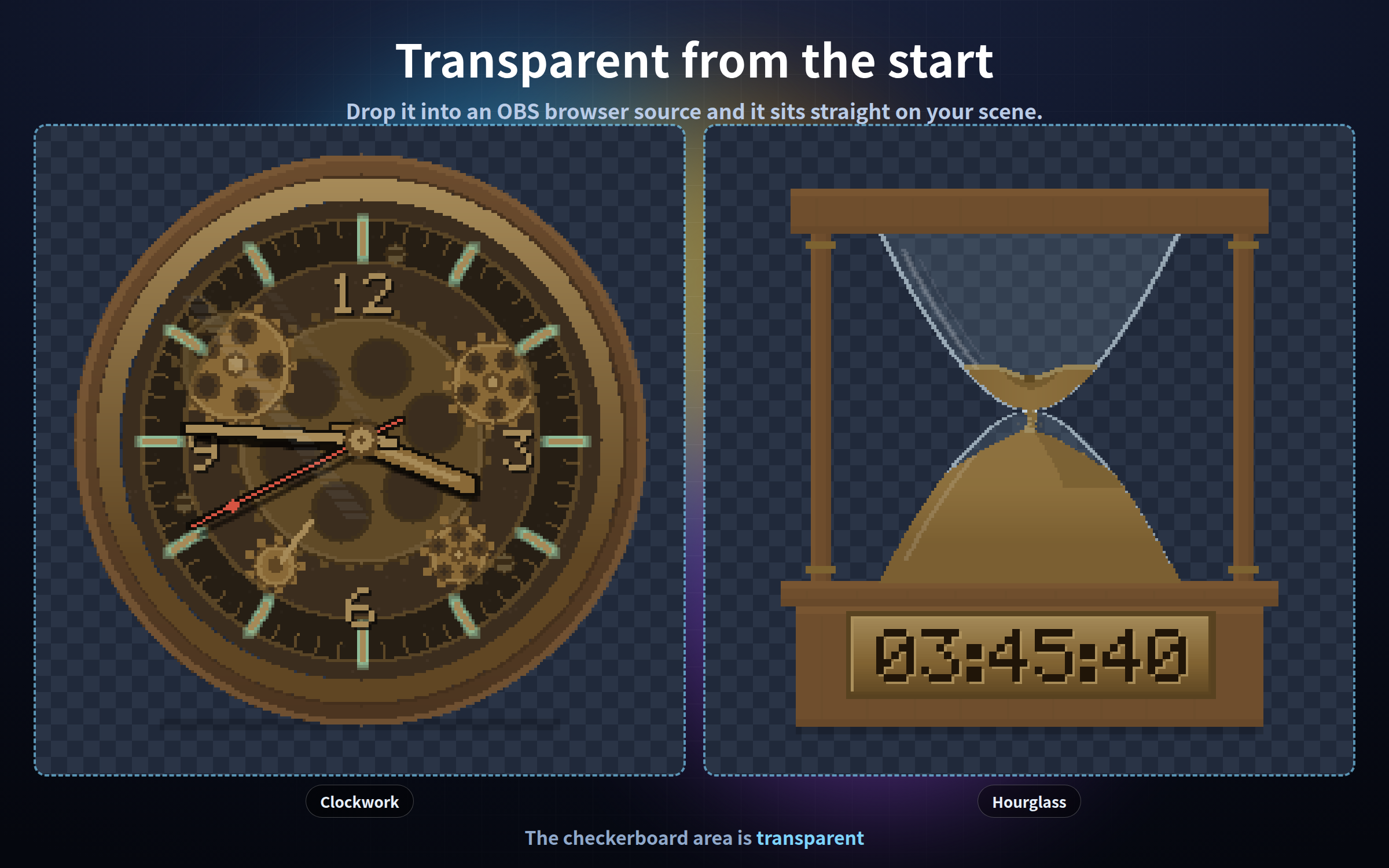
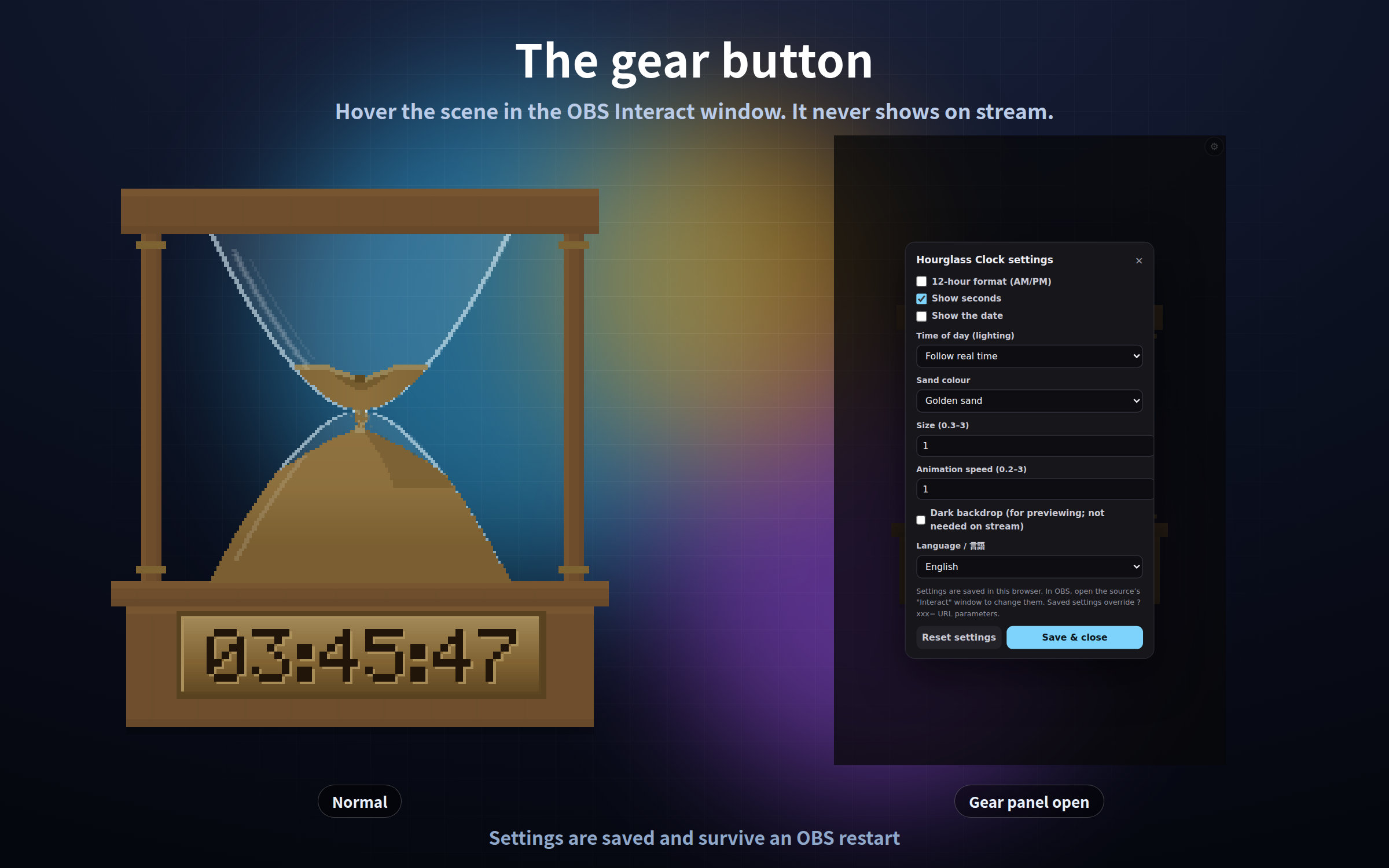
- **hourglass.html** - Hourglass / 250x232. The sand top and bottom is the current minute: 00 = full at the top, 59 = full at the bottom. The brass plate glints on every hour.
- **orbit.html** - Orbit window / 260x230. The Earth turns, clouds drift, stars cross the port. The terminator follows the real sun.
- **campfire.html** - Campfire / 300x200. Flames waver, sparks rise, smoke drifts. The clock is a wooden sign, branded digits brightening with the fire.
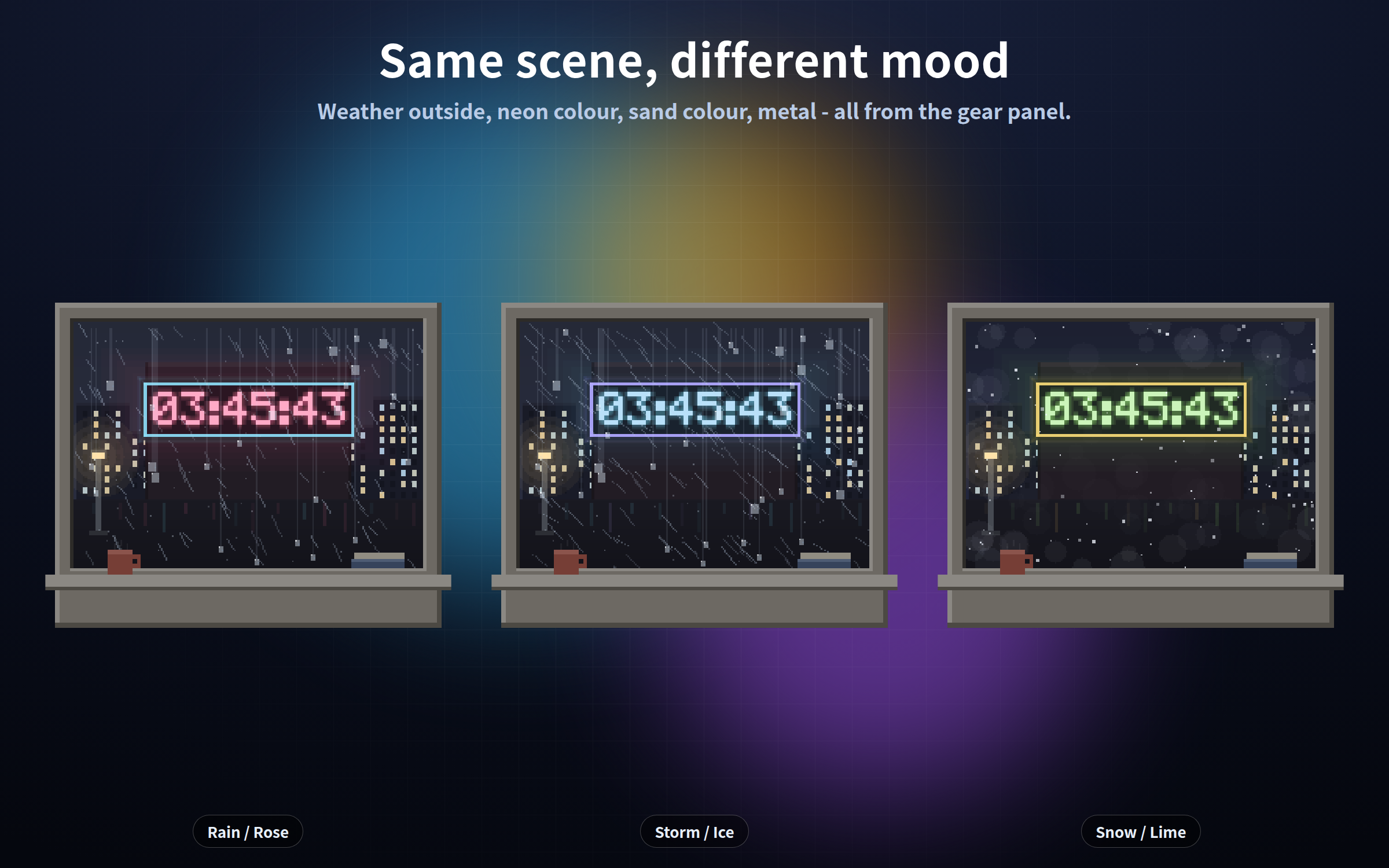
- **rainwindow.html** - Rainy window / 260x220. Drops run down the glass, neon smears on the block opposite. The clock is the neon sign.
- **gears.html** - Clockwork / 220x220. Gears turn in real time behind the dial. Centre wheel one turn per hour, second wheel one per minute.
- **greenhouse.html** - Greenhouse shelf / 320x200. Leaves move in the breeze, dust glitters, and the sun (the moon at night) is at its real position.
- **snowlamp.html** - Snowy lamppost / 250x240. Snow falls, the lamp flickers, snow piles up on the post and the sign.
## Free demo
The demo download is the campfire clock (campfire.html), with exactly the same features as the paid version - gear panel and real-time lighting included. Try the OBS setup with that first.
## The light follows the time of day
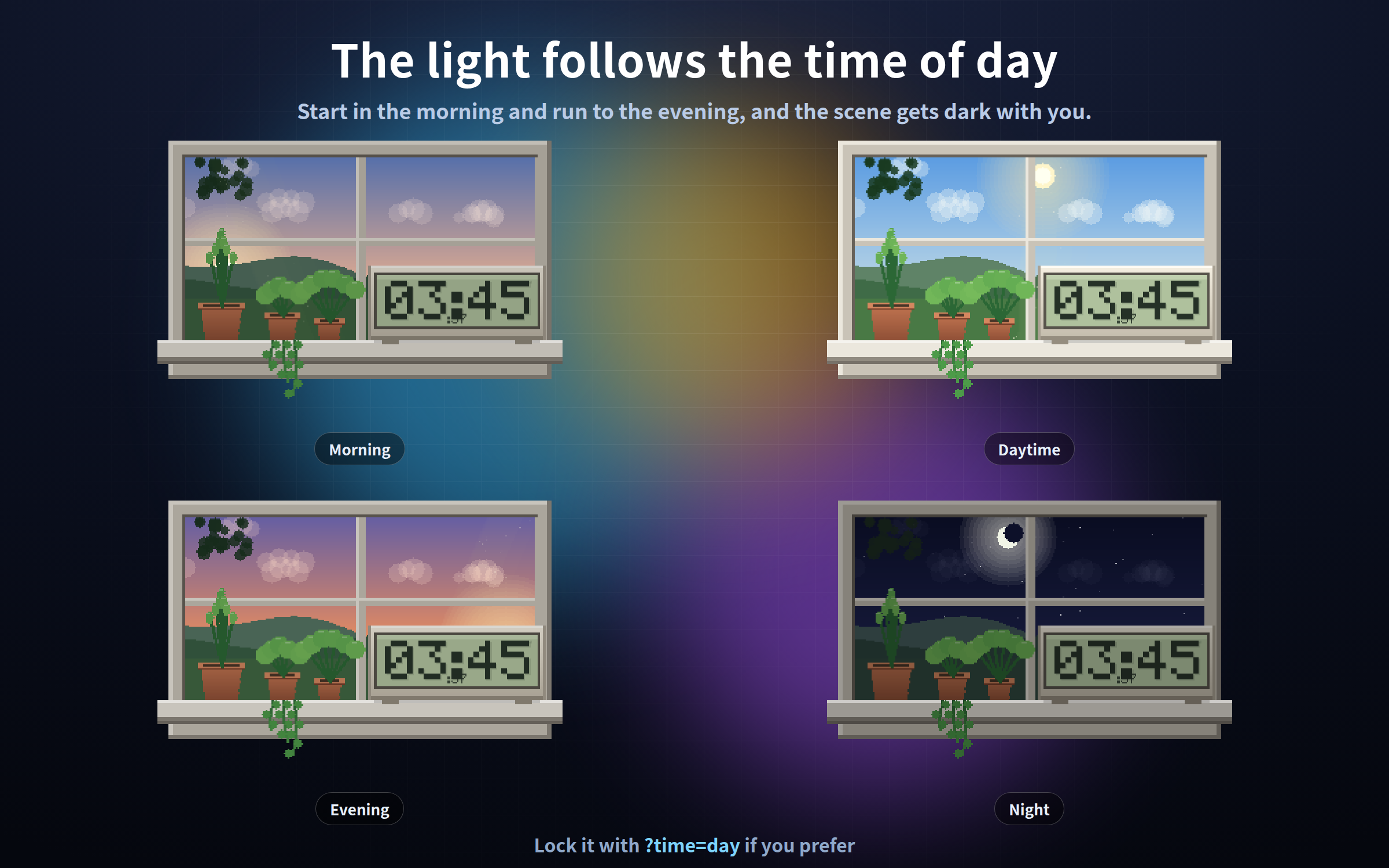
Morning, day, evening and night each light the eight scenes differently, by default. Start streaming in the morning and run to the evening, and the scene gets dark with you.
`?time=real` follow the real clock (default) / `?time=morning` / `?time=day` / `?time=evening` / `?time=night`
Lock it if you always stream at night but want the daytime look.
## The gear button
1. Right-click the scene in the OBS Sources list and choose "Interact"
2. Move the mouse over it - a gear appears in the top right (or press the S key)
3. Change what you like and press "Save and close"
The gear is invisible the rest of the time, so it never shows on stream. Settings are saved and survive an OBS restart. Add `?key=a` / `?key=b` to give the same scene different settings in different scenes. Settings are stored per browser, so always configure inside the OBS "Interact" window.
## Settings shared by all eight
`?format=12` 12-hour with AM/PM (24h default) / `?seconds=off` / `?date=on` / `?time=night` / `?zoom=1.4` size 0.3-3 / `?speed=0.5` animation speed / `?lang=en` / `?bg=on` dark backdrop for checking / `?mode=stream` never show the gear
Each scene also has its own options - tank light, sand colour, instrument colour, the fire, weather outside and neon colour, metal, foliage and wind, lamp colour and snowfall. They are all listed in the included read-me.
## Good to know
- No sound. There is no rain, fire or ambience audio.
- The weather is NOT your local weather. Rain, snow and storm are settings you choose.
- The time comes from your PC clock.
- Tested on current Chrome and Edge, in the OBS Studio 28+ browser source.
- Drawn entirely in code, no image assets. The drawing keeps no accumulated state, so memory does not creep up when left running all stream.
- It makes no external request of any kind - no internet needed.
- Streaming and commercial use OK (see the included terms).
Purchase
In order to download this tool you must purchase it at or above the minimum price of $3 USD. You will get access to the following files:
Download demo
Leave a comment
Log in with itch.io to leave a comment.