Stream Quiz Board — quiz host overlay for OBS
A downloadable tool
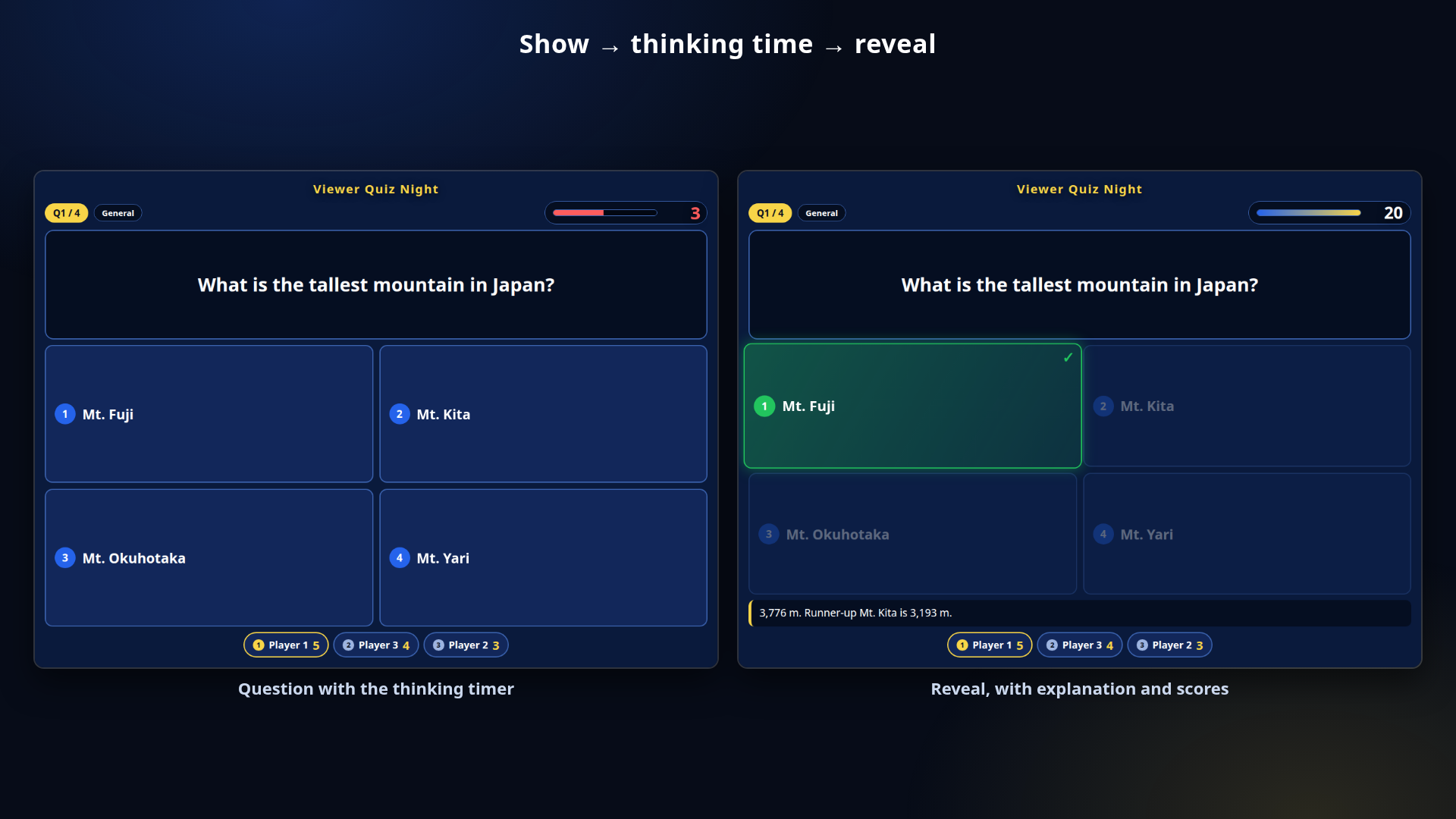
A quiz host tool for live streams. Show the question, run the thinking
timer, reveal the answer, award the points — all in one file. Drops onto
an OBS Browser source with a transparent background.
Single HTML, no install, no account, no licence key, fully offline. Just
double-click streamquiz.html. Works on Windows AND Mac. English / 日本語
toggle included.
NOTE: viewer comments are NOT counted automatically. This is a manual
host tool — there is no chat-bot or streaming-API integration.
======================
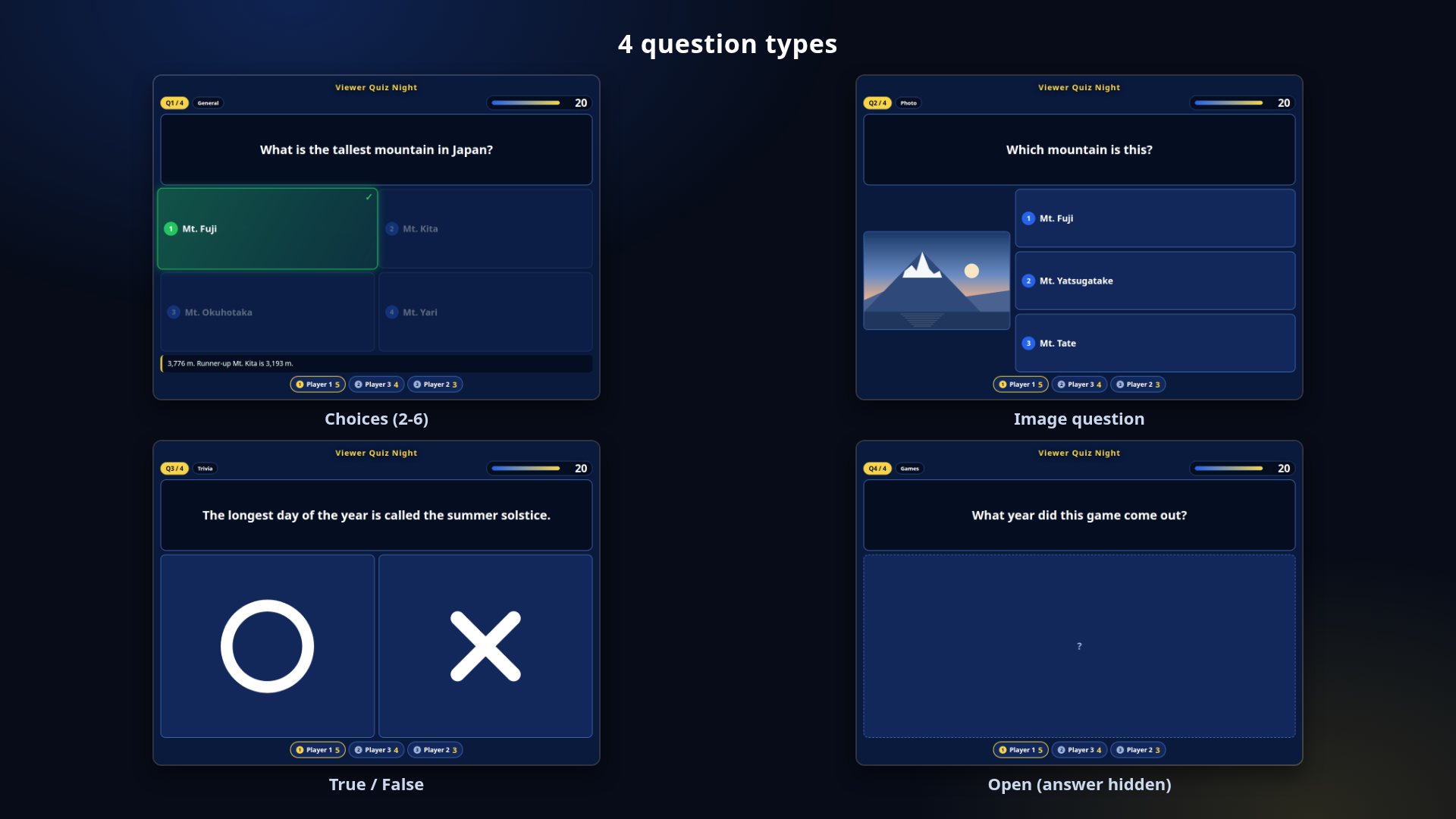
FOUR QUESTION TYPES
======================
- Choices ...... 2 to 6 options, shown as cards
- True / False . O and X, drawn in code (not a font glyph)
- Open ......... no options shown; the answer stays hidden until you
reveal it
- Image ........ attach one picture per question ("Choose image" or drag
and drop)
======================
QUESTIONS
======================
- Up to 100 questions
- Per question: category (20 chars), question text (200 chars), an
optional image, an optional explanation (200 chars)
- Reorder with the arrows, or jump straight to any question
- "Bulk input / paste", one question per line:
Question | choice1 | choice2 | ... | answer number
Use "Question | O" or "| X" for true/false, or write no choices at all
for an open question. A leading [Category] and a trailing
// explanation are optional.
======================
RUNNING THE QUIZ
======================
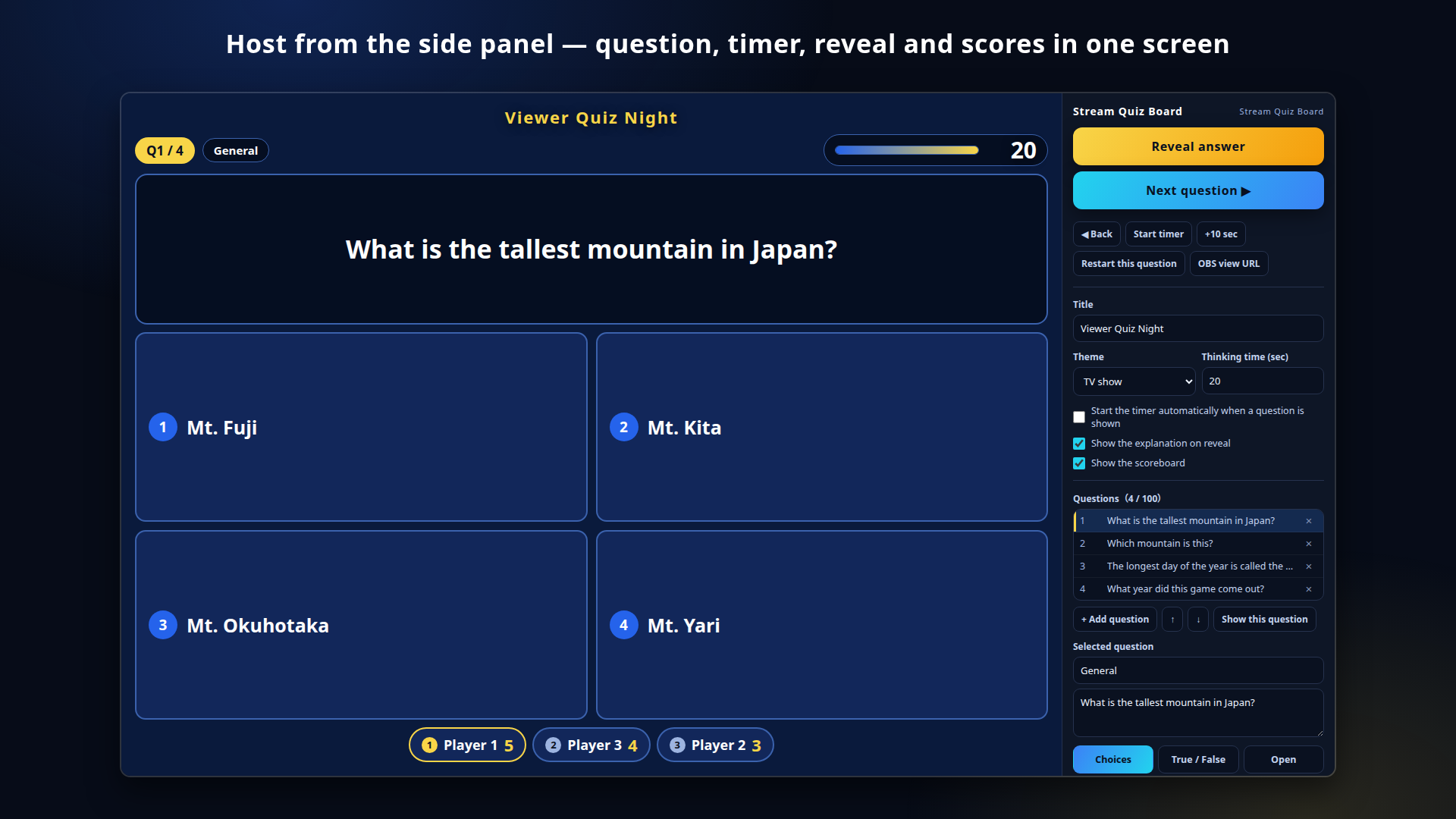
- "Reveal answer" highlights the correct card and shows the explanation
(press again to hide it)
- "Next question" / "Back" / "Restart this question"
- Thinking time: 3 to 120 seconds, started automatically or by hand,
with stop and "+10 sec"
- The last 3 seconds are highlighted and the timer stops at 0. Reaching
0 does NOT reveal the answer — you do that yourself
- Keys: Space advance (reveal, then next) / 1-6 reveal that number as
the answer / T timer / R restart question / arrows move between
questions / F fullscreen
======================
SCOREBOARD
======================
- Up to 8 players, names up to 16 characters
- "Award the checked players" gives points to everyone you ticked
- Points per question: 1 to 100, plus manual + / - per player and
"Reset scores to 0"
- Ranks are shown and the leader is highlighted
- Hide the board entirely for solo streams (or use ?board=off)
======================
PUTTING IT IN OBS
======================
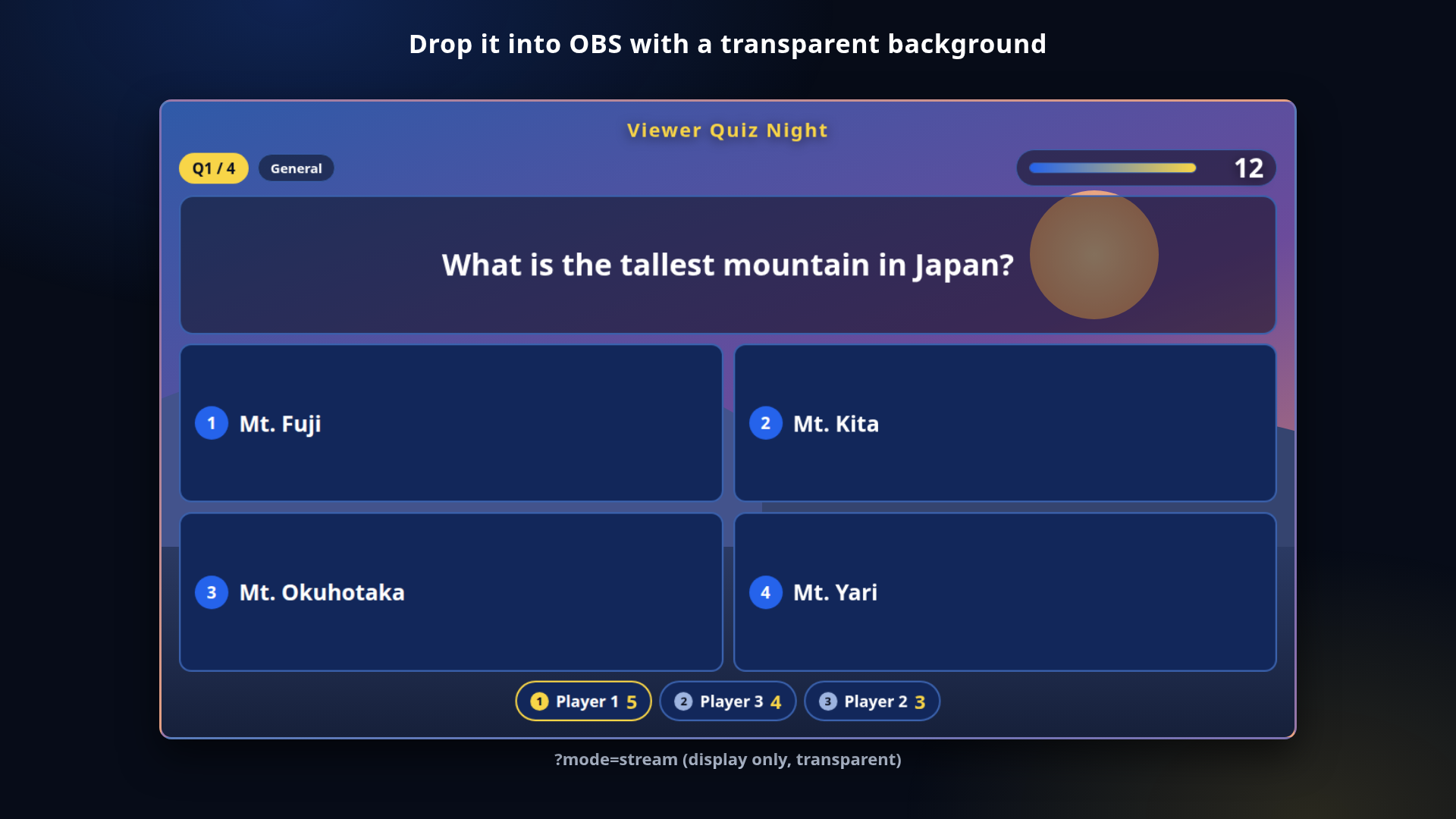
- Add a Browser source, tick "Local file", point it at streamquiz.html
and add ?mode=stream to the URL (the "OBS view URL" button in the
panel copies it for you)
- ?mode=stream hides the control panel and makes the background
transparent
- You host from your own tab (opened without ?mode=stream). Questions,
the timer, reveals and scores all follow along, and the remaining time
matches
Note: views sync when they are opened from the same browser and the
same location (same origin). An OBS browser source can be treated
separately, so check the sync with two browser tabs first.
======================
DISPLAY
======================
- Title above the stage, up to 40 characters
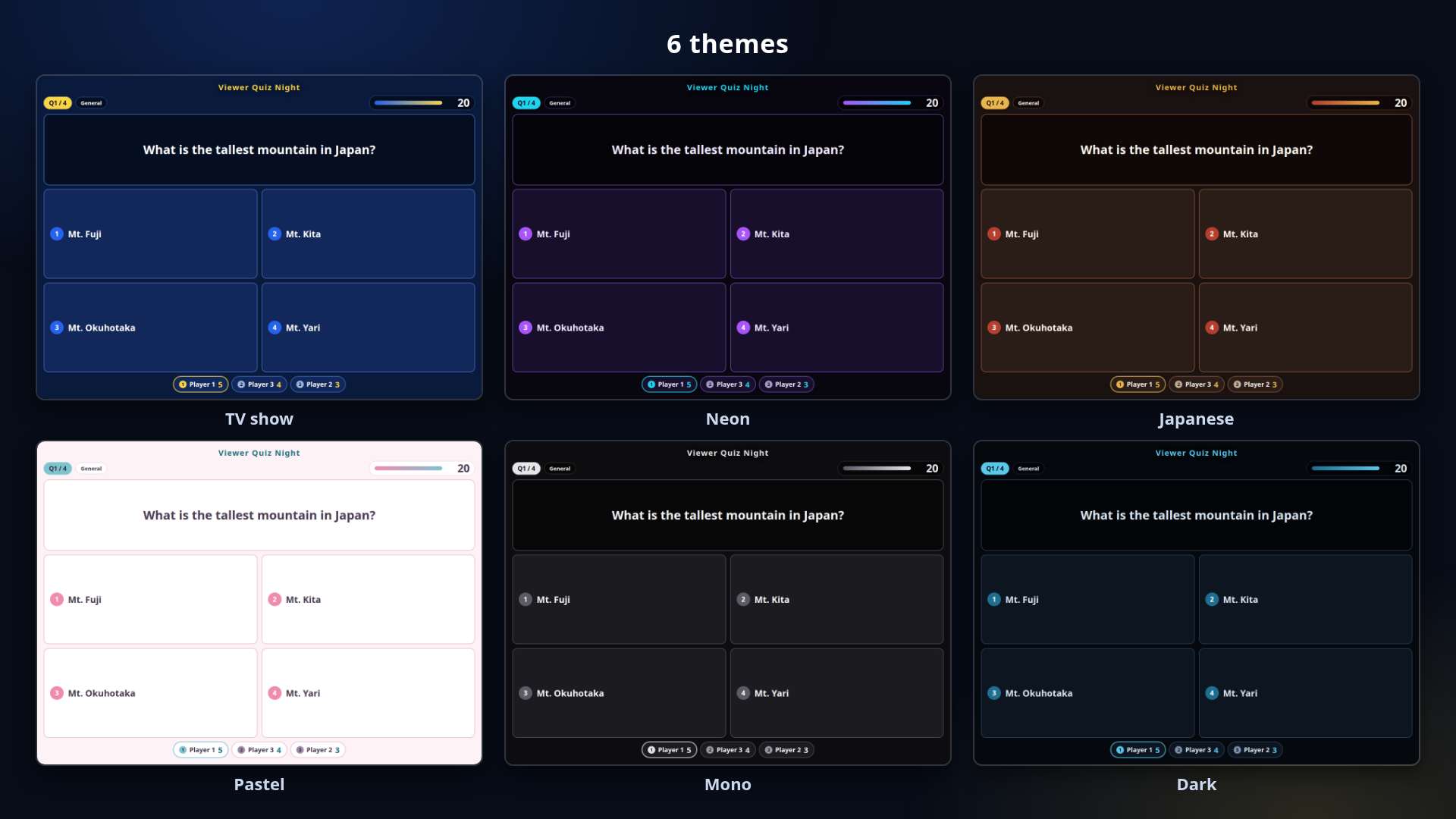
- Six themes: TV show / Neon / Japanese / Pastel / Mono / Dark
(all drawn in code — no image assets)
======================
URL PARAMETERS
======================
- ?mode=stream ... hide the panel, transparent background (for OBS)
- ?theme= ....... tv / neon / wa / pastel / mono / dark
- ?board=off .... hide the scoreboard
- ?lang= ........ ja / en
- ?scale= ....... display scale, 0.4 to 3 (default 1)
(join several with &)
======================
SAVE / LOAD
======================
- "Save (.json)" writes quiz.json with your questions, scores and
settings; "Load" reads it back
- Your input is also kept in the browser for next time
- "Reset" clears everything back to the starting state
- Many images can exceed the browser's storage quota; a message appears
if that happens
======================
NOTES
======================
- Code-drawn, no image assets — tiny and fast. No internet needed and
nothing is sent anywhere
- No install, no account, no licence key
- Works on Windows AND Mac, in the browser
- Tested on current Chrome / Edge
- No fonts are bundled; text is drawn with the fonts on your machine
- No question set is included; three sample questions ship with the app
- Use it freely in streams and videos (commercial use OK, see TERMS.txt)
FOR: streamers running viewer quiz nights, trivia segments and community
events who want the board on screen in OBS without an installer or a
licence key.
The questions, player names and stream layout in the screenshots are
samples for illustration.
Found a bug or want a feature? Message me.
Purchase
In order to download this tool you must purchase it at or above the minimum price of $6 USD. You will get access to the following files:
Leave a comment
Log in with itch.io to leave a comment.