Stream Widgets Bundle - 15 Widgets, 179 Designs for OBS
A downloadable tool
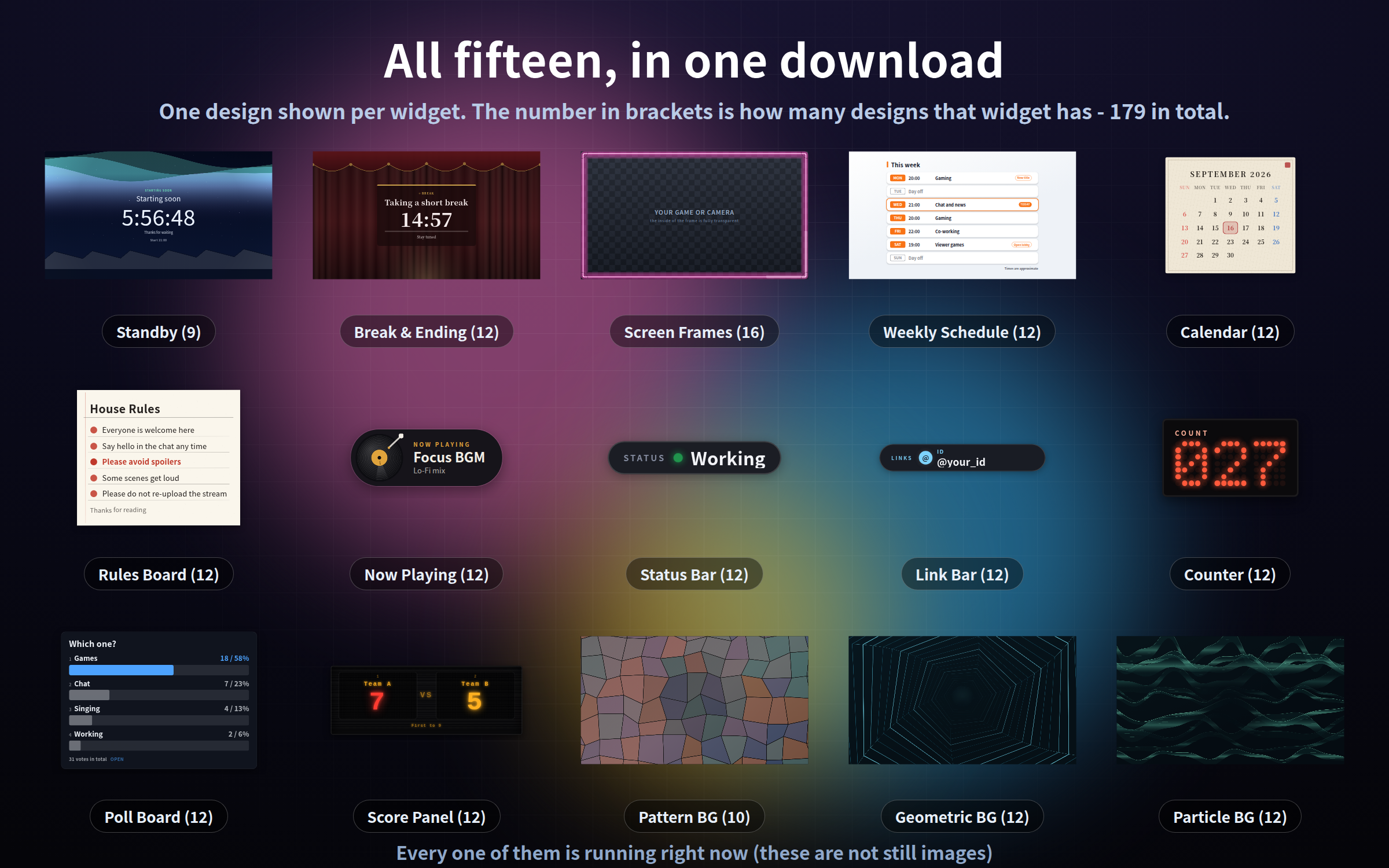
Fifteen stream widgets in one download - 179 designs. Bought one by one they come to $45; together they are $15.
Every widget is a single HTML file. Drop it into an OBS Browser Source and it runs: no install, no account, no API key, no subscription.
They all move. These are not stills or GIFs - each one is drawn live from your own clock, so the download stays tiny and the motion never has a loop seam. Text, colours, size and placement all change from a gear button on the widget itself.
Each widget sits in its own folder with its own manual, in English and Japanese.
What is inside (15 widgets / 179 HTML files)
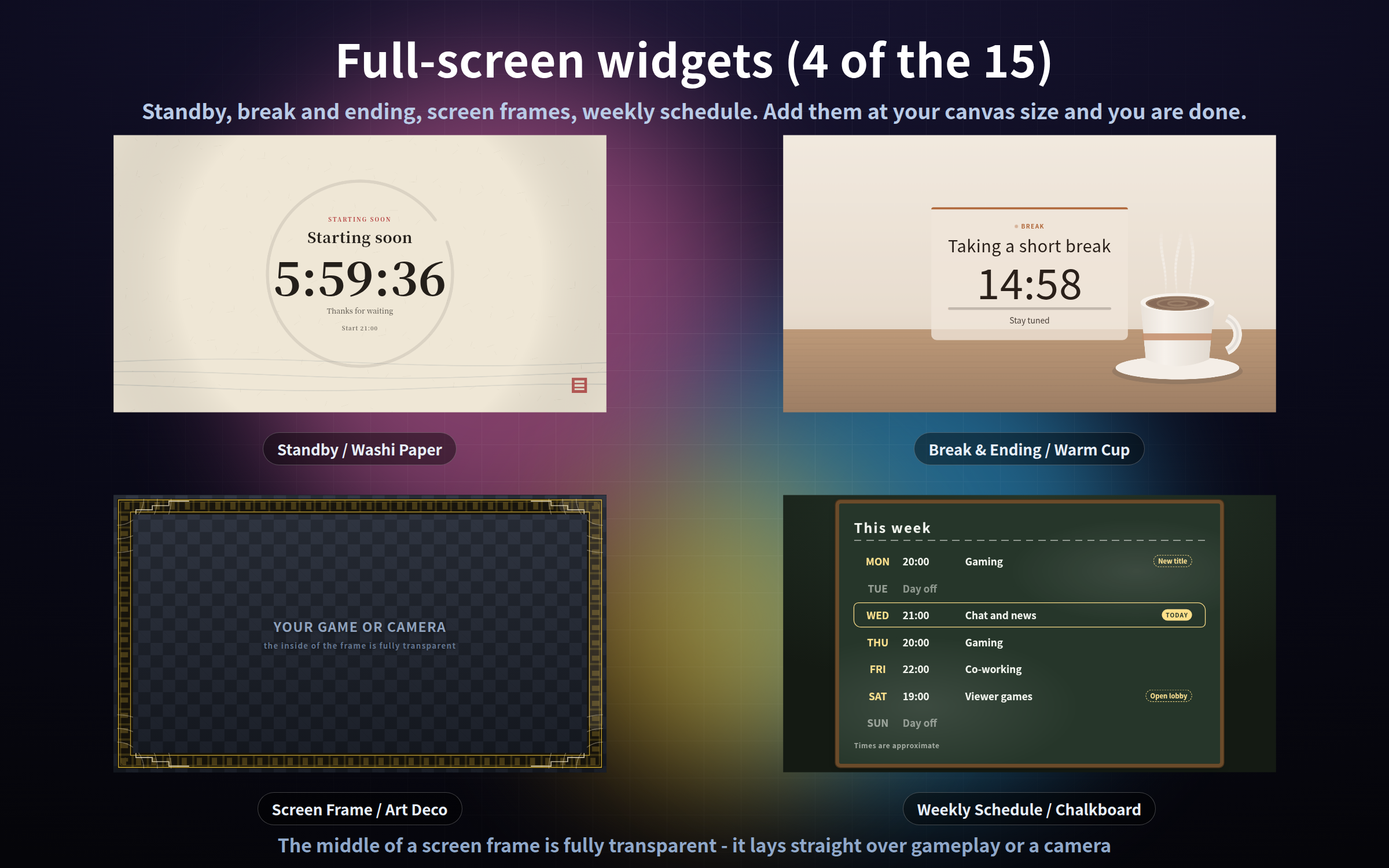
Full-screen
- Standby screen (9 designs) - "starting soon" with a countdown to the time you set
- Break & ending screen (12 designs) - how long until you are back, plus your next stream
- Screen frames (16 designs) - a border with a fully transparent middle, for gameplay or a camera
- Weekly schedule (12 designs) - your week on one panel; today's row lights up by itself
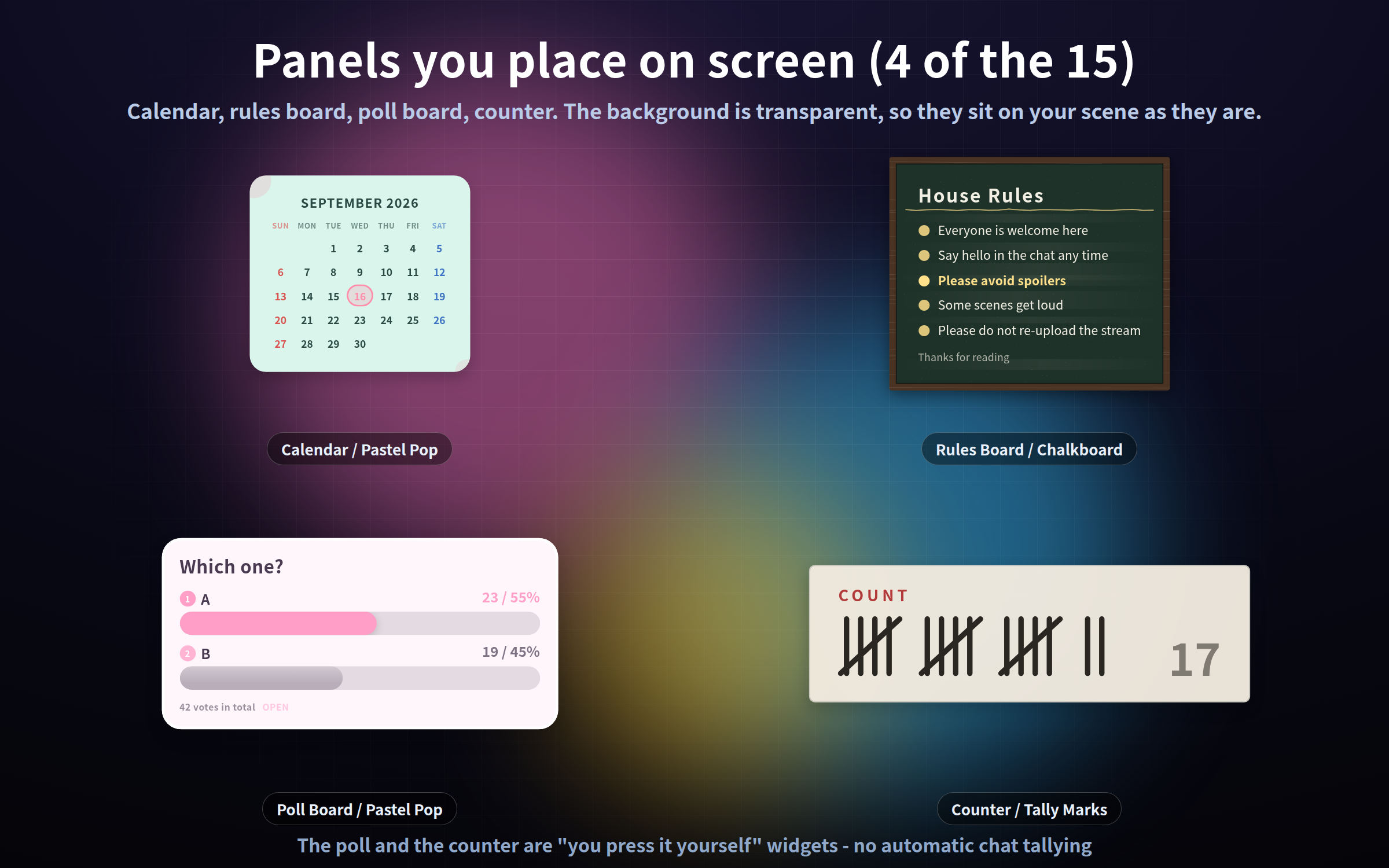
Panels
- Calendar (12 designs) - today, this week or this month, with your stream days circled
- Rules board (12 designs) - type the bullet list and the panel sizes itself
- Poll board (12 designs) - bars grow as you enter the votes
- Counter (12 designs) - click and it goes up by one; up to nine counters at once
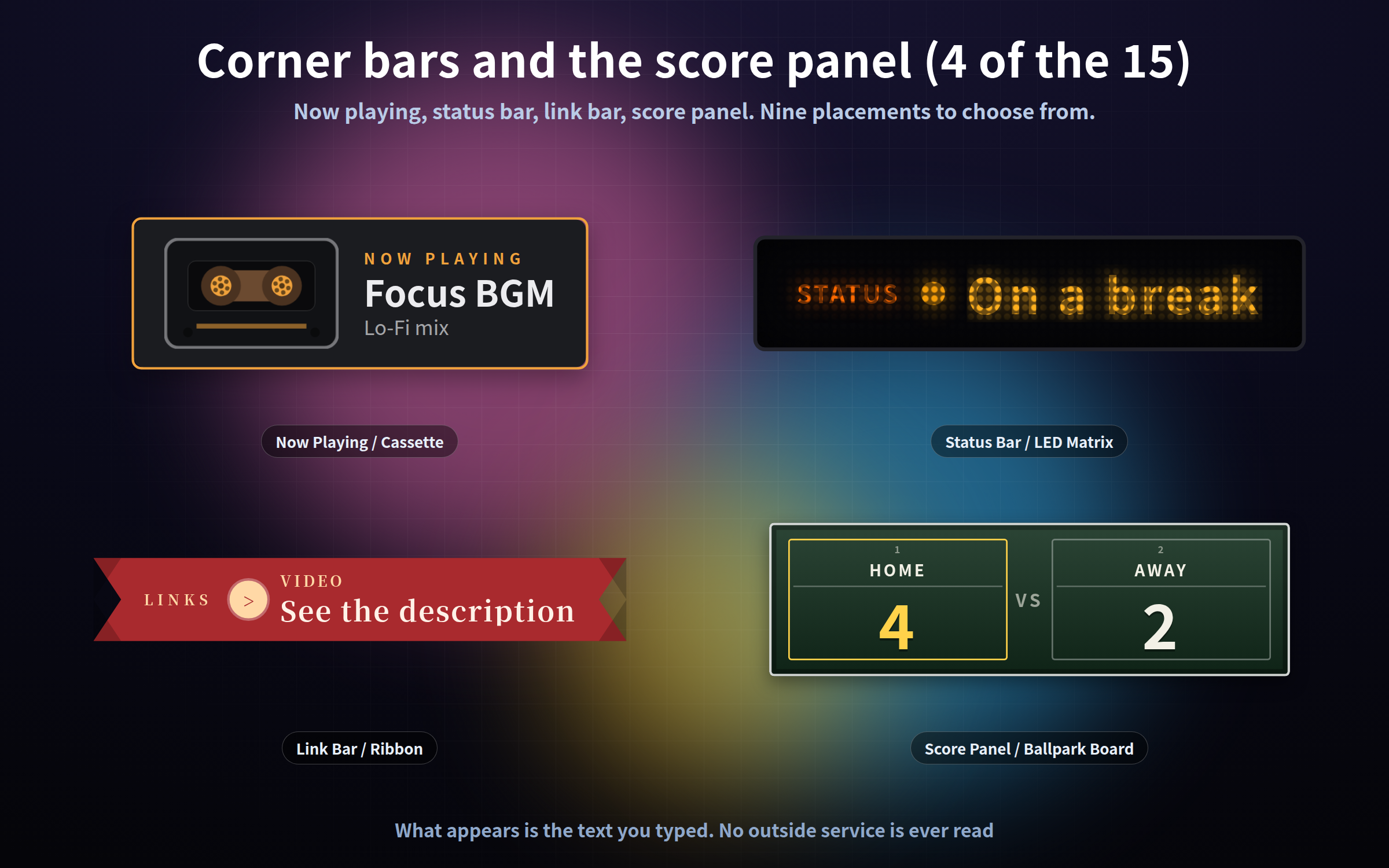
- Score panel (12 designs) - scores, a win/loss record, a first-to-N race, the next match card
Corner bars
- Now playing (12 designs) - a track, your BGM, what you are working on; step a list with the arrow keys
- Status bar (12 designs) - "working" / "on a break", switched with keys 1-9, with a timer
- Link bar (12 designs) - your links and IDs, one at a time or all in a row
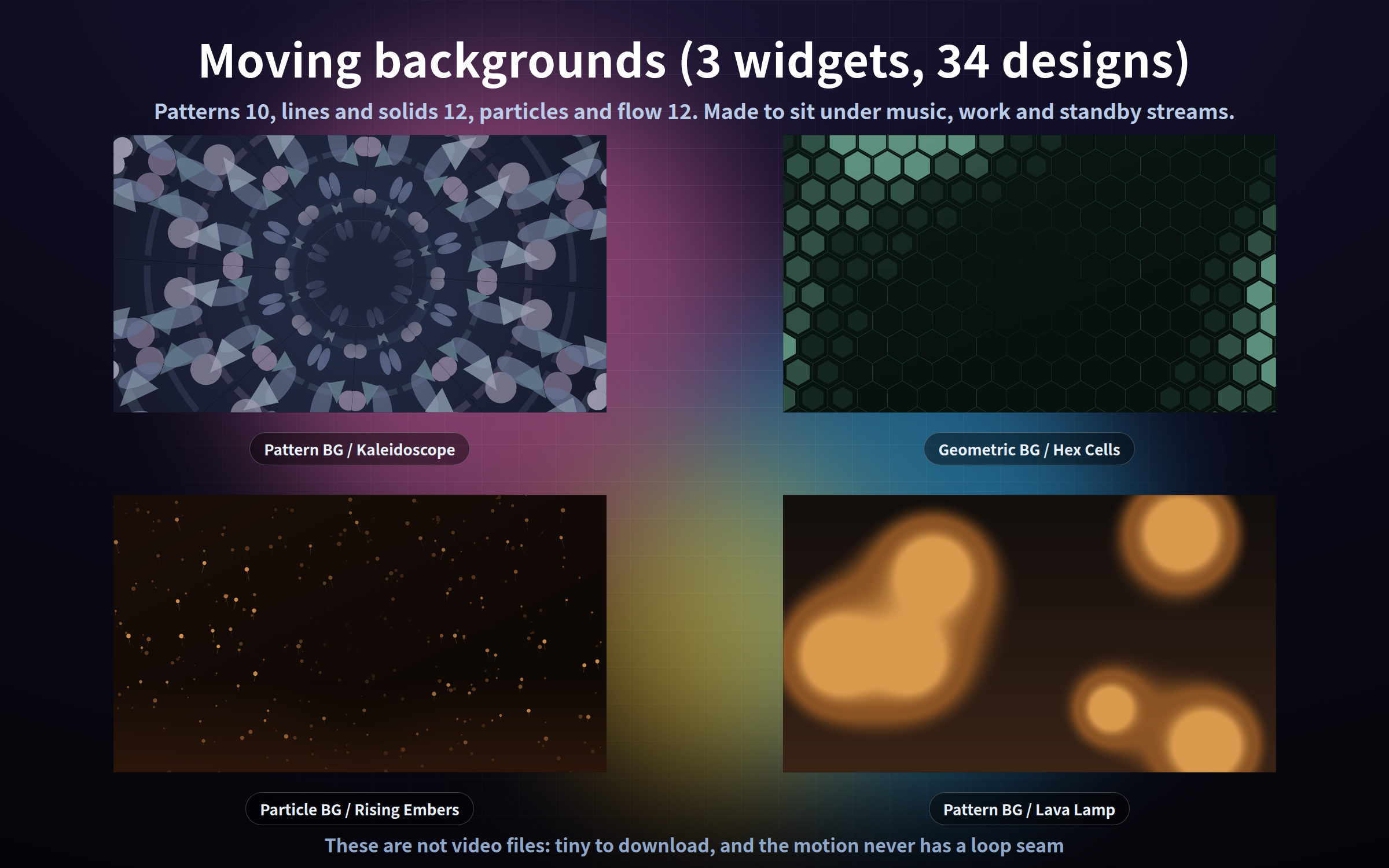
Moving backgrounds
- Patterns (10 designs) - kaleidoscope, stained glass, marble, a zen garden and more
- Lines and solids (12 designs) - contours, a drafting grid, circuit traces, wireframe terrain
- Particles and flow (12 designs) - falling flakes, rising bubbles, embers, a vortex, light streaks
Setup (30 seconds)
1. In OBS: Sources -> + -> Browser
2. Tick "Local file" and pick the .html you want
3. Type in the width and height (each folder's manual suggests a size)
The background is transparent, so it sits straight on top of your scene.
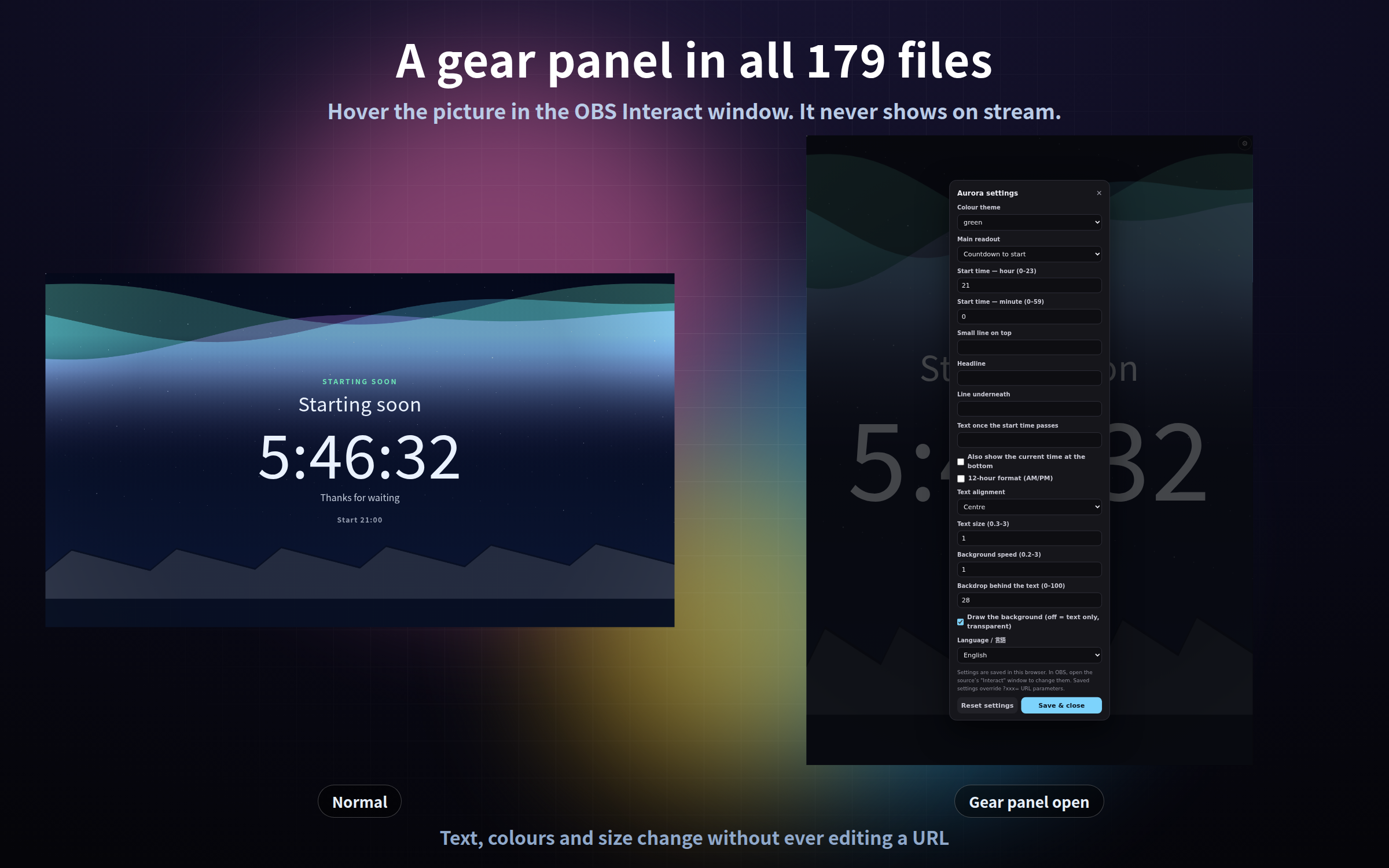
The gear button - in all 179 files
- Right-click the source in OBS, choose "Interact", then hover the picture
- Change text, colours, size and placement without ever editing a URL
- Invisible until you hover, so it never shows on stream (press S if you cannot find it)
- Settings are saved and survive an OBS restart; "Reset settings" puts everything back
Three URL parameters work in all 179 files: ?lang=ja / ?lang=en, ?mode=stream (never show the gear) and ?key=a (keep separate saved settings for a second copy). Everything else is per widget and listed in that widget's manual.
What these do not do
- No sound effects; they are display only
- No automatic chat tallying - the poll, the counter and the score panel are all "you press it yourself"
- No integration with a streaming platform or a music app
- What appears on screen is the text you typed; no outside service is ever read
Notes
- Tested in Chrome and Edge. The OBS Studio 28+ browser source is Chromium, so it runs the same way there, and in other apps with a browser source such as Streamlabs
- It makes no external request of any kind - no internet needed, no web fonts, no analytics
- The type comes from the fonts already on your PC
- The text is real HTML text, so it stays sharp at any size
- Each frame is computed from the current time rather than accumulated, so memory does not creep up when it is left running all day
- Streaming and commercial use OK (see the included terms)
Found a bug or want a feature? Message me.
Purchase
In order to download this tool you must purchase it at or above the minimum price of $15 USD. You will get access to the following files:
Leave a comment
Log in with itch.io to leave a comment.