Work Stream Tracker - OBS Overlay for Work & Study Streams (log, goal, pomodoro)
A downloadable game
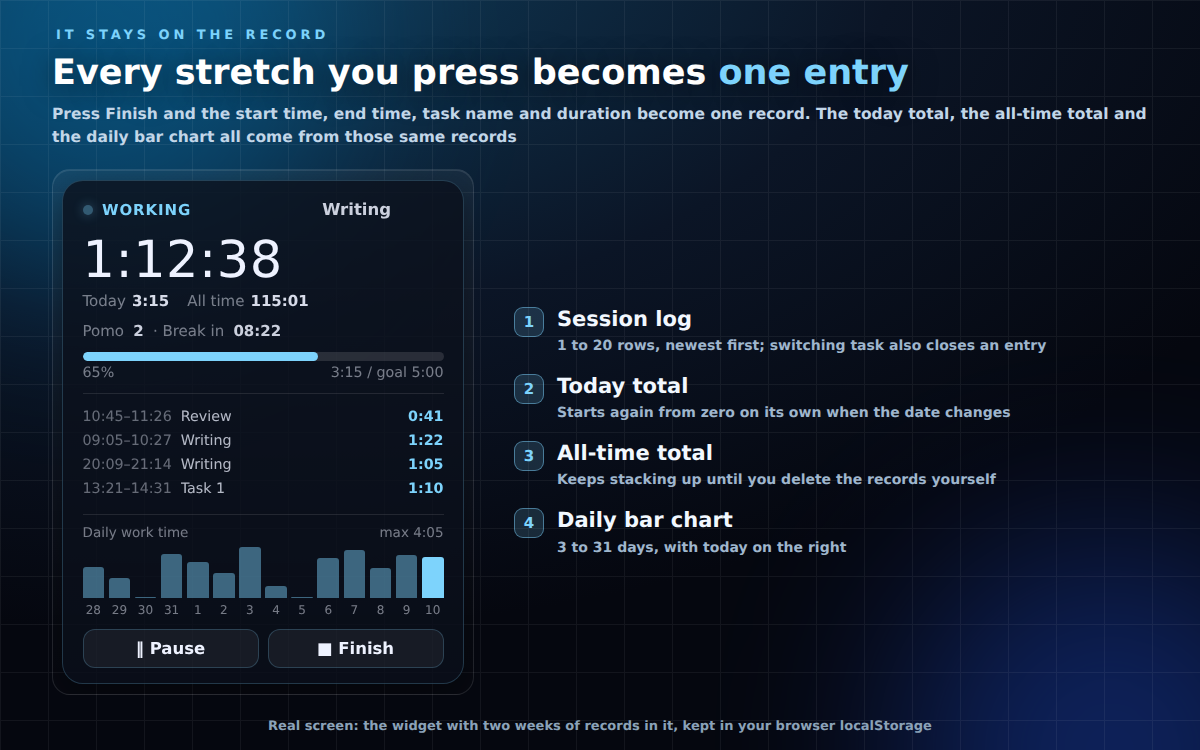
An overlay for work, study and co-working streams that records how long you actually worked. You press start, pause, resume and finish yourself, and it keeps the session log, today's total, the all-time total, your goal progress and a per-day bar chart in one compact card.
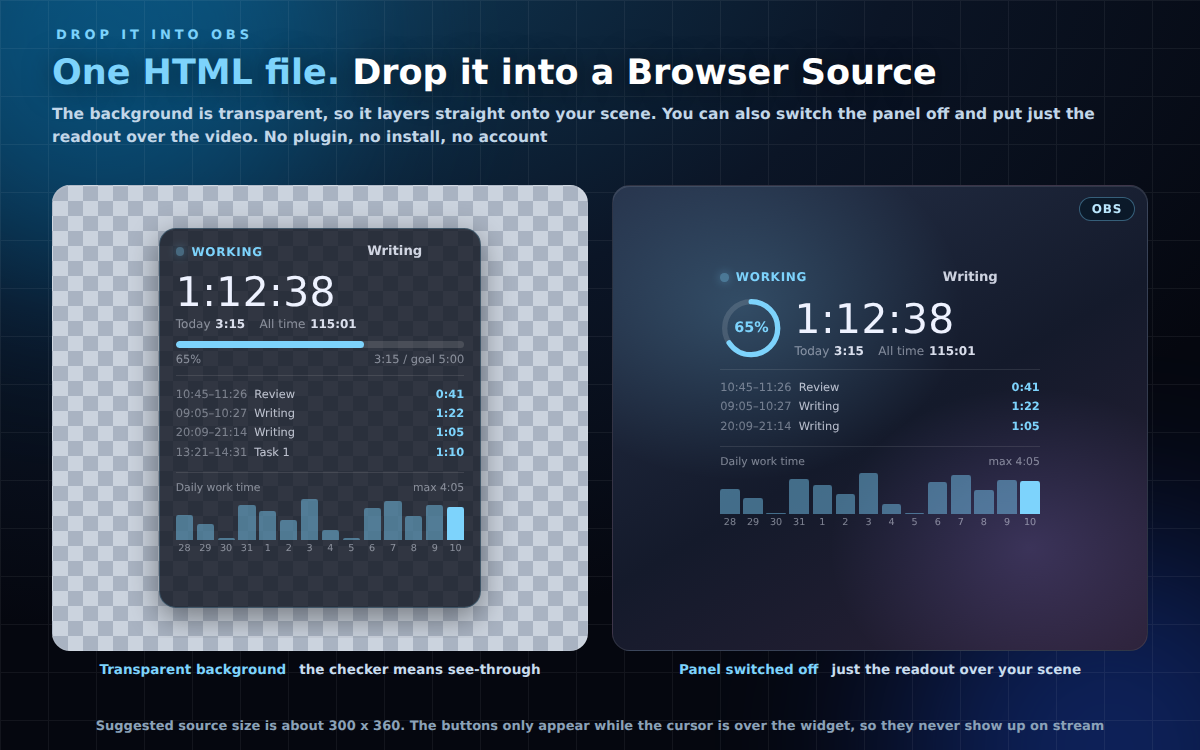
No plugin. No install. No account. One file. Zero network requests. Drop it into an OBS Browser Source and the background stays transparent.
WHAT IT DOES
- Tracks work time: start / pause / resume / finish, with the current session shown large
- Session log: "start-end / task name / duration", newest first
- Name your task, and register presets to switch with a click (switching closes the current entry and opens a new one)
- Today's total and all-time total, always on screen
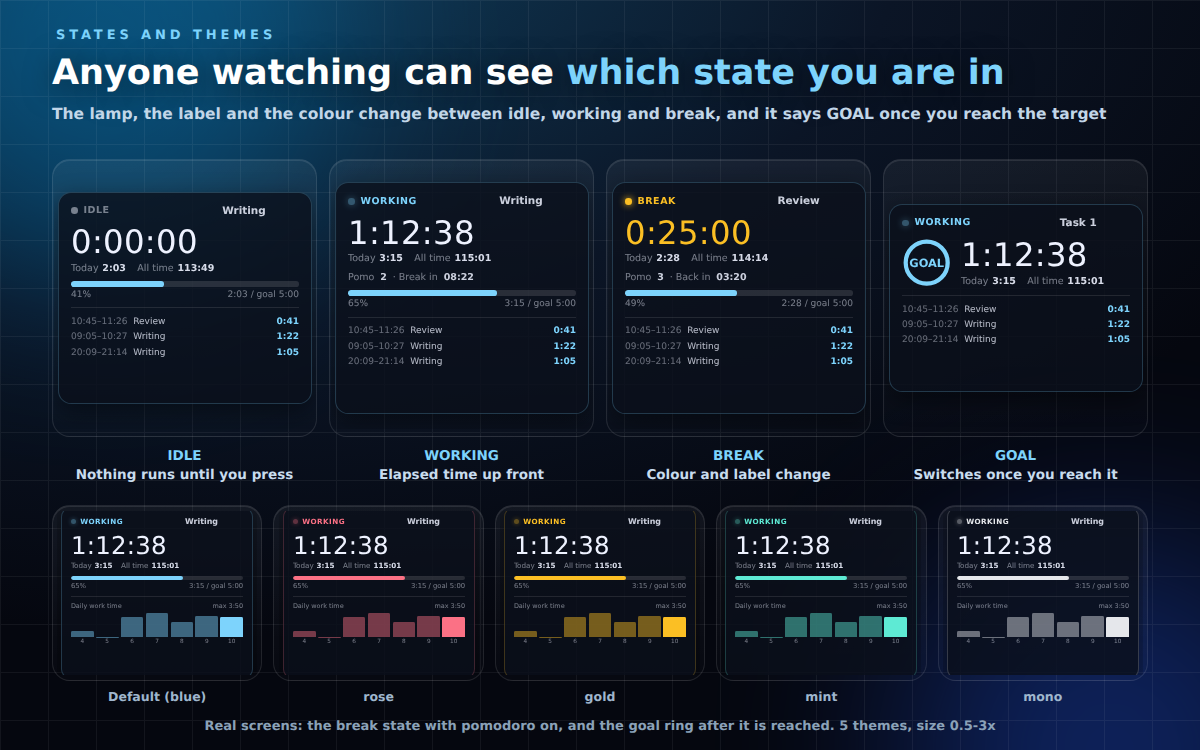
- Set a goal in minutes and show the progress as a bar or a ring; it says GOAL once you reach it
- Optional pomodoro (N minutes work / M minutes break). The colour and status make the break obvious on stream
- Optional "pause and wait when the break ends" (on by default)
- Per-day bar chart (3-31 days), drawn by hand with no third-party library
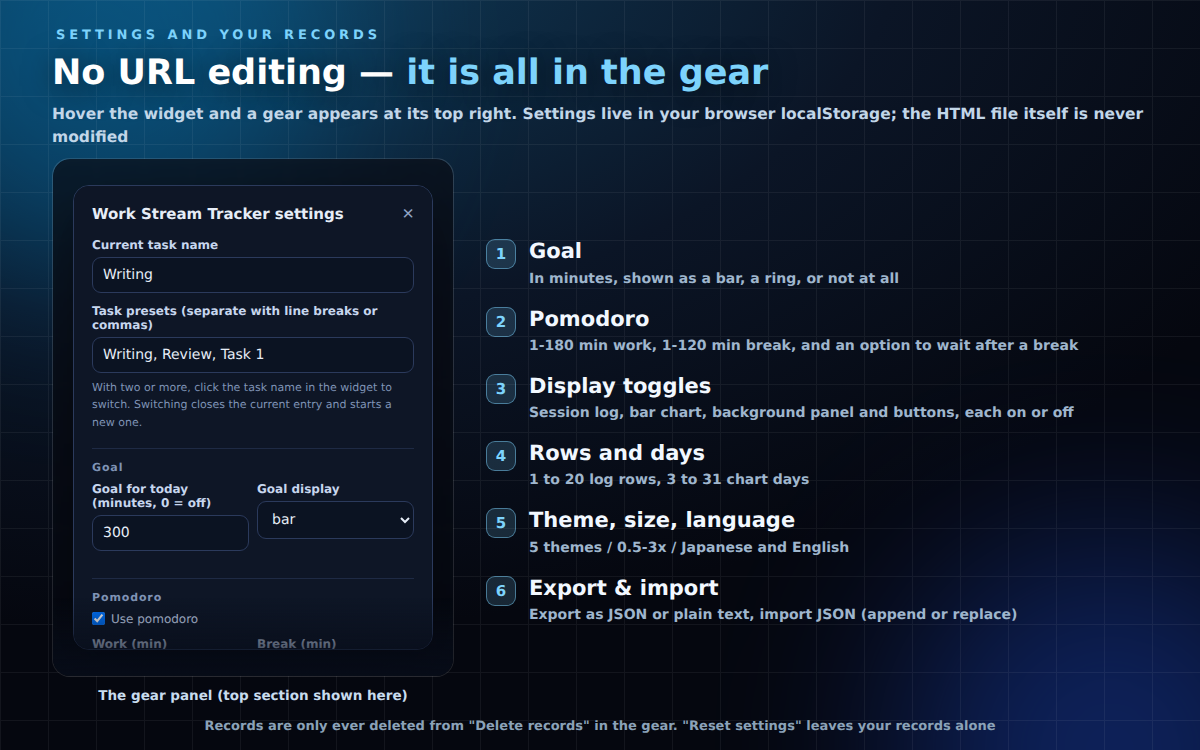
- Export your records as JSON or plain text, and import JSON back (append or replace) — copy and paste only
- Japanese / English (auto-detected from your browser, or pinned in the gear panel or with ?lang=)
- 5 colour themes (blue / rose / gold / mint / mono), size 0.5-3x, background panel on or off
BUILT SO YOUR RECORDS DO NOT DISAPPEAR
- Records and settings live under separate storage keys. "Reset settings" only restores display settings and never touches your records
- Records are deleted only from the "Delete records" section — "today" or "all" — and both ask once first
- Export the JSON, keep it in a text file, and you can always restore
- While running, the state is saved every 3 seconds. If the page was gone for 60 seconds or less the session keeps running; if it was gone longer, work time is closed off at the last saved moment and it comes back PAUSED (so falling asleep or losing power never inflates your hours)
HOW TO USE
- OBS: Sources -> Browser -> Local file -> pick worktracker.html (background stays transparent automatically)
- Operate it via right-click -> Interact. The buttons only appear while the cursor is over the widget, so they never show up on stream
- Standalone: double-click the .html to open it in your browser
- Suggested source size: about 300 x 360 (the card is 268 x 331 px with everything on; smaller if you turn parts off)
SETTINGS
- Hover the widget and a gear appears at the top right. Everything can be set from that panel — no URL editing
- Settings are stored in your browser's localStorage; the HTML file is never modified
- Add ?key=abc to give a copy its own settings and its own records
- URL parameters work too (e.g. ?pomo=on&work=50&rest=10&goal=300&chart=on)
INCLUDED
- worktracker.html (the widget, one file)
- READ ME FIRST (English).txt / はじめにお読みください.txt
- TERMS.txt / 利用規約.txt
NOTES
- Tested on current Chrome / Edge. No internet needed
- No external fonts, scripts or images are loaded
- No sound is played (OBS Browser Sources handle audio differently depending on the setup, so this is deliberately silent)
Found a bug or want a feature? Message me.
Purchase
In order to download this game you must purchase it at or above the minimum price of $2 USD. You will get access to the following files:
Leave a comment
Log in with itch.io to leave a comment.